
Tesla has many things to be excited about — an exciting new interior, autopilot hardware 2.0, and a sleek design. One of the most notable features of recent Teslas is the Sentry Mode dashcam feature, which records video whether the car is parked or you are driving to catch anyone attempting to break into your car (or hit it).
However, for this feature to work continuously, you need a USB flash drive plugged into the dashboard USB port — but what’s the best SSD for Tesla?
The Samsung T7 Portable SSD is the best SSD for Tesla Sentry Mode. It is portable, easy to install, rugged, weather-resistant, and built to offer fast speeds and high durability.
Other SSD USB options worth considering include:
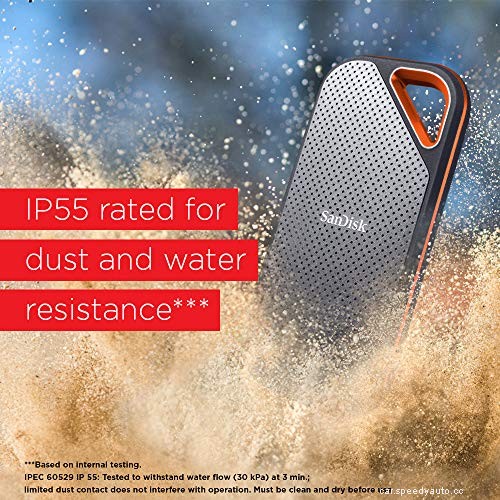
Read on for more details about the best SSD for Tesla, as well as how to format a flash drive for the Tesla dashcam.
An SSD is the best USB drive for Tesla Sentry Mode because it is durable and offers fast speeds (necessary when recording video).
As I mentioned, the Samsung T7 Portable SSD 500GB from Amazon.com is the perfect pick. It is an amazing choice for Tesla owners who want a reliable and durable drive to keep their data safe in any situation possible.
This lightning-fast self-powered device has no trouble transferring files at up to 1050 MB/s —easily making this one of the top choices in external solid-state drives.
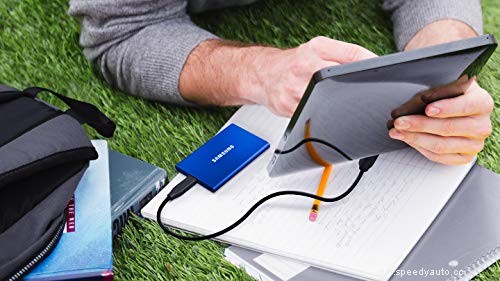
Additionally, it features Samsung’s Dynamic Thermal Guard (DTG) technology that prevents overheating by slowing down data transfer when necessary. Also, it’s impact-resistant and can withstand drops from as high as 6 ft (183 cm).
Because of these remarkable features, you will find it easy to bring the SSD in any situation without having to worry about damaging your data.
| Samsung T7 Portable SSD 500GB | Jeda’s Tesla Sentry Storage Drive | SanDisk 500GB Extreme PRO Portable External SSD | |
| Storage capacity | 500 GB | 256 GB | 500 GB |
| Read speed | 1050 MB/s | 540 MB/s | 1050 MB/s |
| Write speed | 1000 MB/s | Less than 540 MB/s | Less than 1050 MB/s |
| Type | USB-C | USB-C | USB-C |
| Other unique specs | DTG technology for resistance to thermal damage Password security | Quick-Release Quick-Connect | Aluminum body Silicon rubber for impact resistance |
Tesla uses a mini Serial ATA (mSATA) SSD. This kind of drive has a few different components: the controller and flash memory (the reason for its high durability and speed). Also, it has an interface with a point-to-point connection, which ensures high speeds without any bottlenecks.
The mSATA drive is the best choice for Tesla Sentry Mode because of its speed, durability, and easy installation (you only need to plug it into an empty place on your dashboard).
You cannot use any flash drive for Tesla Model 3. The drive must be USB 2.0 compatible; however, it does not have to be an SSD. You can use any flash drive that is USB 2.0 compatible to power your Tesla Sentry. This means you can use a traditional hard drive if necessary.
Generally, the flash drive must meet the following requirements:
Caution: Remember that using a flash drive will eat up more battery life than using an SSD.
Tesla Model 3 uses USB C. If you want to power your Tesla Sentry Mode, you ideally need a USB Type-C flash drive. This cable carries power and information on a single connector. It has faster speeds, more durability, and can provide more stability.
Additionally, the Tesla Model 3 uses USB 3.0 cables, so a flash drive that uses this technology will be compatible.
Tesla records video while driving and stores it on the flash drive (when plugged in). Notably, the car’s Sentry Mode continuously records video and saves it to the external storage device. It also has a 360-degree wide-angle lens for capturing everything that happens inside and outside the vehicle.
This allows users to save footage of accidents or incidents on the road while driving – it can significantly help with insurance claims if there is an incident.
However, it would help to note that this is contingent upon you having Sentry Mode turned on, and an external storage device plugged in.
In brief, Sentry Mode records video as soon as it detects incidents such as the car being hit or the airbags deploying—it continuously records even when parked.
Tip: To ensure nothing happens to your important data, make sure you update the firmware of your Tesla now and then for new features and optimizations.
Additionally, you can check if your car is recording by finding a Sentry Mode Key icon located at the top-right corner of the display screen (when driving). If there’s no icon, it means that Sentry Mode is not activated and won’t record anything.
Tesla Sentry Mode offers up to 128GB of storage. This means that you can store up to 12 hours of driving footage before it starts deleting the oldest videos.
This happens because the Sentry Mode continuously records video and deletes the oldest footage when it gets full. It then overwrites the old clips with new footage, avoiding any gaps in recording.
To format a flash drive for Tesla Dashcam, follow these steps:
Note: Be sure to select exFAT as your file system. Also, note that formatting your flash drive will delete all data on it.
Additionally, you may need to download a third-party application (like the free Windows GUI version of FAT32 format by Ridgecrop Consultants). Once you download the application, open it and select the drive to format, and click start.
A warning will pop up notifying you that formating will erase all the data on the drive. If you’re okay with that, click “OK.”
If you need more information on formatting, consider checking out this video (there are step-by-step instructions):
Tesla comes with a 128GB USB drive that you can use to update the vehicle’s firmware and access your personal settings. It also gives you an overview of your car’s charging status, mileage, and diagnostics.
However, the main purpose of the USB device is for updating Tesla’s software (firmware). To preserve your personal settings, you can always manually transfer them to a flash drive.
This way, you won’t lose anything even if the USB device gets stolen or breaks down.
In a Tesla, USB is set up to be available in the center console, the rear AC vents, and glove box. Each has hub its own specifications and features that make it better for certain applications than others.
Below is a rundown of what each hub does best.
You can use any of these three USB ports depending on what device you are charging and its size. They all provide enough power to charge mobile devices.
Tesla does not record when USB device is unplugged. Instead, it only records when there’s a USB in it. Without a USB storage device, there is nowhere to store the footage, making it impossible to record any video.
If you want to use a USB as your dashcam storage device, make sure it’s at least 128 GB. Without that much space, you won’t be able to record long footage before your car overwrites your old files with new ones.
Tip: You can also use a cloud storage service to keep your dashcam footage for future reference. Examples of these are Dropbox, Google Drive, and iCloud.
All Tesla cars are equipped with a particularly efficient dashcam called Sentry Mode, which records events when the car is parked. Also, the camera records footage while the car is in drive mode.
There are many events that Sentry Mode may capture while you’re not in the car. For example, if someone goes near your vehicle and starts to go through the items in it (or touches a part of its surface), then Sentry Mode will activate your smartphone for an impending motion event.
This way, if there’s a problem when you get back into the car – you’ll be able to fire up the app to review what just happened.
In a nutshell, Tesla Sentry Mode is a little bit like a security system for your car that you can take with you wherever you go.
Nonetheless, here are other ways to ensure your Tesla’s safety:
Your phone can’t see sentry mode unless you have the latest Tesla app installed on your phone. To install the app, open the app store on your phone and download the Tesla mobile application.
That said, the Tesla App is designed to provide a convenient and instantaneous way for our owners and patrons to grant or revoke their approval to enter and leave a car just by tapping a button on the touchscreen of their key fob.
With the Tesla Sentry Mode, you can feel secure and comfortable about where your car is and whether or not it’s being tampered with. This is because the camera records footage, whether the car is moving or stationary, and can be used as a dashcam when plugged into the USB port.
To store as much footage as possible, use a drive with at least 128GB of storage space. Otherwise, it’ll be impossible for your car’s camera to record much footage before overwriting it with new ones. Furthermore, enable Sentry Mode and PIN to Drive for enhanced security.
