
Getting to learn Tesla Model 3 commands can take some time and adjustment, and you’ll quickly find there are some distinct differences between this vehicle and models S and X. If you receive a call and instinctively reach for the scroll wheel to answer, you’ll quickly realize that the wheel is not there. This begs the question: how do you answer a phone call on a Tesla Model 3?
You can only answer a phone call on a Tesla Model 3 by using the touch screen. The caller’s number or name will appear, and you’ll be able to touch one of the options, “Answer” or “Ignore.” You cannot answer a phone call with a scroll wheel on this model.
In this article, I’ll cover everything you’ll need to know about how to use your phone on your Model 3. I’ll also answer some other questions you may have about your new vehicle.
As I mentioned above, Tesla has removed the option to answer a phone call using the scroll wheel in the Model 3.
For many users, this change has been one of the main points of complaint, as they were expecting at least some type of scroll wheel-button hybrid that would allow them to answer without having to look at the screen. However, this feature hasn’t been made available on this model.
When you receive an incoming call, the touch screen will display the person’s number or name, depending on whether the caller is saved in your contact list.
In some cases, your device may prompt you to choose the speakers you want to use for your call. Afterward, just press “Answer” or “Ignore” to respond to your phone.
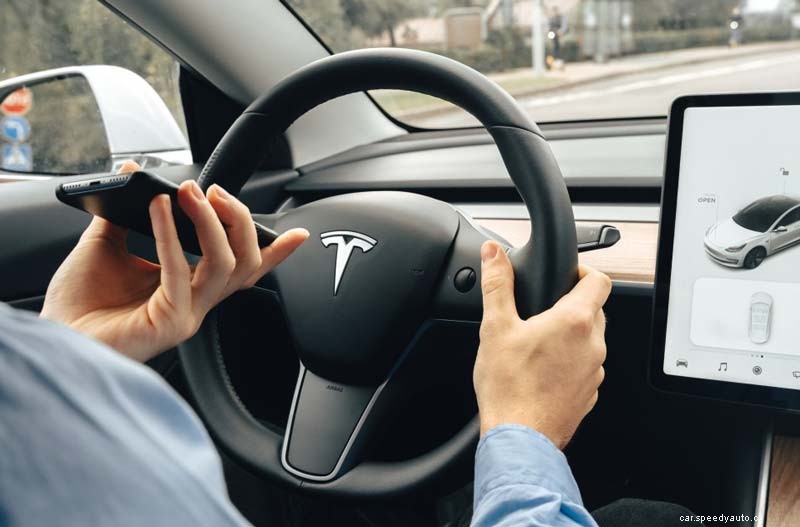
When it comes to making a call, you have three main options you can go with, depending on which one is the most convenient to you.
An additional option: You can make a phone call by tapping on a pin placed on the map and choosing their phone number on the popup window.
You can end a call on a Tesla Model 3 by touching the “End Call” option on your vehicle’s touchscreen. Just like you cannot make a call using the scroll wheel, there is no option allowing you to hang up on a call by using a scroll button on your steering wheel.
If you would like to find out How To Best Manage Your Tesla and Your Phone, check out this article that we wrote.
To initiate Voice Control on a Tesla Model 3, press the right scroll button on your steering wheel or tap the microphone button that appears on the touchscreen. You’ll hear a distinctive tone, after which you can speak the preferred command.
When you speak your command, you will also see it displayed on your touchscreen. Here, you will also find tips on the type of commands you can say to activate different features.
After you’re done speaking, you can wait until the order is executed or press the voice button again. Here are the most common voice commands you can use in your Tesla Model 3 and when you should use them.
There are no actual phone holders in a Tesla Model 3, although you can find two phone connectors right below the main screen. Therefore, you’ll need to purchase a plastic mount or clip compatible with the model if you want to have a designated space for your phone.
Here are a few YouTube videos you can watch to find out more about the different types of phone holders available to you and how to mount them correctly on your Tesla Model 3:
