
Technological advancements have made almost everything so easy that was beyond imagination even a few years back. Do you know that connecting your phone with your Mercedes Benz Bluetooth system is possible?
Sure, you can make and receive hands-free phone calls while driving. Thus you can keep connected and reachable even while on the go and concentrate on the road at the same time.
You can select repeat on some of your favorite songs from your phone’s playlist and enjoy the melody in your exotic Mercedes sound system via Bluetooth.
If you are contemplating how to connect Bluetooth to Mercedes, the subsequent section unveils the step-by-step process as easy as ABC.
Connecting your phone’s Bluetooth to your Mercedes Benz is a seamless operation that you can perform in the next 30 seconds to 1 minute. If you were wondering how to connect Bluetooth to Mercedes C250, the following steps would guide you through the process:
Immediately you complete the Bluetooth connection between your phone and your Mercedes Benz car, the phone will display a sign that lets you know whether the connection is successful or not. You will also find a similar sign on your Mercedes Benz screen.
For example, your phone could display ‘MB Bluetooth’ or any other message that signifies a connection.
At the same time, your Mercedes will display your phone’s Bluetooth name on top of the ‘Connect Dev’ icon on your Mercedes Benz screen. The procedure above can also work for those asking how to connect Bluetooth to Mercedes E350.
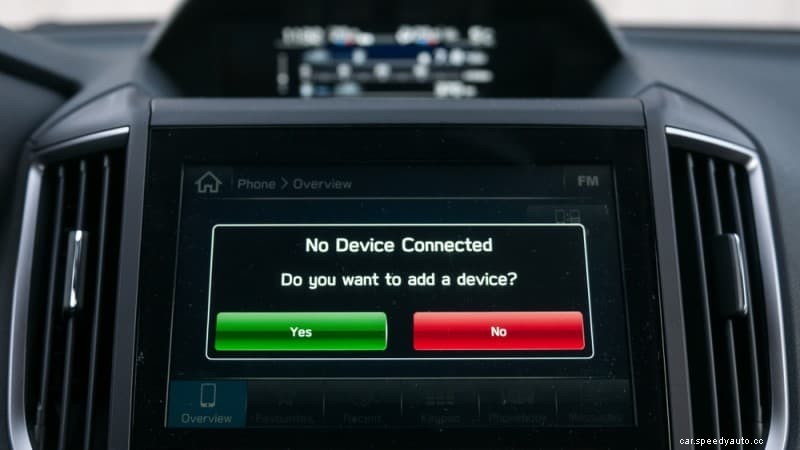
Connecting your iPhone with your Mercedes Benz Bluetooth system is as easy as connecting to Bluetooth. Simply follow the procedures below:
Once you correctly follow the procedures above and complete the connection, your phone will display ‘MB Bluetooth,’ and your Mercedes Benz screen will also display your iPhone’s Bluetooth name above the icon – ‘Connect Dev’ on the lower left side of the screen.
Playing music through Bluetooth on a Mercedes is pretty straightforward. If you use an Android phone or an iOS phone, follow the procedure below to enable you to play music through your Mercedes Benz Bluetooth.
Once you complete the process above, you are ready to enjoy the sonorous songs from your phone’s awesome music playlist.
Your phone may fail to connect to your Mercedes Benz Bluetooth to enable you to play music or make a phone call through the car’s music player system for different reasons.
Some of the reasons your phone won’t connect to Mercedes Bluetooth include the following:
If your phone fails to connect with your Mercedes Benz car’s Bluetooth system, ensure to check if any of the reasons above is responsible and rectify it accordingly.
The Mercedes Benz Bluetooth pairing code allows you to pair your phone’s Bluetooth with your Mercedes Benz Bluetooth system. The Bluetooth code is unique, and you must enter it on your phone exactly the way it displays on the Mercedes screen.
The Mercedes Bluetooth default code is either 0000 or 1234, especially when installing a Bluetooth adapter to your Mercedes. However, you may come across a different 6-digit code when pairing your phone with your Mercedes Bluetooth; ensure to enter it accordingly.
If you are contemplating how to connect Bluetooth to Mercedes 2006, the process of connecting your old Mercedes Bluetooth with your phone is not as complicated as some people think.
Simply locate the Bluetooth setting on your phone and turn on the phone’s Bluetooth and make sure the Bluetooth device name is discoverable.
After that, start the Mercedes Benz car. Locate ‘Connect Dev’ on the left side of the screen and press the option. Then, click on ‘Search for phones’ once the option displays. The next page will show the available Bluetooth devices and their names on the screen.
Once you find your phone’s Bluetooth device name, click on it and enter the security code from your vehicle’s screen on your phone, and pair. Once you pair the Bluetooth device, you are good to go.
Some of the reasons why your iPhone may not connect with your Mercedes Bluetooth include the following:
If your Mercedes Bluetooth is not connecting with your phone, the causes cannot be farfetched from the reasons outlined above. Ensure to check it out and rectify the challenge as soon as possible.
If your Mercedes car does not have an in-built Bluetooth system to enable you to play music or make hands-free phone calls, do not worry, as you can install a Mercedes Bluetooth adapter.
The procedure below will enable you to install a Bluetooth adapter successfully in your Mercedes Benz car.
The Alexa app can make your operations pretty easy when you install it in your Mercedes Benz Bluetooth. Pairing Alexa echo with your Mercedes Bluetooth is relatively easy. To do that, follow the procedure below:
Once you conclude the process above, you have successfully paired the Alexa Echo with your Mercedes Benz Bluetooth. You can go ahead to add the default navigation services that you want to use to the Echo Auto system.
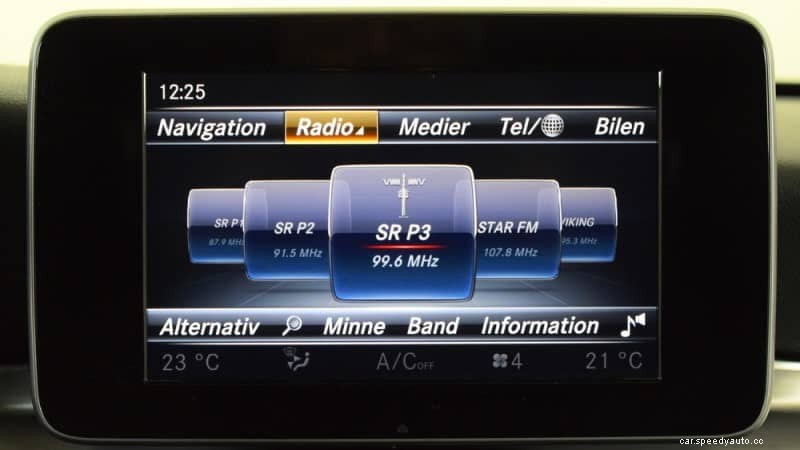
You have learned how to connect Bluetooth Mercedes in this article, and I am sure that the process was straightforward. Now, you can go ahead to enjoy seamless hands-free phone calls and play your favorite songs on your Mercedes sound system from your phone’s playlist.
If you were wondering how to connect Bluetooth to the Mercedes C300, the information in this article has provided the precise answer.
However, you must be careful to avoid distractions from incoming phone calls or any other function via your Mercedes Bluetooth. Never allow anything to shift your focus while on the wheel.
