
The keyless remote system is the current trend. At the press of a button, you can open, lock or start your car. However, you’ll never correctly appreciate the seamless access to your vehicle until there’s a problem.
One of the most common problems your Nissan key will pose, infrequently, is running out of battery power. When the Nissan key fob battery runs out, it can be frustrating, especially when you’re without an immediate replacement battery.
You can change the battery in a Nissan key fob by first removing the valet key. Next, you’ll open the battery compartment by sticking a flathead screwdriver in the slot and pulling the fob apart.
Then you’ll remove the battery which is facing down, with a flat screwdriver. Then insert a new battery, also face down, and snap the keyfob back together.
Thankfully, you can easily find a battery for the Nissan key fob. However, it’s still useless if you don’t know how to replace the dead battery. And, it’ll be a shame if you have to look for a ‘professional’ to do that for you.
Hence, we took time to research and subsequently created this easy-to-follow ultimate guide to Nissan car key battery replacement.
The batteries on most Nissan key fobs are of the same size – the CR2025 battery. However, ensure to go through your owner’s manual to be sure. Getting the wrong Nissan remote battery size will only waste resources.
If you patronize a mechanic or service company, you can also ask them.
The best option is to reach out to the service firm many times. You can avoid unnecessary expenses by first getting to the cause of the key’s refusal to work. Sometimes, it may not be a Nissan key battery problem. Pending your confirmation of the problem, you can use the fob’s backup key to access your car.
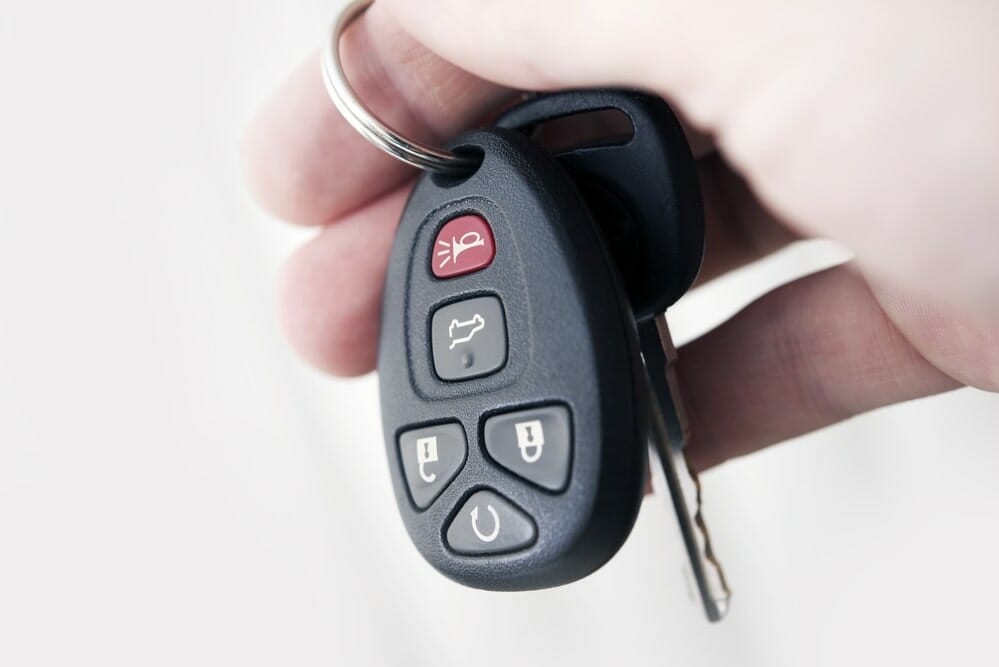
When your Nissan key fob stops working, and you suspect a battery problem, you still need to access your car. Especially if you can’t confirm the problem instantly, that’s where the smartness of Nissan comes in.
The Nissan key fob battery replacement area has a backup key inside. So you shouldn’t worry about being stranded for long. Follow these steps to use the backup key provided:
Solving the emergency access situation puts you on course to figure out your Nissan key fob battery size and subsequently replace it.
For context, the Nissan car key battery is built and shaped like that of a wristwatch. The same goes for other vehicles using remote keys. However, due to their size and non-mainstream build, it can get tricky to replace them.
Hence, you need to be focused on the process to avoid damaging anything.
You don’t need any special tools to get the old battery out and a new one in. Household items will do the trick. If you don’t use household wares for repairs, visit a hardware store. Follow the following process when you have the tools you need.
The valet key is the backup key explained earlier. You need the backup key to get yourself out of the emergency. It’s also called the valet key because you can easily pull it out and leave it with a valet to park your car. So, you don’t have to hand over your car’s original key next time you visit a hotel.
Whether you’re trying to figure out your Nissan key fob battery type or replace it instantly, you need to first remove the valet key. It’s standing in the battery’s way. Then, go back to the process of removing the backup key detailed above.
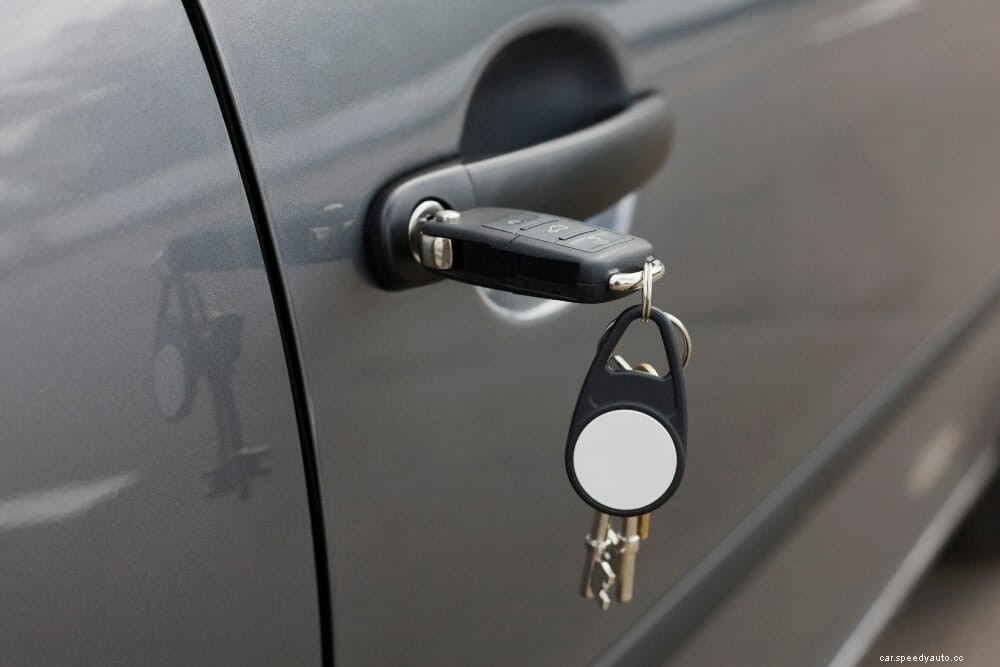
The specific details to know during this process include the fact that Nissan key fobs are designed to open along its perimeter. So, it falls open like a clamshell. This exposes the inside of the key along its length.
Don’t force it if you find it difficult to open the fob. Forcing the key fob open makes it prone to damage. Instead, get a small flat screwdriver, a knife, or a credit card to pry the perimeter edges. There’s a small gap at the top; start there.
The head of the flat screwdriver should fit into the opening perfectly. Then draw a screwdriver along the length of the key fob. Do that till you hear a click. The click signifies a successful hatch opening.
Once you figure out what size battery a key fob takes, battery replacement is next. First, ensure that you buy a genuine battery pack. Visit a trusted mechanic or car electrical technician for advice if you’re unsure. You need a battery that lasts long, as it’s not safe to open the Nissan key fob to replace dead batteries frequently.
Once the key fob is open, you’ll find the dead battery sitting face down. You can pop it out of the circular compartment it sits with the screwdriver. Dispose of the battery to somewhere out of children’s reach. Ensure you have the right Nissan key battery size for the new one.
The new battery will sit face down during replacement like the old one. Press it down into place; the key won’t work if the battery is out of position.
When you replace the Nissan key fob battery, instant reassembling is vital. You don’t want dust or other particles to accumulate inside the compartments. Also, you can only confirm if your replacement project is accurately done when you reassemble the key.
If your key requires first putting the valet back in its place, do that. Some other keys may put the backup key even after the fob has been assembled.
Align and close the two halves of the key fob, pressing them together till it snaps back into place. Don’t apply too much pressure to avoid breaking anything.
How frequently you use your car determines how soon you have to replace the battery in the Nissan key fob. The battery generates power for the remote system. According to the design, the battery should last for about 20,000 hours. Hence, getting two years of no issue is possible.
There are some other batteries designed to last very long. For instance, Panasonic batteries may last up to 10 years on the shelf. Note: the 10 years count is the batteries’ shelf lifespan, not active usage duration.
Before buying a new key fob, ensure your required step isn’t to replace the Nissan key fob battery. You should only buy a new key fob when the old one is beyond repair. Purchasing a new key fob will cost you anywhere between $150 and $600. The specific cost depends on your car.
From the factory, the Nissan Key fobs have a 12-month warranty. The warranty, however, only holds when you buy your new car from a certified vendor. You can also opt for the secondary Security+ replacement plan for Nissan smart keys.
You may get a ‘no key detected message.’ However, you shouldn’t panic just yet. For some Nissan vehicles, there is an easy fix; pushing the fob against the start button. If not, search for the Intelligent Key port, beside the steering wheel, to the left.
Place the key fob into the slot. Then, try igniting your car. Doing this should start and reprogram the key to recognize your vehicle.
When you figure out ‘what kind of battery does a Nissan rogue key fob take,’ getting an exact replacement solves the problem. Though the battery may not be the issue, so consider other options. If you can’t figure this out on your own, use the valet key, then visit a professional who can.
Other Nissan Articles You May Be Interested In
How to Reset the TPMS on Nissan Altima – Low Tire Pressure Warning Light
How To Unlock Nissan Altima With Keys Inside
Where is The TPMS Reset Button on a Nissan Sentra?
