
In this article, we will cover everything about Tesla car connectivity issues and a few tips and tricks. A common question people tend to ask is about Tesla’s onboard Wi-Fi and how to update it.
You cannot physically update your Tesla software without Wi-Fi. Tesla will automatically update your car via LTE if the updates fall too far behind. This has been the case with many cars that have never been connected to Wi-Fi. LTE is mainly used for in-car and streaming services.
We covered many helpful basics. Keep reading to get an informed overview.
All Teslas are built with the ability to receive Wi-Fi to perform over-the-air software updates. Teslas don’t have free Wi-Fi. All Teslas have a built-in LTE receiver which is mainly used for in-car navigation, live traffic, maps, and streaming services. You can use your phone’s Wi-Fi hotspot if these are not available via LTE.
Tesla vehicles cannot perform over-the-air software updates over LTE connections. They need a Wi-Fi connection. Updates used to be done via LTE but now your Tesla car will only use its onboard LTE when installing certain safety-critical updates. You can not force an LTE update.
If you live in an area where Wi-Fi is inaccessible you could download the updates from:
You should note that the updates can accumulate to a few Gigabytes in size and may take a long time if public Wi-Fi is being used. Tesla also doesn’t support web confirmation if you’re required to log on to public networks.
The Model 3’s Wi-Fi antenna is located inside the driver’s side mirror. Try to get as close as possible to the Wi-Fi signal source.
According to Tesla’s email notifications, drivers who got their cars before July 1st, 2018 will continue to have access to premium LTE.
extremetech.com
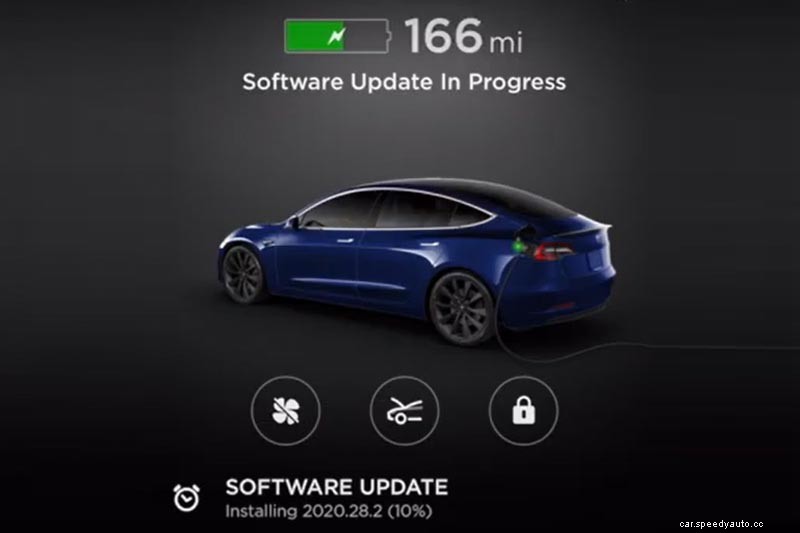
You can push an update to your Tesla vehicle remotely via the Tesla app. You will receive a notification on the Tesla App that a firmware update is available. Be sure that your car is within range of a good Wi-Fi signal like your home or service centre. You can also track the update progress.
In the Tesla App, you’ll get a software update notification. Once you click on that to install the update it takes about 2 minutes to initialize the installation.
During the installation, you will not be able to drive the car or use the touchscreen. The whole process can take a few hours. You can usually only update the car through the vehicle’s center display. The remote update is now an added feature.
You cannot use your Tesla car to broadcast a Wi-Fi Hotspot. You can also not connect to other devices because it is not made to be an Internet Service Provider. All Teslas can only use an external internet source via LTE, Wi-Fi or a Wi-Fi Hotspot from a phone.
Pro Tip:
If your wall charger is located too far away from your main internet router, you can use a Wi-Fi booster halfway to strengthen the signal. You may run into a problem that the wall charger will try to connect to the original weak Wi-Fi signal after a power outage. This means that the Wi-Fi signal booster has not yet had enough time to restart. Simply restart your wall charger at the breaker, and it will reconnect to the Wi-Fi booster. I hope this helps.
All Teslas have free access to over-the-air software updates, no matter the connectivity setup. You can get certain software feature upgrades like Autopilot, Full Self-Driving, Acceleration Boost, Supercharger Support or Battery Capacity Increase. These come with their own associated fees.
Over-the-air updates are one of the most compelling and appealing reasons why people buy Teslas overall. Every Tesla vehicle will get better over time with every update.
Software updates usually include physical aspects like:
Tesla is one of only a few car manufacturers in the world that offer software updates. Typically, one would pay hundreds of dollars for map upgrades with traditional automakers.
Updates usually last about 60% shorter than the time displayed on screen or on the app. It is advised that the car should be close to a strong and stable Wi-Fi signal for updates to run smoothly.
Check out this article we wrote about Tesla Software Updates. It might teach you a thing or two!
Tesla releases software updates about 14 times a year and has done so on average over the last 4 years. The increments have become slower over the last 2 years. Every Tesla will usually update over a cycle of 30 – 60 days and will get a monolithic patch cycle than other cars. This ensures fleet security.
Every Tesla vehicle update comes with a specific update number to identify the specific updates. The updated numbers are arranged as Year / Week of Software Build / Version or Revision / Bug Batch Number.
The Tesla update batch number looks like this: 2021.40.50.5.
Once the updates are ready to install you will be notified via your Tesla app. These numbers make it easier to identify if your car is updated or not.
Every Tesla model gets updated at a different pace and at different increments. The general major updates stay the same. One major update might include upgrades to different components and may look something like this:
Speed Assist Improvements (See Release Notes), Priority Bluetooth Device (S3XY), Mobile App – Vent Windows (S), Glovebox PIN (S3XY), Charge Port Inlet Heater (3, Y)
The Tesla Premium Connectivity subscription comes with exclusive access to Live Traffic Visualization and Satellite-View Maps. The Video Streaming, Karaoke, Music Streaming and Internet Browser (Wi-Fi only) services are available with Standard Connectivity.
You will need Tesla’s Premium Connectivity and a paid subscription to stream services like Spotify. Tesla has its own collaboration with Spotify. That is why you will need to buy a Spotify Premium account to use and control it via the touchscreen. You can also use Standard Connectivity for other streaming services.
Tesla’s Premium Connectivity costs $9.99 on a monthly subscription and the price may change soon. Applicable taxes may still be added depending on your location. The models S, X, 3 and Y receive these packages on a trial basis. The Standard Connectivity is included on all Tesla cars, at no extra cost.
