
What are the best websites you can visit with your Tesla browser?
Netflix is one of the best website apps to use with a Tesla browser. It is a great way to pass the time when charging your car at a charging station. When self-driving cars get approval for general use, people can enjoy a great movie or TV show instead of stressing about traffic.
I put together some great features that come standard with the Tesla browser. It covers whether or not you can browse the internet in a Tesla, how to watch Netflix, how to make the browser full screen, and other interesting features. Continue reading to find out answers to some of the questions you might have about the Tesla browser.
Tesla added the web-surfing function to its infotainment systems. A mobile phone is great, but sometimes it’s better to view a website on a much bigger screen. The Tesla touchscreen has made it possible to enjoy browsing on a bigger screen while in the electric car.
It’s possible to browse the internet using the Tesla, but only when the vehicle is in park. You can enter a search term or a URL into the address bar to open a website, just like a browser on a mobile device. It’s also possible to bookmark a website you use frequently.
The Tesla Chromium is an open-source browser that Google developed. It forms the basis of Google Chrome mobile and desktop applications.
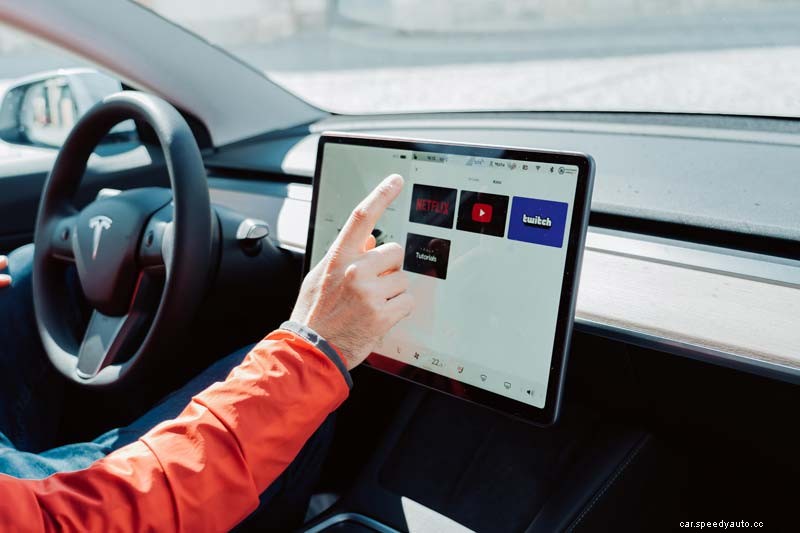
You cannot watch Netflix while driving your Tesla. However, you’re allowed to park and stream your favorite shows and movies on Tesla’s massive touchscreen dashboard display. It’s a safety measure to ensure the company does not unintentionally create disastrous situations for drivers.
Watching a show while driving along the highway is an exciting feature of a self-driving car. However, like the extensive collection of video games available on Tesla, Netflix is set for use only when the car is idle, in park, or while at the charging station.
The temptation to play games or watch Netflix would be highly distracting for many drivers. However, according to Elon Musk, streaming while the car is driving will only be possible once regulators approve full self-driving. Therefore, for now, it’s wise to adjust to watching movies only while the Tesla is parked.
EVE for Tesla is a dashboard experience mainly designed to provide a great experience when using the 17-inch touchscreen.
The screen is available in:
You get access to a suite of tools as well as apps at the touch of a finger. It enhances your leisure, daily commute, vacation, and business travel.
EVE uses the car’s built-in web browser. To use EVE for Tesla:
The platform’s design allows Tesla owners to enjoy many benefits, including:
All these features are made possible without the need to update the car’s hardware or software.
Being able to browse on a Tesla is a pretty exciting feature, but it’s not entirely a full screen. You only get to view ⅔ of the screen that it covers. That can be a little annoying since you want to enjoy a full-screen experience.
The following steps will help when you want to view your Tesla browser full screen:
There are a few great features that you can achieve with your Tesla browser. The following are ways you can optimize your browser in order to have a great experience:
| Web Browser App | Feature |
| Teslapage.com | Weather, news, stock price & other news |
| Waze for Tesla Incidents | Displays all traffic incidents reported to Waze |
| Teslaapps.net | List of additional free & premium apps |
| Plugshare for Tesla | List of nearby charging stations |
| Motherfrunker Web App | Maps, games, & more |
Here’s a great video that goes into more detail about a few of the great website apps to use with a Tesla Browser:
Self-driving cars are the way of the future. Tesla cars have brought our society one step closer to that reality. Tesla browsers have improved the overall driving experience for many owners and will only improve as technology continues to advance.
