How To Properly Clean Tesla Interior (A Complete Guide 2022)
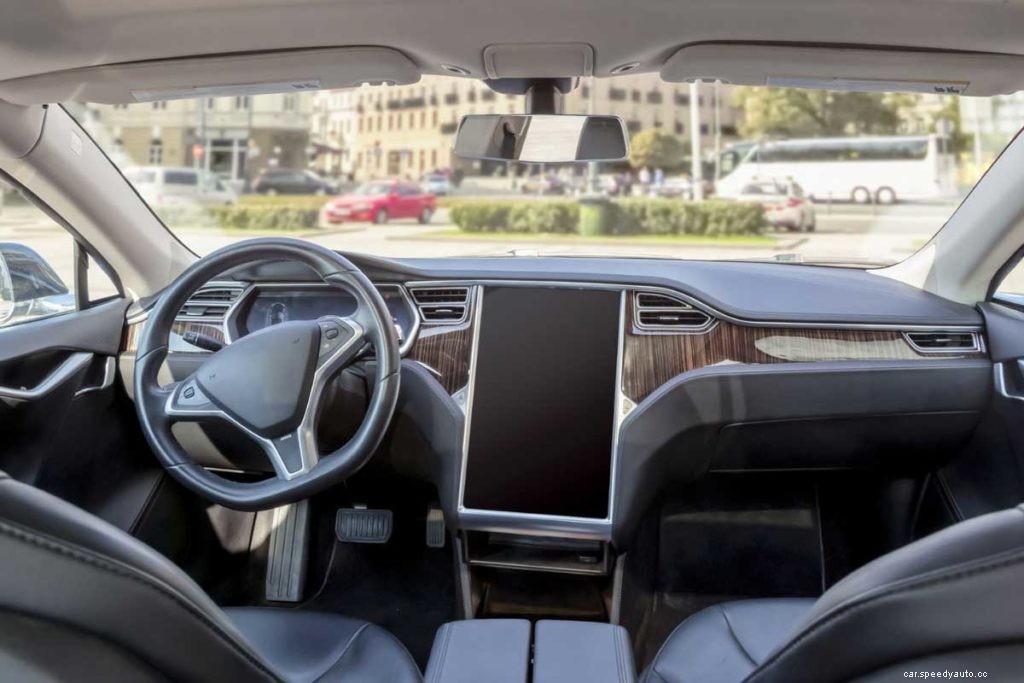
Thanks to their style and energy efficiency, Teslas are a prized possession for many owners. Maintaining an interior cleaning routine can improve the hygiene of your car interior and preserve your Teslas showroom looks. If you own a Tesla, you might want to know just what a proper interior clean entails.
Here’s how you can clean the interior of your Tesla:
Vacuum all areas inside your Tesla.
Wipe down all surfaces with a cleaning solution.
Clean the camera with clean water.
Wipe down the car’s touchscreen with a microfiber cloth.
Use a window cleaner for the interior glass.
If you’re a proud Tesla owner, you should take the time to make sure that your interior stays fresh and inviting. Here’s a complete guide on how to make your Tesla interior shine with these five essential tips.
1. Vacuum All Areas Inside Your Tesla
To begin cleaning the interior of your Tesla, use a handheld vacuum cleaner to vacuum the seats and floor mats. Before vacuuming, use a soft brush to loosen and dust off areas that can’t be vacuumed, like the dashboard or the pedals. Brush the dust onto the floor or seats and then vacuum it up.
When vacuuming the inside of your Tesla, be sure to use the rug setting on your vacuum machine. Run it at its gentlest setting so you don’t damage the seats and rugs in your Tesla.
2. Wipe Down All Surfaces With a Cleaning Solution
After vacuuming your Tesla’s interiors, spray a microfiber cloth with a cleaning solution. It’s best to use a non-detergent cleaning solution manufacturers designed specifically for cars. You should then gently wipe down all surfaces with the microfiber cloth.
Tesla’s cleaning instructions recommend using a non-detergent cleaner to wipe down your Tesla. One of the best cleaning solutions for cars is the Chemical Guys Total Interior Cleaner (available on Amazon.com). The manufacturers created a deep cleaning formula that’s still gentle on your Teslas interior and protects from sun and dust damage.
To wipe down the surfaces, follow these steps:
Spot check the formula you are using on an inconspicuous area to ensure that it isn’t damaging the surface you’re cleaning.
Spray a microfiber cloth with the cleaning solution and gently rub it in circles across the surface you’re cleaning.
Allow the surface time to dry and repeat the above steps if necessary.
You can use this method to clean a variety of surfaces in your Tesla, including:
The seatbelts. Gently extend the seatbelts when wiping them down.
The seats. It’s essential to clean your seats if you spill something on them immediately. However, you should note that seat stains can also come from dye transfer from clothing and grass stains.
The doors and handles. These tend to get dirtier than other areas because people consistently handle them. It would be best to clean these surfaces more than once.
Be sure to change the microfiber cloth each time you switch to a different surface not to transfer dirt. After all, your surfaces are only as clean as the cloth that you’re using!
3. Clean the Camera With Clean Water
To clean your Tesla camera, spray water onto the camera lens using a clean spray bottle and clean water. Allow the camera lens to dry, and then respray it if necessary. If your Tesla camera is dirty, it may impact the car’s autopilot function.
When cleaning your Tesla camera, you should remember not to rub the camera lens with a cloth. Rubbing at the camera can damage the lens and impact its ability to pick up its surroundings.
If your camera lens is dirty, your Tesla may send you an alert regarding an obstruction of its view.
4. Wipe Down the Car’s Touchscreen With a Microfiber Cloth
The Tesla touchscreen is a favorite feature as it allows you to direct and control many of the car’s primary functions. To clean the touchscreen, activate the Screen Cleaning Mode on your Tesla. Then, use a lint-free cloth to wipe down the screen, rubbing it in gentle circles.
Here’s how you can remove dust, smudges, and even minor scratches from your Tesla touchscreen:
Activate the Clean Screen Mode on your Tesla’s touchscreen. You can do this by going into the Controls and then the Display Menu. Activating this mode will ensure that you don’t accidentally hit any functions and allow you to see smudges better.
Use a soft cloth to wipe down the touch screen, rubbing it in circular motions to lift the smudges. It’s best to use a cloth that has been designed to clean LCD Screens as some cloths may be abrasive.
Once the screen is clean, exit the Clean Screen Mode. You can do this by pressing the Hold to Exit function.
You can also check this video from YouTube to enable touch screen cleaning mode on Tesla:
5. Use a Window Cleaner for the Interior Glass
To clean the glass on the Tesla, you should use a streak-free glass cleaner made with natural materials. It would be best to spray the cleaner on the glass and then use a microfiber cloth to wipe down the glass.
Follow these steps to clean the Tesla’s interior glass:
Spot test a window cleaner on your Tesla glass to ensure your chosen cleaner is gentle and effective.
Once your window cleaner has passed its test, spray it across the interior glass.
Use a microfiber cloth to wipe it down.
Allow the cleaner to dry naturally.
It’s essential to ensure that you are using a microfiber cloth because it can cause streaks that affect your visibility when driving.
If you would like to find out How To Spray Water on a Tesla Model 3 Windshield, check out this helpful article that we wrote.
What Shouldn’t You Clean in Your Tesla?
You shouldn’t clean the upper surfaces of your dashboard as the reflective sheen may impair your visibility when driving. You should also avoid the airbag and seat belt mechanisms. Liquid and detergents may affect these vital components’ functionality and render your vehicle unsafe to drive.
Here’s the breakdown of why you shouldn’t clean these areas:
Airbags. You should be very careful to ensure that no liquid goes into the airbag area of your Tesla. If liquids or even solid debris enters the airbag area, your airbags can be prevented from deploying.
Dashboard surfaces. Tesla recommends that you don’t polish the dashboard surfaces as they can become reflective, which hinders your visibility while driving.
Seat Belt mechanisms. While you can clean the seatbelts, you should make sure no liquid enters the interior of the seat belt mechanism.
If you realize that liquid has gone into your airbag area or seat belt mechanism or notice that they aren’t working correctly, you should bring your Tesla to an expert for repair. Don’t continue driving your Tesla as its safety functions would be severely compromised.
Freshening Up the Inside of Your Tesla
Once you finish thoroughly cleaning your Tesla, you may want to install an air freshener into your Tesla to make it smell fresh. Several excellent air fresheners are compatible with Teslas, including the S3XYWORLD Tesla Model 3 and the YONZEE Tesla Model 3 Oil Sticks fragrance (both are available on Amazon.com).
The S3XYWORLD Tesla Model 3 air freshener is an air freshener capsule that can hold scent sticks which you may then slide into the side of your Tesla. It has a beautifully fresh scent with citrus, pine, and amber notes.
Meanwhile, the YONZEE Tesla Model 3 Oil Sticks offer natural essential oils designed to fit into the air freshener holder. This freshener is a great choice because the natural plant botanicals purify the air without overwhelming drivers with their scent.
How Often Should You Clean Your Tesla’s Interior?
You should clean the interior of your Tesla at least once a month. However, if you use it regularly and frequently carry passengers, you may want to clean it more often. Meanwhile, you should aim to clean the outside of your Tesla every two weeks.
Maintaining a regular cleaning routine prevents debris and dirt build-up and prevents bacterial growth in your car’s interior. Dirt and environmental contaminants can build up over time and abrade your interior surfaces which also may affect your resale value.
A Quick Summary of Cleaning Your Tesla’s Interior
Area
Steps to take
Precautions
All areas
Vacuum all areas using a handheld vacuum.
Use a gentle vacuuming cycle.
All areas
Wipe down all surfaces with a microfiber cloth.
Make sure you’re using a non-detergent solution to clean the surfaces.
Camera
Spray the camera with clean water.
Don’t rub at the camera.
Tesla’s touchscreen
Use a microfiber cloth to clean the touchscreen.
Remember to activate Tesla’s Safe Cleaning Mode.
Interior glass
Use a streak-free window cleaner and microfiber cloth to wipe down the interior glass.
Be sure not to get streaks on the glass as this can impact visibility as you drive.