
All electric car owners will eventually come across the Plugshare website/app. In brief, Plugshare is a user-sourced electric vehicle (EV) charging station finder. As detailed in Essential Electric Vehicle Apps, it is crucial for every electric car owner, whether BEVor PHEV, to have it downloaded on their smartphone. In this article, I will break down how to use Plugshare, as it can be overwhelming to the new EV owner from all the new terminology and app features.
The most common deterrent car shoppers have from going electric is charging. It is by far the most common question I get from my friends and family about my plug-in hybrid (PHEV) Chevy Volt. Per a study by the National Idaho Laboratory, over 83% of electric vehicle (EV) drivers charge at home. Despite this, car shoppers are still very much concerned about the state of public charging stations.
This is likely so because the current model with ICE (Internal Combustion Engine or “gas”) vehicles are weekly stops at a gas station. ICE drivers are used to making a routine stop at a service station whenever the tank is low and, therefore, first believe all EV charging is done in a similar manner. However, with EVs the model changes as charging at home is not only an option, unlike gas, but also much more convenient.
Instead of making an out of the way stop to a gas station after work or before a long trip, charging an electric car is mostly completed overnight while you sleep. Therefore, EV drivers do not lose any time waiting for their car to refuel, or in this case, recharge.
But how do electric cars fare after a long trip beyond the available range of the vehicle? Or how about if electric car owners do not have home charging available? What do those individuals do in those situations? They look to public charging stations, and, more specifically, they look to Plugshare to find those public charging stations.
For this how to use Plugshare tutorial, all screenshots are made from the mobile app. You can download the app for free from the Apple App Store or the Google Play Store.
First off, it is important to list the most important features on Plugshare. They are as follows:
Next, it is important to know how to filter out plugs that only apply to your specific EVs. There are four types of EV plugs in the U.S.: J1772, CCS, ChaDeMo, and Tesla. Most of those may seem like random letters and numbers.
In a quick plug summary, all EVs can use the J1772 plug as it is the American universal plug for Level 1 and Level 2 charging. All Level 2 public charging stations have the J1772 plug.
For DC Fast Charging (DCFC), the American standard is CCS. Nearly all EVs made today are compatible with that plug. The two exceptions are Nissan and Tesla. The Nissan Leaf can only use ChaDeMo plugs. These are becoming less and less available as nearly all automakers have switched to CCS. At the same time, new stations being built today are favoring CCS than ChaDeMo.
The other exception is Tesla. Tesla uses their own, proprietary plug at their private DCFC network known as the Supercharger. These DCFC stations are exclusive to Tesla vehicles.
Within Plugshare the app, navigate to the “Me” tab. From there, add your EV you are looking into or just purchase. Plugshare will then automatically deselect all of the non-compatible plugs. This is important as when you look to find a Level 2 or DCFC station, you only want to search for stations where your EV can charge at. It is no good to navigate to a Tesla Supercharger if you have a Chevy Bolt.
Great! Now that you have filtered out non-compatible plugs in Plugshare, let’s walk through how to find nearby charging stations.
First, select “Map” on the bottom toolbar. From there, select the navigation arrow button on the bottom right. The map will then automatically reset to your location. Now you will be able to view all the nearby charging stations. The green pins are Level 2 and the orange pins are DCFC.
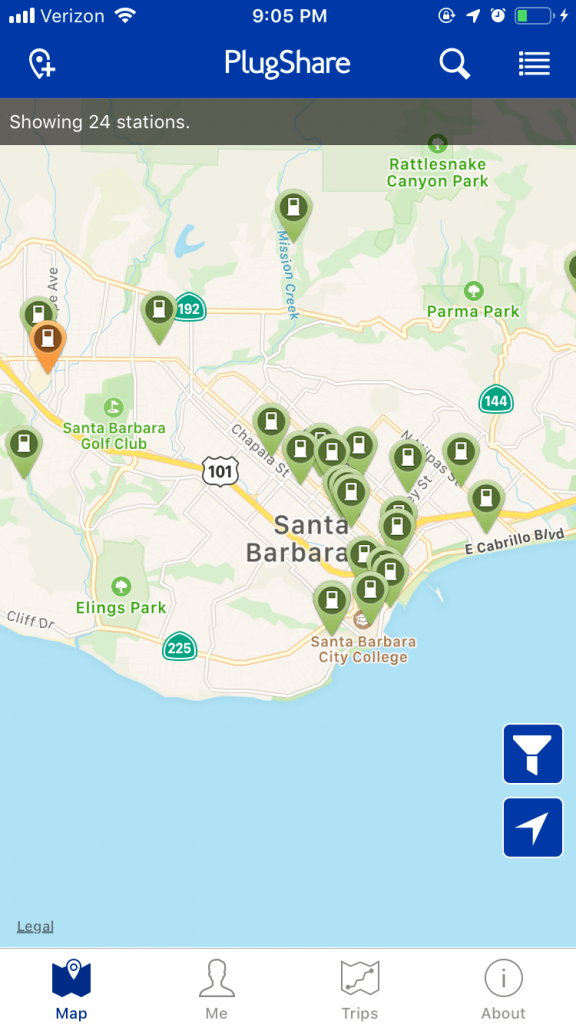
Depending on how fast you need a charge, select a station to view more details.
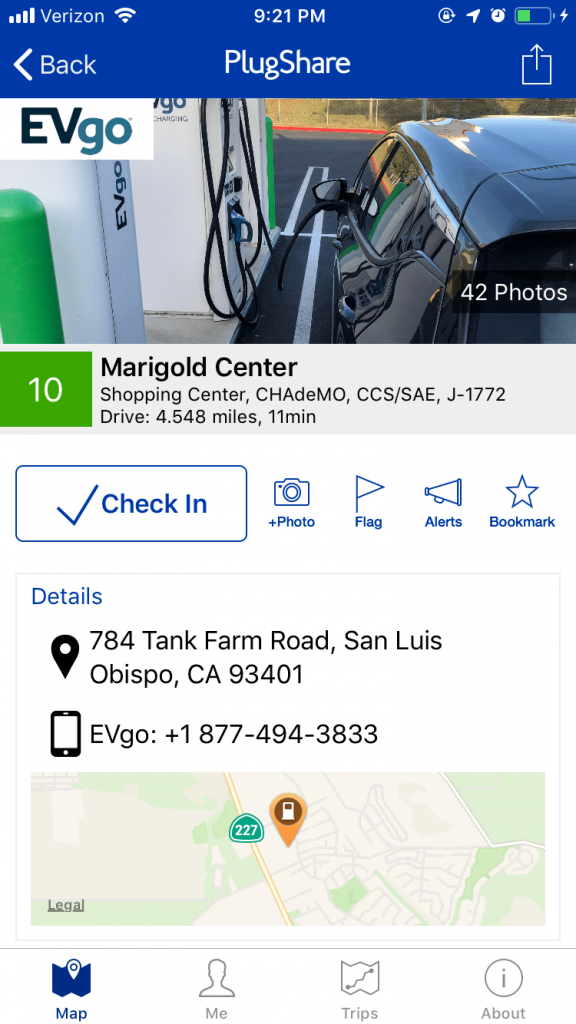
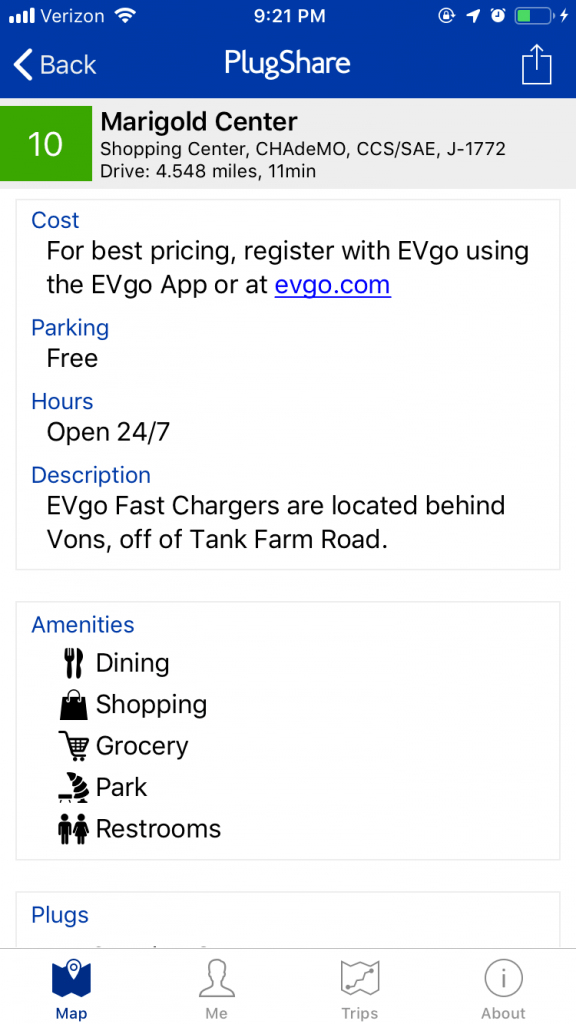
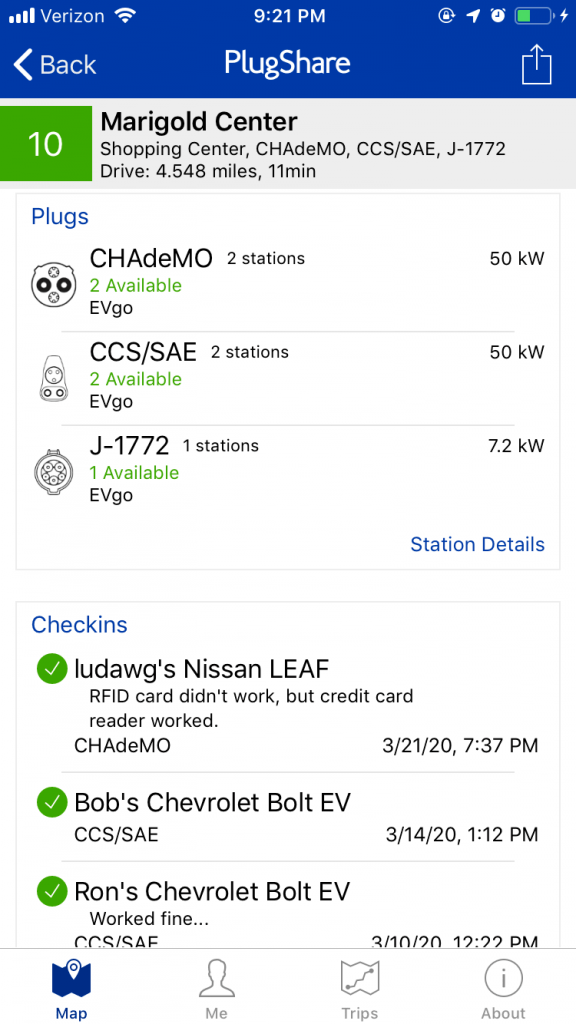
As you can see in the above image, the charging station page provides lots of details such as exact location, hours of operation, cost, network provider, number of chargers, pictures, user ratings, and more.
Once you find a charging station you’d like to charge at, the next step is to get to it. Thankfully, Plugshare can automatically send the station’s navigation to your favorite map app.
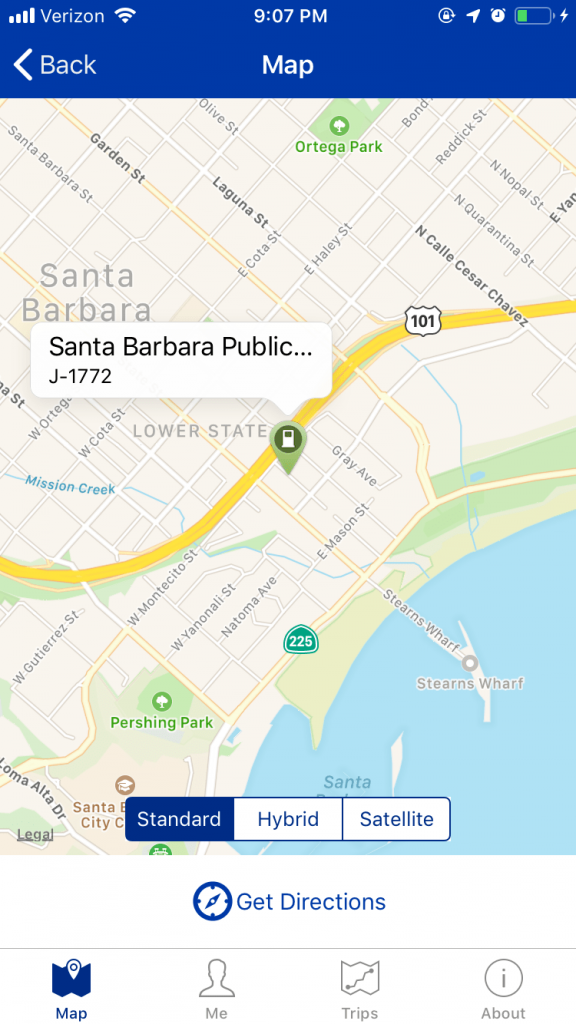
To do so, select the desired charging station. Next, select the map to see the station’s location on a map. Then, select “Get Directions”. From here, Plugshare will offer third-party navigation apps already installed on your phone. Select your favorite navigation app and it will transfer you to that app to get you to the station.
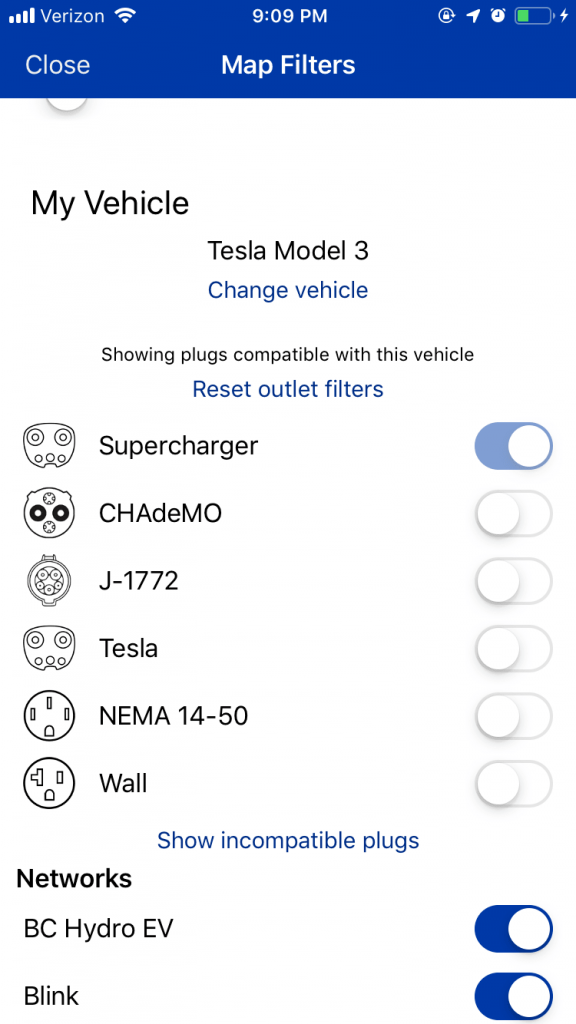
Let’s say you are on a long trip and need to find a DCFC station for a quick charge. Currently, the map displays both Level 2 and DCFC stations. Since we want to only look for DCFC stations, select the filter button on the bottom right.
The filter page will now display as shown in the image above. From here, scroll down until you see the plug selection. Deselect the J1772 plug since that is for Level 2 charging. Ensure the only plug selected is either CCS, ChaDeMo, or Tesla depending on your EV. For this example, let’s say you are driving a Tesla. Make sure the Supercharger plug is selected.
Now, let’s head back to the map. The map will now only show DCFC stations. Since we selected Tesla Supercharger as the only plug filter, only Tesla Supercharger stations will appear.
Another great use of Plugshare is the trip planner tool. Since long trips with an EV takes some planning to locate DCFC stations or Level 2 destination charging stations, Plugshare is a great tool to identify those stations. For example, let’s say you are planning a road trip to Disneyland in Anaheim, CA and want to know where the DCFC stations are along the way.
First, select “Trips” on the bottom toolbar. Next, select “Create a Trip”. Then, enter your starting and destination address. In this example, Disneyland is the destination.
Plugshare will then route the trip accordingly. If the destination address is greater than the previously saved electric car range, then the trip will be broken up into segments to allow for a charging stop.
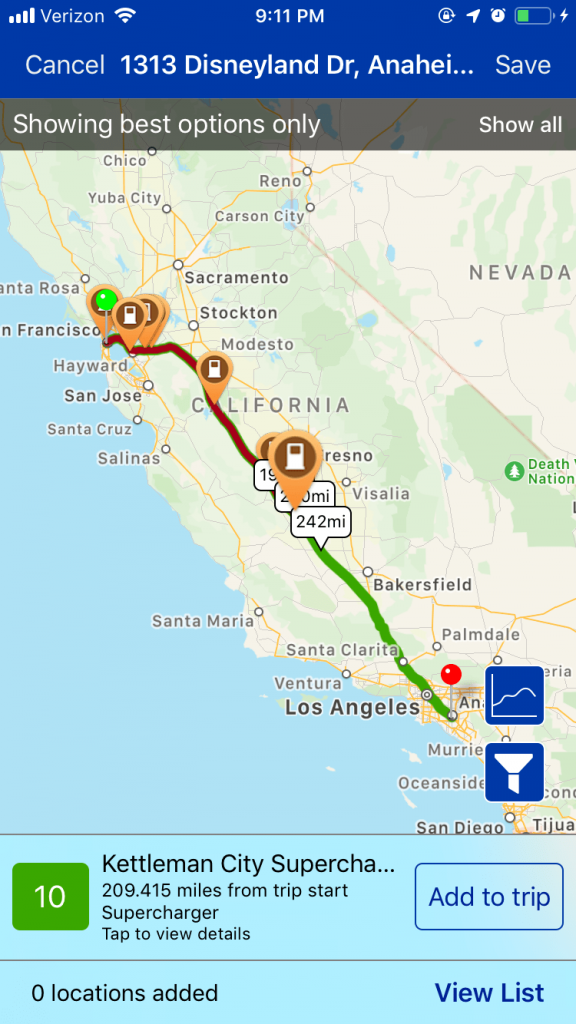
Next, select the DCFC of your choosing along the trip segment. You can select the charging station to see the station’s details as mentioned previously. Continue to select charging stops until the route arrives to the destination address. You’ll be able to save the trip for future reference.
Alerts in Plugshare can notify you when a station goes offline, all plugs are in use, a new review or photo is posted, or a station becomes available. The last alert is especially helpful to know when scouting for new charging stations in your area or frequented travel destinations.
Here’s how: select the upcoming station from the map view. Since Plugshare is user-sourced, Plugshare users create new stations before the station is available. Sometimes, users are such good scouts they create the station before construction has even started.
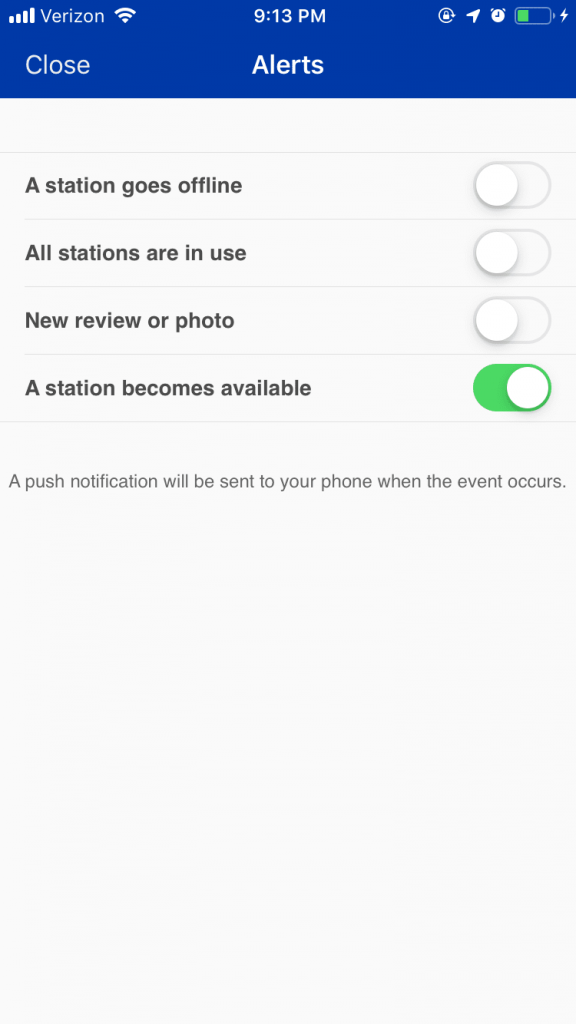
Upcoming stations are identified on Plugshare with a wrench symbol rather than the station symbol. Once you select the station to scout, select “Alerts” below the station photo (if any available). Finally, toggle “A station becomes available”. Now, you will receive a notification when the station is officially available for use!
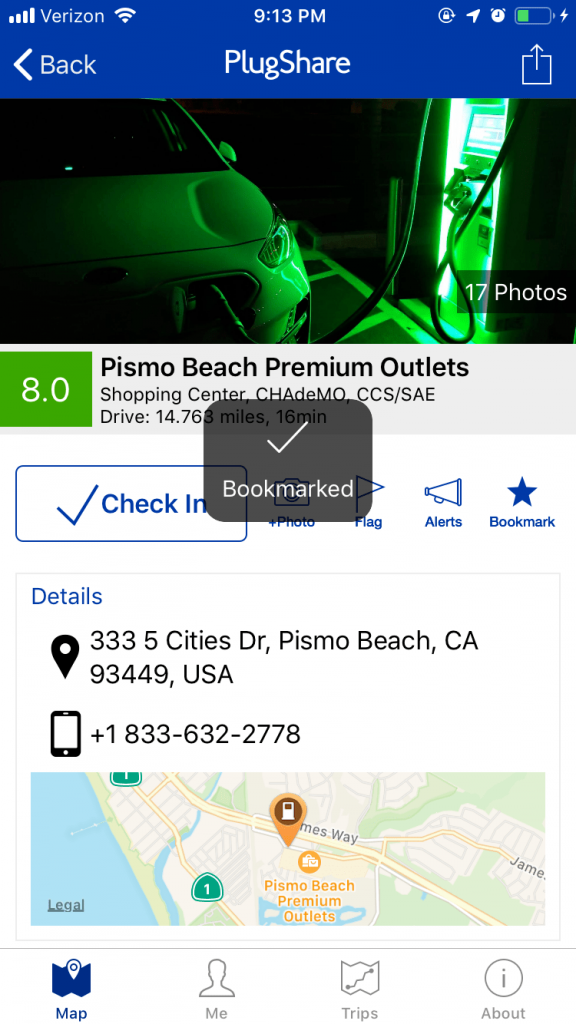
Got a charging station you’d like to save for quick reference? Plugstar’s got your back. Select your favorite station, then select “Bookmark” below the station’s photo. Congratulations! The station is now saved in your bookmarks.
To view your bookmarked charging stations, select “Me” on the bottom toolbar. Then, select “Bookmarks”. All of your saved stations will appear in a list here.
