
Android auto is an app designed to take a further step in to the technology to bridge the gap for android users, in addition it also developed to prevent the drivers to avoid distraction using phone while driving, android experts taken all measures before making this app according to android.
To use that app, you need to require four major items (USB, Phone, compatible stereo and the App), App can be downloaded easily from play store a direct link is available for you to download it.
Download Android APP
Make sure to enable location and Bluetooth for full connection, apart from these you don’t have to do anything except these steps as stated before.
You can use your google maps, google assistant, music, calling and messaging directly from your car screen.
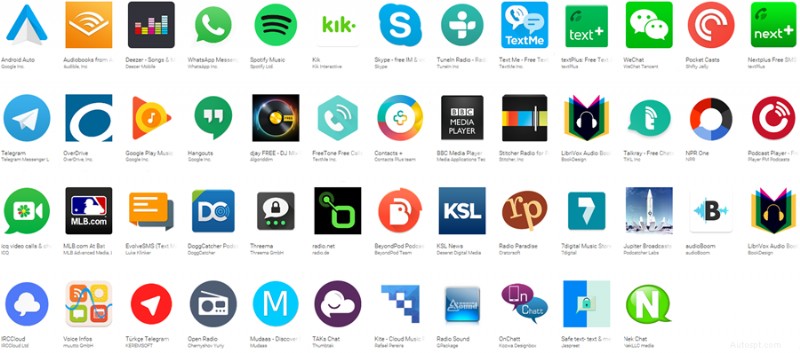
Android auto allow to use other apps available in there play store.
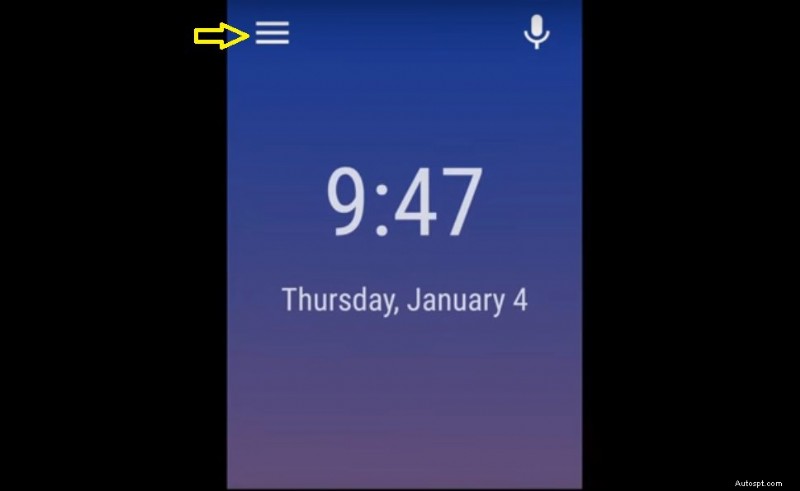
Steps to get in to android auto apps:
Steps:
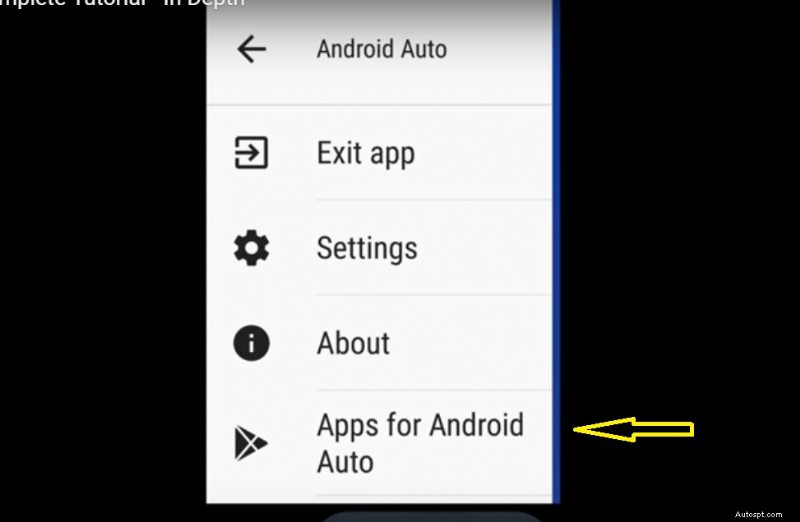
All these apps are compatible for android auto.
Once the app connected with car screen display, a separate app in to your android auto pop up, clink it and you will get the mobile phone interface at your car screen.
As you can see a few tabs available at the end of a screen, to get in to google maps you just have to touch the arrow button placed at below left corner, you can use google maps via google assistant or from screen keypad.
You can listen radio and other music directly from apps, you have many options in the android auto market to download for either radio or music. (Google play music, Pandora is one of a few music apps that can allow you to play music whatever you want to play).
You can call or text message from your screen, a separate tab on Android Auto main home screen is available for calling and text, you can use google assistant (voice) as well for calling and text after say ok to google.
You can play media files on your car screen via Android Auto, however I wouldn’t recommend media files to use it on a car screen, it could lead to a fatal car accident.
Steps to play media files on your car screen:
Steps:
Google assistant only available in USA market with English language version, soon it will be available to other few countries as well.
No, android auto app is available on limited countries to the numbers of approximately 31.
Argentina, Australia, Austria, Bolivia, Brazil, Canada, Chile, Colombia, Costa Rica, Dominican Republic, Ecuador, France, Germany, Guatemala, India, Ireland, Italy, Japan, Mexico, New Zealand, Panama, Paraguay, Peru, Puerto Rico, Russia, Spain, Switzerland, United Kingdom, United States, Uruguay, Venezuela.
Android app compatibility start from Lollipop 5.0 android software phones, however the marshmallow 6.0 is better than lollipop for the app to work optimally.
A complete list of all compatible cars available on a separate article, find your car by clicking this link.
All these information are taken from android.com.
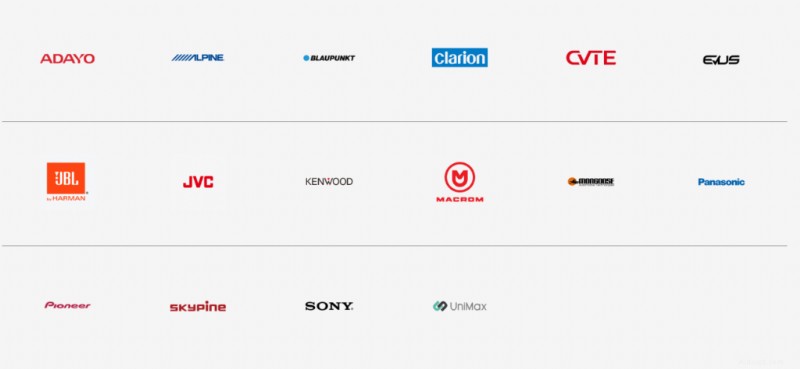
i209, i902D, iLX-207, iLX-702D, INE-W710D, INE-W977A, INE-W977HD, X208AU, X208U, X209D, X802D-U, X902D.
DN56B6H.
Legend CP100.
KW-M730BT, KW-M745DBT, KW-V830BT, KW-V930BW, KW-V930BWM.
AVH-2300NEX, AVH-2330NEX, AVH-2400NEX, AVH-2440NEX, AVH-3300NEX, AVH-3400NEX, AVH-4100NEX, AVH-4200NEX, AVH-4201NEX, AVH-W4400NEX, AVH-X8700BT, AVH-X8750BT, AVH-X8790BT, AVH-X8800BT, AVH-X8850BT, AVH-X8890BT, AVH-Z5000BT, AVH-Z5000DAB, AVH-Z5050BT, AVH-Z5050TV, AVH-Z5080TV, AVH-Z5090BT, AVH-Z5100BT, AVH-Z5100DAB, AVH-Z5150BT, AVH-Z5150TV, AVH-Z5180TV, AVH-Z5190BT, AVH-Z7000DAB, AVH-Z7050BT, AVH-Z7050TV, AVH-Z7080TV, AVH-Z7100DAB, AVH-Z7150BT, AVH-Z7150TV, AVH-Z7180TV, AVH-Z9100BT, AVH-Z9100DAB, AVH-Z9150BT, AVH-Z9190BT, AVH-ZL5150BT, AVIC-7100NEX, AVIC-7200NEX, AVIC-7201NEX, AVIC-8100NEX, AVIC-8200NEX, AVIC-8201NEX, AVIC-F70BT, AVIC-F70DAB, AVIC-F70TV, AVIC-F77DAB, AVIC-F80BT, AVIC-F80DAB, AVIC-F80TV, AVIC-F88DAB, AVIC-W6400NEX, AVIC-W8400NEX, AVIC-Z810DAB, AVIC-Z910DAB, FH-9300DVS, MVH-2300NEX, MVH-2400NEX, MVH-Z5050BT, SPH-DA230DAB.
CNE-6703-A, CNE-6877MC-A, CNE-6997M-A
DDX6704S, DDX6705S, DDX6904S, DDX6905S, DDX8905S, DDX9016DABS, DDX9016S, DDX9016SM, DDX9017DABS, DDX9017S, DDX9017SM, DDX9018BTS, DDX9018DABS, DDX9018S, DDX9018SM, DDX916WS, DDX916WSL, DDX916WSM, DDX917WS, DDX917WSM, DDX918WS, DDX918WSM, DDX9703S, DDX9704S, DDX9705S, DDX9716BTS, DDX9716BTSR, DDX9717BTS, DDX9903S, DDX9904S, DDX9905S, DMX7017BTS, DMX7017DABS, DMX7018BTS, DMX7018DABS, DMX7704S, DMX7705S, DMX8018S, DMX905S, DNX516DABS, DNX5180BTS, DNX5180DABS, DNX5180S, DNX5180SM, DNX518VDABS, DNX574S, DNX575S, DNX694S, DNX695S, DNX7160BTS, DNX716WDABS, DNX7170DABS, DNX773S, DNX775RVS, DNX8160DABS, DNX8160S, DNX8160SM, DNX8170DABS, DNX8180DABS, DNX874S, DNX875S, DNX893S, DNX9170DABS, DNX9170S, DNX9170SM, DNX9180DABS, DNX9180DABS, DNX9180S, DNX9180SM, DNX994S, DNX995S, DPV-7000, KW-M730BT, KW-M740BT, KW-M740BTM, KW-M741BT, KW-M745DBT, KW-M845BW, KW-V830BT, KW-V840BT, KW-V930BW, KW-V930BWM, KW-V940BTM, KW-V940BW, MDV-Z904, MDV-Z904W, MDV-Z905, MDV-Z905W.
XAV-AX100, XAV-AX200, XAV-AX5000.
Strada CN-F1D.
NXV977D, NXV987D.
M-DL9000.
F2-AVX7MX.
U621P, U701P, U702P, U703P.
Q2CA.
DD680R.
Maximum understanding of How to Use Android Auto – Complete Tutorial Series.

I am an experienced technical writer holding a Master's degree in computer science from BZU Multan, Pakistan University. With a background spanning various industries, particularly in home automation and engineering, I have honed my skills in crafting clear and concise content. Proficient in leveraging infographics and diagrams, I strive to simplify complex concepts for readers. My strength lies in thorough research and presenting information in a structured and logical format.
Follow Us:
LinkedinTwitter
All About Cars News Gadgets >> Auto Repair >> Repair Guides >> How to Use Android Auto – Complete Tutorial Series
