
Car stereo systems have gone a long way from just two front speakers located in the dashboard. Over the years, the speakers and subwoofers have spread through front and rear doors and can output more than enough volume for an outdoor event, let alone passengers inside the vehicle.
However, a noticeable difference in volume levels between radio and AUX input means there’s something wrong with the system. In this guide, I’ll give you a step-by-step guide on how to identify and solve your issue. In most cases, the problem is trivial and can be solved in just a few minutes.
The most probable causes for low AUX volume are lowered volume levels on your phone, improper wiring or bad AUX cable, or an equalizer issue on the stereo head unit.
I would consider this to be the main cause for low AUX volume, as it also happens to me quite often. You’ll take a seat in the vehicle, quickly connect the device and turn the playlist on. The radio will seem quiet, so to keep yourself distraction-free, you’ll take your phone and increase the volume without turning the screen on, assuming it’s all the way up.
To prevent hearing damage, phones have a soft limit on volume at around 70%. When you try to go beyond that point, you either need to press the volume up button several times to bypass it or press OK on the pop-up warning that will appear on the screen.
As you’re linking your phone towards speakers and not headphones, the risk of hearing damage is not as severe, and the extra 30% volume increase can allow you to fine-tune the levels to your liking.
Not plugging the AUX cable all the way in can also happen quite often. When you plug the cable into the stereo head unit or the central console, it’s quite obvious whether it’s all the way in or not. However, certain combinations of phone protectors and cable design make it impossible to plug in the cable properly.
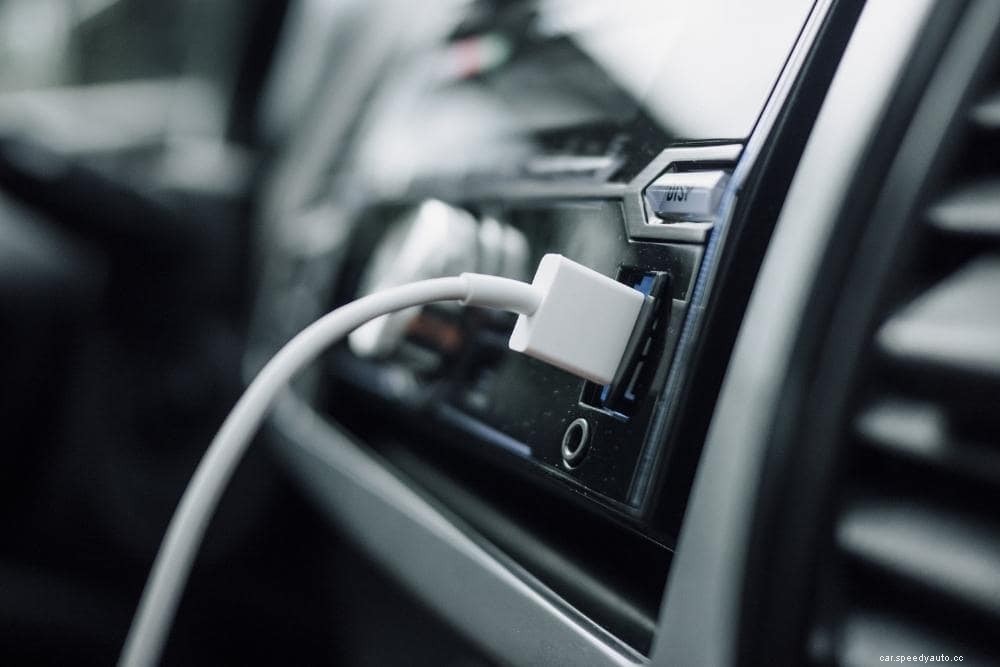
It may appear as if the 3.5mm jack has gone all the way in, but it’s actually being separated or pushed out by the phone protector. Having experienced this myself, I started popping the bottom of the protector off the phone and inserting the cable that way. Ultimately, I cut out a wider slot in the phone protector to allow the AUX jack to go all the way in.
The typical 3.5mm audio jack is divided into three sections with black lines separating them. From top to bottom, they are left, right, ground, and microphone if present. When you don’t plug the AUX cable all the way in, you actually don’t connect the ground, so you might get some audio out of your phone, but it’ll sound distorted and weak.
The AUX cable used inside the car is usually the first one you find inside the house. It’s usually too long for the application, tangling around the gear lever, getting caught in seat rails or seatbelt hook, and accidentally ripped out of devices.
All the damage accumulates over time, causing the cable to not work as well as it used to. If the correct wires disconnect within the cable, you can get some audio to the stereo unit, but nowhere near as much volume.
In my opinion, going with the cheapest replacement of decent quality is the right move. The Amazon Basics 2 feet long cable is long enough to reach from the stereo unit to the phone storage compartment, it’s reliable and cheap.
Off-brand cables can deliver sub-par sound quality and decreased volume, but beyond a certain point, it’s all marketing. Even if the gold-plated cables high-definition cables that cost 5 times the normal price delivered better quality, you’re still outputting a streamed song from a phone device. If you want to go with a better cable, then at least run the FLAC format to maximize the audio quality.
The stereo in your vehicle may have separate settings based on the type of input, to allow more customization and versatility. Cycle through the settings with your phone connected through an AUX cable, and check if everything is in order.
An odd combination of balance and fader settings can completely decrease sound volume, so set everything to the neutral zero and adjust from there.
Not all smartphones are made equal. Some have a great list of specs but perform subpar in practical application. Test the aux connection with a number of phones to see whether there’s a difference in volume level and sound quality. You’ll often find a great difference between high-end and budget phones.
By design, phones and mp3 players do not output the voltage for the head unit to amplify to a desirable level. Considering that the stereo outputs 2V or 4V, while the phone output is just 0.5V, this could be the reason why AUX sound is lower than the rest.
The portable headphone amplifier is probably the best way of getting more volume out of your AUX connection without sacrificing the quality. There’s a large variety of options and a lot of good amps can be bought for just $30. Some amplifiers have an internal battery while others require a constant power supply. Also, keep in mind that the more professional amps will use 1/4″ jacks rather than the commonly used 3.5mm.
The AUX cable should provide louder volume than Bluetooth, but this is not always the case. Because it’s using a wired connection, AUX does not have to compress the data, which is why it will provide superior audio quality to Bluetooth.
Albums recorded on CDs are properly mixed and equalized, which is one of the main reasons why CDs are louder than AUX. CDs are also directly read inside the stereo unit, while AUX is generally connected to a headphone port of an mp3 player or a smartphone, and those do not completely suitable for the stereo application.

When the subwoofer is not working but the amp has power, the most likely causes are bad fuses, low voltage, incorrect impedance, or a bad subwoofer. If the amplifier isn’t lighting up at all, it could also be fried due to an electrical overload. If possible, check the subwoofer in an isolated setup before installing it to make it easier to troubleshoot the issue.
Assuming that the stereo head unit has power, the reasons why there’s no sound coming out of the speakers are a blown fuse or loose wiring leading to speakers. It’s also possible for the equalizers settings to be off and neutralize the sound by directing it all towards a malfunctioning speaker.
Bad grounding or wiring are the most common reasons why speakers make noise when the car is off. You should address the issue immediately, or disconnect the battery terminals, as letting the speakers hum can cause a battery drain.
The sound quality primarily depends on the bitrate, but if both devices are using the same audio file, USB should deliver better audio quality as it’s sending a digital signal. However, the difference is marginal, especially in a vehicle where there’s a lot of background noise from the road, wind, and traffic.
Getting more volume out of your AUX connection is usually a trivial task, but you need to remember the natural limitations of your output device. A smartphone, iPad, or an mp3 player are simply not as efficient in transferring high-volume audio to the stereo. If you want to get a volume boost, a headphone amplifier is a great way to get the desired result.
Get more car tips from these related posts:
How To Make Your Car Louder (Tips For Your Exhaust and Muffler)
How To Make Your Truck Louder: Legally
Do Exhaust Tips Change The Sound Of Your Car?
