
🛠️ About to spend $25–$900 on a scanner? Our $7 Buyer's Shortcut breaks down 18 scanners across 3 budget tiers, names the ones to avoid (FIXD subscription trap, fake bidirectional claims, ELM327 clones), and settles 3 of the biggest head-to-heads. No affiliate fluff. Get the Shortcut ($7) →
Disclosure: Some links in this article are affiliate links. This does not affect our review process or product rankings.
Don't waste money on the wrong tool. See which scanner features you actually need for your specific car.
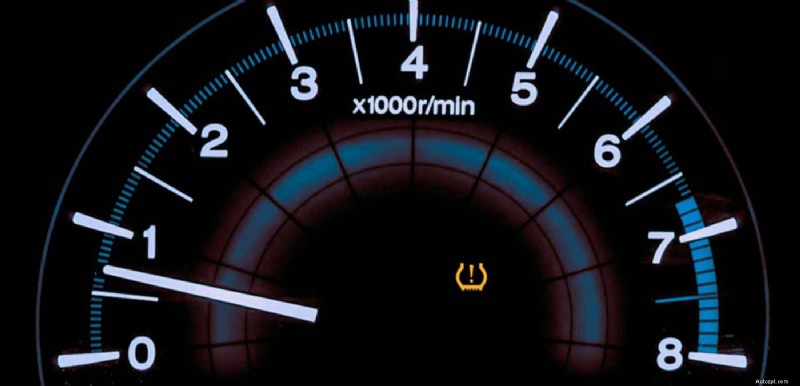
You rotated your tires, swapped to winter wheels, or replaced a dead sensor — and now the TPMS light won’t go off. Ford’s reset procedure isn’t one-size-fits-all. Depending on your model, year, and ignition type, you might need to deflate tires until the horn chirps, toggle hazard flashers in a specific sequence, or simply drive for 20 minutes and let the system figure it out on its own.
This guide covers the exact TPMS reset procedure for every popular Ford vehicle — F-150, Explorer, Escape, Edge, Bronco Sport, and Mustang — organized by model year so you can find your specific method in under 30 seconds. We also cover the critical 315 MHz vs. 433 MHz sensor frequency change that Ford introduced in late 2023, which is causing widespread reset failures when owners swap wheels between older and newer vehicles.
Technical review was performed by Derek Spann, a Ford Senior Master Certified Technician who works with Ford TPMS systems daily in a dealership environment. Derek verified every reset procedure, model-year cutoff, and frequency specification in this guide.
For our full library of TPMS guides — including scan tool reviews, programming tools, and troubleshooting walkthroughs — see the OBDadvisor TPMS Hub.
Before running any reset procedure, confirm these three things. Skipping these steps is the #1 reason TPMS resets fail.
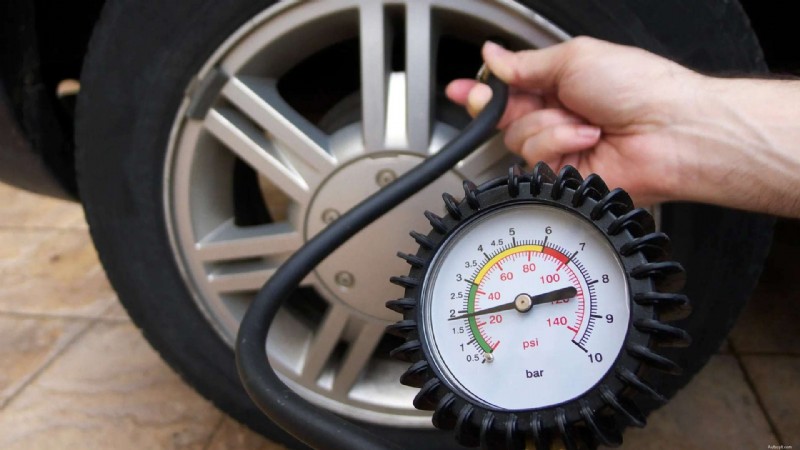
📌 Pre-Reset Checklist
1. Inflate all four tires (and the spare) to the door-placard pressure. The reset procedure requires correct pressure as the starting point. Find the placard on the driver’s side door jamb — not on the tire sidewall.
2. Confirm your sensors match your vehicle’s frequency. Ford vehicles built before late 2023 use 315 MHz sensors. Vehicles built late 2023 and newer use 433 MHz sensors. If you swapped wheels from an older vehicle onto a newer one (or vice versa), the sensors may be the wrong frequency — and no reset procedure will fix that. See the frequency section below for details.
3. Have your key fob nearby and working. The TPMS receiver and the keyless entry system share the same RF module in many Ford vehicles. If your key fob battery is weak, it can interfere with sensor communication during the relearn process.
Unlike some manufacturers that use a single reset procedure across their lineup, Ford uses three distinct methods depending on the model year, ignition type, and vehicle platform. Using the wrong method for your vehicle is a common source of frustration — the horn won’t chirp, the display won’t show “Training Mode,” and you’ll think something is broken when it’s just the wrong procedure.
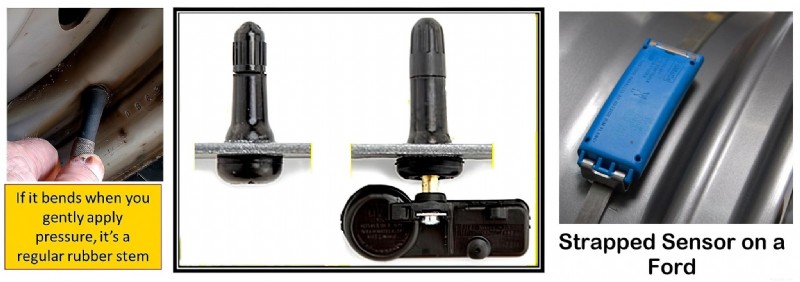
This is Ford’s most common TPMS reset procedure and has been used across most models from 2007 through the early 2020s. It requires you to enter “Training Mode,” then deflate or inflate each tire in a specific order until the horn chirps to confirm each sensor has been recognized. You’ll need access to an air source (tire inflator or compressor) to adjust pressure during the process.
Some Ford model years — particularly 2008–2009 F-150s and certain older Explorers — require a dedicated TPMS trigger tool (like the Motorcraft TPMS-19 or an aftermarket tool like the Autel TS508WF) to activate each sensor during the relearn. Instead of deflating the tire, you hold the tool near the valve stem to wake the sensor and transmit its ID to the vehicle. This is faster and less hassle than the horn chirp method, but requires purchasing a tool.
Many 2021+ Ford vehicles — particularly the 14th-gen F-150 and newer Explorer — support auto-relearn. You simply drive the vehicle above 20 mph for 15–20 minutes, and the TPMS module automatically identifies the sensors and their positions. No horn chirps, no trigger tool, no tire deflation. However, if the auto-relearn doesn’t complete (which can happen with aftermarket sensors or frequency mismatches), you may still need to fall back to Method 1 or 2.
⚠️ Pro Tip: Lower Your Driver’s Window
On trucks and larger SUVs (F-150, Expedition, Explorer), lowering the driver’s side window can help the TPMS module “hear” the sensor signal more clearly during the relearn process. The RF signal has to pass through the vehicle body, and an open window gives it a clearer path. This is documented in Ford’s service procedures.
— Derek Spann, Ford Senior Master Certified Technician
The F-150 is the best-selling vehicle in America, and its TPMS reset procedure has changed several times across generations. Here’s the exact method for your year.
These model years require a TPMS trigger tool for the relearn. The horn chirp / tire deflation method alone won’t work reliably.
1. Inflate all tires to placard pressure.
2. Turn the ignition from OFF to ON (engine off) three times, ending in the ON position.
3. The horn will sound once, indicating Training Mode is active.
4. Starting with the left front tire, hold the TPMS trigger tool near the valve stem and activate the sensor. The horn will chirp once when the sensor is recognized.
5. Repeat for right front → right rear → left rear (and full-size spare if equipped).
6. After the last tire, the message center displays “Training Complete.” Turn ignition OFF.
7. Adjust all tire pressures back to placard spec.
These years support the horn chirp method (Method 1) without a trigger tool. A trigger tool still works and is faster, but isn’t required.
1. Inflate all tires to placard pressure.
2. Turn the ignition from OFF to ON (engine off) three times, ending in the ON position.
3. The horn sounds once — Training Mode is active.
4. Starting with the left front tire, remove the valve cap and increase or decrease the tire pressure until the horn chirps once. One chirp = sensor recognized.
5. Repeat for right front → right rear → left rear (and spare if equipped).
6. After the last tire, “Training Complete” appears on the message center. Turn ignition OFF.
7. Re-inflate all tires to placard pressure.
⚠️ Two Chirps = Failed
If you hear two short horn chirps at any point during the relearn, the procedure failed for that tire. This usually means the sensor didn’t respond (dead battery, wrong frequency, or the tool wasn’t close enough to the valve stem). Start the entire procedure over from Step 2.
Push-button ignition F-150s use a slightly different entry sequence to reach Training Mode.
1. Inflate all tires to placard pressure.
2. With the engine OFF, press and hold the START button (without pressing the brake) until a chime sounds.
3. Press START again to power OFF.
4. Repeat Steps 2–3 two more times (total of three ON-OFF cycles).
5. On the third cycle, leave power ON. The horn sounds once — Training Mode is active.
6. Starting with the left front tire, deflate or inflate until the horn chirps once. Or use a trigger tool.
7. Repeat for right front → right rear → left rear (and spare).
8. “Training Complete” displays. Turn vehicle OFF. Re-inflate all tires.
The 14th-gen F-150 supports auto-relearn in most situations. This is the simplest method — but it has caveats.
Auto-Relearn (try this first):
1. Inflate all tires to placard pressure.
2. Drive the vehicle above 20 mph for at least 15–20 minutes.
3. The system should automatically recognize the sensors and display correct pressures. No horn chirps, no tool needed.
Manual Relearn (if auto-relearn fails):
1. With the engine OFF, turn ignition ON (without starting).
2. Toggle the hazard flashers ON and OFF three times within 10 seconds.
3. The horn sounds once — Training Mode is active. The information display will prompt you by tire position.
4. Starting with the left front, deflate or inflate until the horn chirps. Or use a trigger tool.
5. Repeat for right front → right rear → left rear.
6. “Training Complete” displays. Turn OFF and re-inflate.
⚠️ 2024+ F-150: Check Your Sensor Frequency
Ford switched from 315 MHz to 433 MHz sensors starting in late 2023 production. If you’re swapping wheels from a pre-2024 F-150 onto a 2024+, the old 315 MHz sensors will not communicate with the new 433 MHz receiver — and no reset procedure will fix it. You’ll need to either install 433 MHz sensors or use a TPMS tool to verify sensor frequency before troubleshooting further.
— Derek Spann, Ford Senior Master Certified Technician
 Ford Explorer TPMS Reset (2011–2026)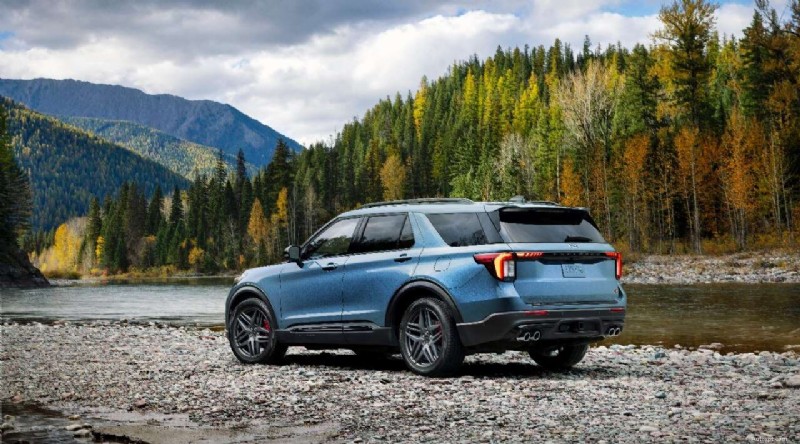
The 5th-gen Explorer uses the standard horn chirp method. The entry sequence varies by ignition type:
Standard ignition: Turn key from OFF to ON three times, ending ON. Horn sounds once — Training Mode active.
Push-button start: Press START three times without pressing brake (ON-OFF-ON-OFF-ON). Horn sounds once.
Then: Deflate/inflate each tire in order (LF → RF → RR → LR) until horn chirps once per tire.
“Training Complete” displays when done. Turn OFF. Re-inflate.
Note: 2016–2019 Explorers can also be reset via OBD relearn using a TPMS tool with OBD capability (like the Autel TS508WF or ATEQ VT57). This bypasses the horn chirp procedure entirely and is faster.
The 6th-gen Explorer supports auto-relearn in most cases:
1. Inflate all tires to placard pressure.
2. Drive above 20 mph for 15–20 minutes.
3. Sensors should be recognized automatically.
If auto-relearn fails:
1. Turn ignition ON (engine off).
2. Press hazard flashers ON/OFF six times within 10 seconds.
3. Horn sounds once — Training Mode active.
4. Deflate each tire in order (LF → RF → RR → LR) until horn chirps. Re-inflate when complete.
Ford Escape TPMS Reset (2008–2026)
Uses the standard horn chirp method. Turn key OFF-ON-OFF-ON-OFF-ON (three cycles, ending ON). Horn sounds once. Deflate each tire in order (LF → RF → RR → LR) until horn chirps once per position. “Training Complete” displays. Turn OFF. Re-inflate.
Same horn chirp method as above. Push-button start models: press START button twice without pressing brake to enter RUN mode (ignition ON / engine OFF), then follow the same hazard flasher or key-cycle entry sequence.
Note: 2014–2019 Escapes support OBD relearn as an alternative method using a compatible TPMS tool.
Supports auto-relearn. Drive above 20 mph for 15–20 minutes. If the system doesn’t pick up sensors automatically, fall back to the hazard flasher entry method (ON/OFF three times within 10 seconds) and the horn chirp procedure.
Other Ford Models: Edge, Bronco Sport, Mustang, ExpeditionThe Edge follows the same horn chirp procedure as the Explorer of the same era. Standard ignition models: key cycle three times. Push-button models: START button cycle or hazard flasher entry. 2015–2024 models may support auto-relearn — try driving 15–20 minutes above 20 mph first before running the manual procedure.
Supports auto-relearn. Drive above 20 mph for 15–20 minutes. If auto-relearn fails, use the hazard flasher entry method (ON/OFF three times within 10 seconds, horn sounds once) followed by the standard tire deflation sequence.
Most Mustang model years use the standard horn chirp method. 2015+ push-button start models use the hazard flasher entry or START button cycle. Note that some forum reports indicate the 2017 Mustang and similar years with pre-programmed OE sensors are “plug and play” — the system auto-learns without intervention after driving. If you’ve installed aftermarket sensors, the manual relearn may be required.
Follows the same procedures as the F-150 of the same generation. Due to the Expedition’s size, lowering the driver’s window during the relearn is recommended to improve RF signal reception between the sensor and the TPMS module.
*Late 2023+ production vehicles use 433 MHz. Earlier production of the same model year may still use 315 MHz. Check your specific build date. Mobile users: swipe left for full table.
This is the single biggest source of Ford TPMS reset failures in 2024–2026, and most generic “how to reset TPMS” guides online don’t mention it at all.
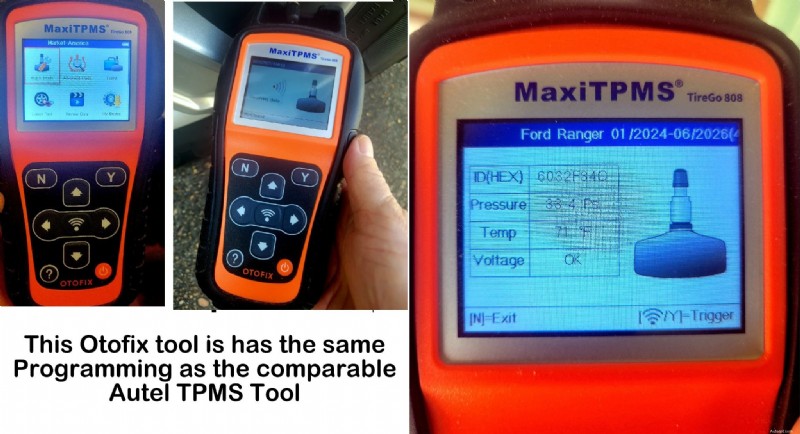
Ford changed the TPMS sensor frequency from 315 MHz to 433 MHz starting in late 2023 production. This affects F-150s, Explorers, Escapes, Bronco Sports, and other models built from approximately late 2023 onward. The changeover wasn’t a clean model-year break — some early 2024 models were built with 315 MHz, while some late-2023 builds already use 433 MHz.
⚠️ Critical: 315 MHz and 433 MHz Sensors Are Not Interchangeable
A 315 MHz sensor physically fits in a 433 MHz vehicle — the valve stem and mounting hardware are the same. But the vehicle’s receiver will never “hear” it because it’s listening on the wrong frequency. No amount of resetting, relearning, or driving will fix a frequency mismatch. The sensor simply needs to match the vehicle’s receiver.
— Derek Spann, Ford Senior Master Certified Technician
Option 1: Use a TPMS tool. A tool like the Autel TS508WF can activate the sensor and display its operating frequency. This is the fastest, most reliable method.
Option 2: Check the sensor part number. Look at the part number stamped on the sensor itself (requires removing it from the wheel). Cross-reference with Ford’s parts catalog or the sensor manufacturer’s database.
Option 3: Check your vehicle’s build date. The build date sticker on the driver’s door jamb shows when your vehicle was manufactured. Late-2023 and later builds are more likely to use 433 MHz.
Option 4: Buy dual-frequency aftermarket sensors. Universal programmable sensors like the Autel MX-Sensor come in dual-frequency 315/433 MHz versions that work with both systems. This eliminates the frequency guessing game entirely.
✅ You’re driving a 2021+ Ford and the sensors are the correct frequency — just drive 15–20 minutes.
✅ You’re running the horn chirp method on a 2010–2020 model and have access to an air source.
✅ You rotated tires (same sensors, same vehicle) and just need a position relearn.
✅ You have a 2008–2009 F-150 (trigger tool required for relearn).
✅ You need to verify whether sensors are 315 MHz or 433 MHz before troubleshooting further.
✅ You installed new aftermarket sensors that need to be programmed (IDs written to the sensor).
✅ The horn chirp method failed and you need to diagnose whether the sensor is dead, wrong frequency, or has an ID mismatch with the ECU.
✅ You swap between summer and winter wheel sets regularly and want to skip the deflation dance every time.
For tool recommendations, see our Best TPMS Scan Tools 2026 guide (for diagnosis) or our Best TPMS Reset Tools 2026 guide (for relearn-focused tools).
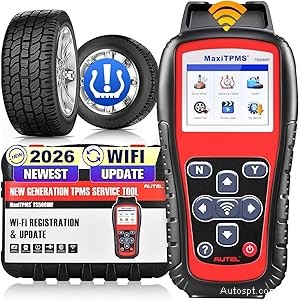
Autel TS508WF — Check Price →
You’re using the wrong entry sequence for your ignition type. Standard ignition vehicles use the key-cycle method (OFF-ON three times). Push-button start vehicles use the START button cycle or the hazard flasher method. Check the model-specific instructions above for your exact vehicle.
The sensor on that wheel is either dead (battery failure), the wrong frequency, or not transmitting strongly enough. Try deflating the tire further — sometimes a larger pressure change is needed to trigger the chirp. If it still won’t respond, the sensor likely needs replacement. A TPMS scan tool can confirm whether the sensor is responding at all.
Two chirps means the relearn failed for that position. Start the entire procedure over from the beginning. This is often caused by running out of time — Ford’s Training Mode has a timeout window, and if you take too long between tires, the system exits and requires a restart.
Most common cause: the sensors are the wrong frequency for the vehicle. Second most common: you haven’t driven far enough or fast enough. Ford specifies 20+ mph for at least 15–20 minutes. Some owners report needing up to 30 minutes or speeds up to 40+ mph. If it still fails after 30 minutes of highway driving, the issue is likely sensor frequency or a dead sensor.
The relearn completed, but the underlying problem wasn’t fixed. This usually means a sensor battery is failing intermittently — it transmitted during the relearn but stopped afterward. A TPMS scan tool with battery level display (like the Autel TS508WF) can identify weak sensors before they go completely silent.
Some Ford models (particularly older Escape and Focus models) have a physical TPMS reset button located under the steering wheel or near the driver’s kick panel. However, most Ford trucks and SUVs (F-150, Explorer, Expedition) do not have a dedicated button — they use the key-cycle or hazard flasher entry methods described above. Check your owner’s manual for your specific model.
Yes, for most Ford models 2010 and newer. The horn chirp method (deflating/inflating each tire) and the auto-relearn method (just driving) both work without any tools. The exception is 2008–2009 F-150s, which require a trigger tool. A TPMS tool is optional for most other years but makes the process faster and helps with diagnosis.
Ford’s standard order is: Left Front → Right Front → Right Rear → Left Rear. Some models also include the full-size spare as a fifth position. The information display on newer models will prompt you by position. Using the wrong order will cause the relearn to assign sensors to the wrong wheel positions, which means your tire pressure display will show the wrong readings for each corner.
Ford specifies driving above 20 mph for at least 15–20 minutes. In practice, many owners report the system picking up sensors within 5–10 minutes of highway driving. If it hasn’t completed after 30 minutes of sustained driving above 20 mph, the issue is likely a frequency mismatch or a dead sensor — not a timing problem.
Yes, as long as they match your vehicle’s frequency (315 MHz or 433 MHz) and are properly programmed with valid sensor IDs. Universal programmable sensors like Autel MX-Sensors and XTOOL TS100 sensors are widely compatible with Ford vehicles. They need to be programmed using a TPMS tool before the vehicle will recognize them — they don’t work “out of the box” like pre-programmed OE replacement sensors.
On 2021+ models with auto-relearn, usually not — the system will figure out the new sensor positions after driving. On older models, a relearn is recommended after rotation to ensure the dashboard displays the correct pressure for each wheel position. Without a relearn, the pressures may display correctly in total but be assigned to the wrong corners — so “Front Left: 35 PSI” might actually be showing the rear right reading.
→ TPMS Tools & Guides Hub — All TPMS Content
→ 3 Best TPMS Scan Tools 2026: Diagnose Sensor Problems
→ 3 Best TPMS Reset Tools 2026 (DIY to Pro)
→ 5 Best TPMS Programming Tools 2026: Clone & Program Sensors
→ How to Reset TPMS Light: 5 Methods That Actually Work
→ TPMS Warning Light: Meaning, Symptoms, Causes, and Fixes
🛠️ Before You Spend $25–$900 on a Scanner
No affiliate fluff. No "top 10" lists copied from Amazon. Just the honest breakdown of what to buy — and what to walk past.
28 pages · Technically reviewed by ASE-certified master technicians · Updated March 2026 · 30-day money back
