
Auto >> AutoSPT >  >> Car Care

Reset Your TPMS Light: 5 Proven Methods for Honda, GM/Chevy, and Ford (Including OBD)

🛠️ About to spend $25–$900 on a scanner? Our $7 Buyer's Shortcut breaks down 18 scanners across 3 budget tiers, names the ones to avoid (FIXD subscription trap, fake bidirectional claims, ELM327 clones), and settles 3 of the biggest head-to-heads. No affiliate fluff. Get the Shortcut ($7) →

Disclosure: Some links in this article are affiliate links. This does not affect our review process or product rankings.

Get the 2026 Scanner Comparison Chart

Don't waste money on the wrong tool. See which scanner features you actually need for your specific car.
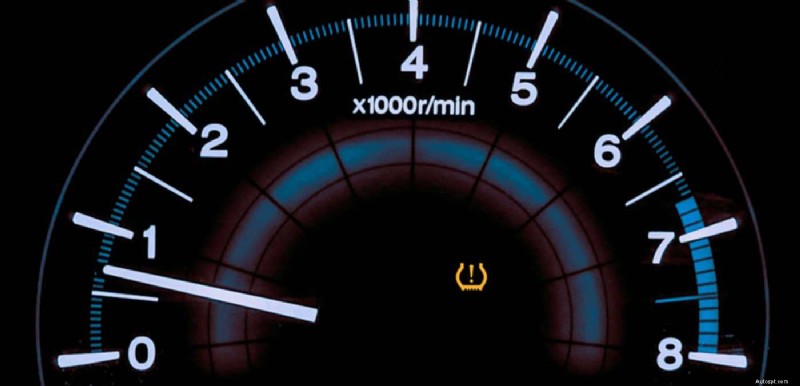
Reset Your TPMS Light: 5 Proven Methods for Honda, GM/Chevy, and Ford (Including OBD)

If your TPMS light won’t go out, don’t start by buying sensors. Start by using the reset method that matches your vehicle’s TPMS system—because “reset” can mean calibrate, relearn, or write sensor IDs to the ECU depending on the make.

Below are 5 proven methods explaining exactly how to reset TPMS light (including free options), with step-by-step instructions for Honda, GM/Chevy, Ford, and a universal OBD relearn method.

Quick pick: which method should you try?

  • Just added air / got new tires / rotated tires? Start with Method 1 (free)
  • Honda with a TPMS button or “TPMS Calibration” menu? Use Method 2 (free)
  • GM/Chevy that learns sensors with horn chirps? Use Method 3
  • Ford that enters training mode with the brake pedal sequence? Use Method 4
  • You replaced TPMS sensors (new IDs) and the car won’t learn them? Use Method 5 (OBD relearn)

Before you reset anything (2 minutes that save hours)

  1. Set all four tires to the door-placard PSI (use a gauge, not the dash).
  2. Check the spare tire pressure if your vehicle monitors it (some do).
  3. If the light flashes for 60–90 seconds, then stays solid, that usually indicates a system fault (sensor not communicating, wrong sensor, dead battery)—not just low pressure.

Method 1 (Free): Inflate correctly + drive (auto reset / recalibration)

This works more often than people think—especially right after a cold snap or a tire top-off.

Steps:

  1. Inflate all tires to the door-placard PSI.
  2. Drive 10 minutes at normal road speeds.
  3. If it still stays on, try 10 minutes at 55–70 mph.

Why it works: Some systems clear after they see stable pressure data. Certain GM procedures also note the system can recalibrate after driving around 30 mph for 30 seconds once pressures are correct.

Most modern Hondas use a calibration process (not a sensor “relearn” like GM/Ford). You’ll either have a TPMS button or a TPMS Calibration menu.

A) Honda with a TPMS reset button (left of steering wheel)

Steps:

  1. Park the vehicle and shift into Park.
  2. Turn ignition ON (engine can be off).
  3. Press and hold the TPMS button until the TPMS light blinks twice.
  4. Drive to complete calibration. Many Honda procedures reference about 30 minutes of driving at roughly 30–60/65 mph for full recalibration after you start it.

B) Honda with “TPMS Calibration” in the menu

Steps (common layout):

  1. From the Home screen: SettingsVehicle
  2. Select TPMS Calibration
  3. Choose Calibrate / Initialize → confirm Yes

Honda owner documentation also describes accessing Vehicle Settings → TPMS Calibration → Calibrate via the multi-information display on certain models.

Method 3: GM/Chevy “horn chirp” relearn (most Silverados, Tahoes, etc.)

GM is typically stationary relearn: the vehicle enters learn mode, then you “teach” each wheel in order. The horn chirps to confirm each sensor.

A) Enter learn mode using the key fob (common GM method)

Steps:

  1. Turn ignition to ON/RUN (engine off).
  2. Press and hold LOCK + UNLOCK on the keyless entry fob until the horn sounds (learn mode).
  3. Starting at Left Front (LF), trigger each sensor in this order:
    LF → RF → RR → LR (horn chirps after each).
  4. After LR is learned, the horn typically chirps twice and you can turn ignition off.

B) Triggering sensors: with a tool (fast) or without a tool (free)

  • Fast method: use a TPMS activation tool at each valve stem (recommended).
  • Free method: on some GM systems you can use a relearn magnet or carefully bleed air until the vehicle chirps (slower and messy). The same GM procedure sheet references using a relearn magnet over the valve stem during learn mode.

Tip that matters: Some GM procedures require the parking brake engaged to enter learn mode.

Method 4: Ford TPMS reset (Brake pedal training mode sequence)

Ford commonly uses a training mode that you enter with a specific ignition + brake sequence. Once you’re in, you train the sensors in order.

A) Ford with a standard key ignition (most common brake pedal sequence)

Steps:

  1. Inflate all tires to the placard PSI.
  2. Turn ignition OFF and press/release the brake pedal once.
  3. Cycle ignition OFF → RUN 3 times, ending in RUN.
  4. Press/release brake pedal once.
  5. Turn ignition OFF.
  6. Cycle ignition OFF → RUN 3 times, ending in RUN.
  7. The horn sounds once and TPMS light blinks (training mode). Message center may show TRAIN LF TIRE.
  8. Train sensors in order: LF → RF → RR → LR (horn sounds after each).
  9. After LR, you should see TRAINING MODE COMPLETE (or you exit by turning ignition OFF; if the horn honks, repeat).

B) Ford push-button start (procedure differs)

Ford push-button vehicles have different sequences depending on the key system. The same training reference includes separate push-button steps and still trains LF → RF → RR → LR once you’re in training mode.

[PHOTO: Ford push-button start and brake pedal (caption: “Push-button start has a different training sequence”)]

Method 5: Universal OBD relearn (write sensor IDs to the ECU)

If you replaced TPMS sensors (new IDs) and the vehicle won’t learn them by driving or stationary training, you often need OBD relearn—the tool writes the sensor IDs directly into the TPMS module/ECU.

ATEQ describes OBD relearn as transferring new sensor IDs directly to the vehicle’s ECU using a TPMS tool + OBD connection.

Steps (typical OBD relearn workflow):

  1. Activate/read all four sensors at the wheels (usually in FL → FR → RR → RL/LR order).
  2. Connect the TPMS tool’s OBD cable/module to the vehicle’s DLC (OBD-II port).
  3. Turn ignition ON (engine off).
  4. Follow the tool prompt to transfer/write IDs to the ECU (often a single “OK/Write” step).
  5. Turn ignition OFF, then start the engine and confirm the light is out.

Autel’s TS508WF manual describes an OBD relearn flow where you activate sensors, then connect the OBD cable and perform the OBD relearn to write IDs to the TPMS module.

Related Post: AUTEL TS508WF Review

If the TPMS light still won’t reset

1) You may have a dead sensor battery

Some OEM documentation notes sensor batteries are designed around ~10 years / 150,000 miles (varies by vehicle and conditions).

2) You may have the wrong sensor (frequency/protocol)

This happens a lot after aftermarket sensor installs—especially mixing 315 MHz vs 433 MHz.

3) Tire sealant may have damaged/clogged the sensor

A GM bulletin warns many commercial hi sealants can clog the sensor pressure port and cause inaccurate readings.

Still on? When to go to a shop?

If none of these five methods cleared your TPMS light, the issue is likely a faulty sensor, damaged valve stem, or internal module problem that requires specialized TPMS diagnostic equipment beyond a standard OBD2 scanner. At that point, a shop visit makes sense — but you’ll walk in knowing exactly what you’ve already ruled out.

About This Guide

🛠️ Before You Spend $25–$900 on a Scanner

No affiliate fluff. No "top 10" lists copied from Amazon. Just the honest breakdown of what to buy — and what to walk past.

  • 18 scanners reviewed across 3 tiers: Under $50, $50–$150, $150+
  • 3 head-to-heads that end the debate (BlueDriver vs FIXD, OBDLink MX+ vs BlueDriver, Autel MK808S vs Foxwell NT809BT)
  • The "What to Avoid" list: the FIXD subscription trap, fake bidirectional claims, and why $8 ELM327 clones are a waste
  • Master comparison table — all 18 scanners side-by-side
  • Budget decision framework: 3 questions to answer before you spend a dollar

28 pages · Technically reviewed by ASE-certified master technicians · Updated March 2026 · 30-day money back