
🛠️ About to spend $25–$900 on a scanner? Our $7 Buyer's Shortcut breaks down 18 scanners across 3 budget tiers, names the ones to avoid (FIXD subscription trap, fake bidirectional claims, ELM327 clones), and settles 3 of the biggest head-to-heads. No affiliate fluff. Get the Shortcut ($7) →
Disclosure: Some links in this article are affiliate links. This does not affect our review process or product rankings.
Don't waste money on the wrong tool. See which scanner features you actually need for your specific car.
📌 Quick Answer
Choosing the right OBD2 scanner for electric car diagnostics is critical — most standard scanners do NOT work properly on fully electric vehicles. EVs communicate differently than gas cars — they use manufacturer-specific protocols to report battery health, motor performance, and high-voltage system data that generic OBD2 tools simply can’t read.
For basic EV monitoring (battery health, State of Charge, cell voltages), you need a Bluetooth OBD2 dongle ($15–$50) paired with an EV-specific app like Car Scanner ELM OBD2, LeafSpy (Nissan), or Scan My Tesla.
For professional-level diagnostics (BMS fault codes, isolation resistance, active testing), you need a dedicated EV diagnostic scanner ($300–$5,000+).
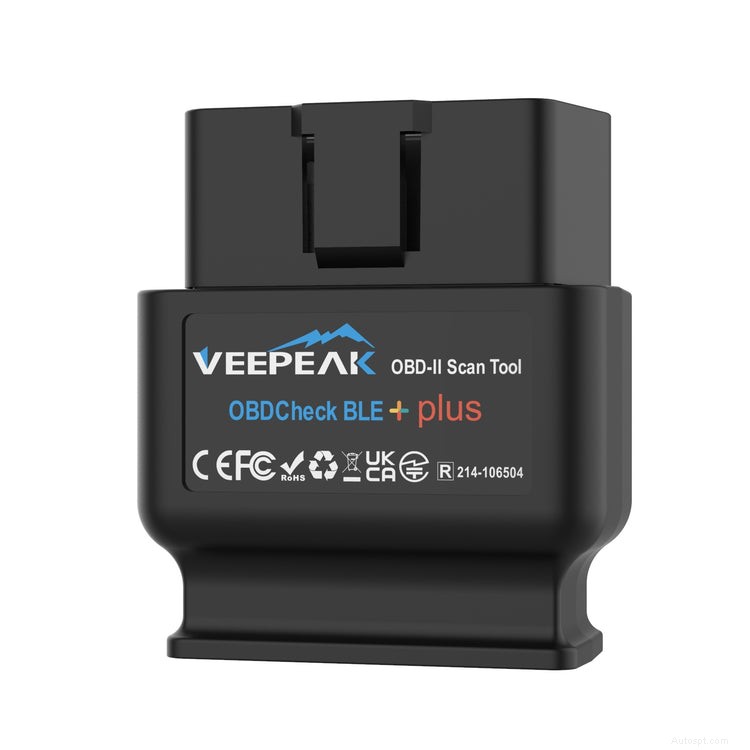
✅ Best Budget Option: Veepeak OBDCheck BLE+ or Vgate iCar Pro ($20–$40) + Car Scanner app (free/$6)
Veepeak BLE+ → Vgate iCar Pro →
✅ Best Pocket EV Scanner: TOPDON TopScan Master (~$130) — EV battery health checks + 30 service functions via phone
TopScan Master →
✅ Best All-in-One: Foxwell NT809TS or Autel MaxiCOM MK808BT ($300–$500)
Foxwell NT809TS → Autel MK808BT →
✅ Best Professional EV Tool: Autel MaxiSys Ultra EV ($3,500–$5,000)
Autel Ultra EV →
Difficulty: Beginner (dongle + app) to Advanced (professional tools)
🔍 Which Section Should You Read?
New to EVs or wondering why this matters now? Start with “Why 2026 Is the Year Every EV Owner Needs a Scanner”
Just want to check battery health on your EV? Jump to “Tier 1: Budget Dongle + App”
Want to read and clear fault codes + do basic diagnostics? Jump to “Tier 2: Prosumer Handheld Scanners”
Own a shop or need deep EV diagnostics (BMS, high-voltage, active tests)? Jump to “Tier 3: Professional EV Scanners”
Own a Tesla specifically? Jump to “Tesla: A Special Case”
Buying a used EV and want to check the battery? Jump to “Used EV Battery Inspection”
Not sure why your regular scanner doesn’t work on your EV? Keep reading — the next sections explain exactly why
If you’ve been on the fence about buying an OBD2 scanner for electric car diagnostics, three things happening right now make this the most important time to own one.
Over 300,000 electric vehicles are coming off lease in 2026 alone — a 230% jump from recent years. A leasing boom from 2022–2024 (driven by the Inflation Reduction Act’s commercial vehicle credit loophole) is now returning hundreds of thousands of lightly used EVs to dealer lots. Used EV prices have fallen roughly 40% from 2022–2023 highs, and more than half of used EV listings now sit under $30,000.
This is great news for buyers — but it creates a massive information gap. These 2–3 year old EVs look like incredible deals on paper. The question every buyer should ask is: what’s the actual battery health? The dashboard won’t tell you. A $25 OBD2 dongle will. (Jump to our Used EV Battery Inspection checklist below.)
2026 is one of the biggest EV launch years in the industry’s history. BMW’s Neue Klasse lineup is rolling out — the iX3 SUV begins U.S. deliveries this summer, and the new i3 sedan (440 miles EPA range, 800V architecture, 400 kW charging) was just unveiled with production starting August 2026. Rivian’s R2 SUV starts production this year. Uber announced a $1.25 billion investment in Rivian to deploy up to 50,000 fully autonomous R2 robotaxis across 25 cities by 2031 — a signal that EVs aren’t just growing in consumer garages but in commercial fleets that will need diagnostic and maintenance infrastructure.
For new EV owners coming from gas cars, the diagnostic landscape is completely different. Your old Foxwell NT301 or BlueDriver won’t read the data that matters on your new EV. Understanding that gap — and having the right tools from day one — saves frustration and money.
Here’s a technical shift many buyers don’t know about: newer EVs (2023+) are increasingly using CAN-FD (Controller Area Network – Flexible Data Rate) and DoIP (Diagnostics over Internet Protocol) instead of the traditional CAN bus protocol. CAN-FD transfers data faster and handles the larger data payloads that complex EV systems generate — battery cell voltages across hundreds of cells, thermal management loops, and high-voltage system telemetry all benefit from the bandwidth.
The practical impact: older scanners that don’t support CAN-FD may fail to communicate with some modules on newer EVs entirely. This isn’t a future concern — it’s happening now with post-2020 GM vehicles, recent Volvo/Land Rover/Jaguar models, and BMW’s newer platforms. If you’re buying a scanner in 2026, check that it explicitly supports CAN-FD and DoIP. Budget Bluetooth dongles (Veepeak BLE+, Vgate iCar Pro) still work fine for basic EV battery monitoring through apps like Car Scanner, but prosumer and professional tools that lack CAN-FD support will increasingly struggle with new vehicles.
⚠️ CAN-FD Compatibility Check
Before buying any prosumer or professional scanner, verify CAN-FD and DoIP support — especially if you own a 2023+ model year vehicle. Scanners that support these protocols include the LAUNCH CRP919X (with optional DoIP cable), Autel MK808BT (recent firmware), XTOOL D7/D8 series, and all Autel MaxiSys-tier tools. Budget Bluetooth dongles handle this differently — the app (not the dongle) manages the protocol translation for EV-specific data, so CAN-FD isn’t a factor at the dongle+app tier.
If you’ve ever plugged your BlueDriver, Foxwell NT301, or any standard OBD2 scanner into an electric car and gotten “no data” or a handful of meaningless generic codes, you’re not alone. This is the single most common frustration EV owners face with diagnostics.
Here’s why: the OBD2 standard (SAE J1979) was designed in the 1990s for internal combustion engines. It was built to monitor emissions-related systems — catalytic converters, oxygen sensors, fuel trims, misfires. Electric vehicles have none of these components. There’s no exhaust, no fuel system, no catalytic converter, no O2 sensors.
The critical systems in an EV — the Battery Management System (BMS), the Motor Control Unit (MCU), the power inverter, the thermal management system, and the Vehicle Control Unit (VCU) — all communicate using manufacturer-specific proprietary protocols. These are NOT part of the standard OBD2 specification. A generic scanner simply doesn’t speak the language.
🗨️ Expert Insight
“The OBD2 port is still there on EVs because it’s federally mandated. But what comes through that port is fundamentally different. On a gas car, your scanner reads fuel trims, O2 voltages, misfire counts. On an EV, the most important data — battery cell voltages, State of Health, isolation resistance, inverter temperature — is all locked behind manufacturer-specific protocols that generic scanners can’t access.”
— Richard McCuistian, ASE Master Technician
To be clear: EVs DO have an OBD2 port. Some basic generic PIDs (Parameter IDs) may respond — you might get vehicle speed, odometer, or a few temperature readings. But the data EV owners actually need — battery State of Health (SOH), individual cell voltages, BMS fault codes, charging system diagnostics — requires either a specialized app that knows the manufacturer’s proprietary protocol, or a professional scanner with EV-specific software.
⛔ Important: BlueDriver Confirmed This
BlueDriver (Lemur Vehicle Monitors) officially stated: fully electric vehicles do not support the OBDII diagnostics system that BlueDriver requires. This applies to all fully electric vehicles, not just BlueDriver — any scanner that relies solely on standard OBD2 protocols will have the same limitation.
Before choosing a tool, you need to understand what you’re looking for. EV diagnostics center on five key systems:
This is the brain of the battery pack and the #1 reason EV owners buy scanners. The BMS monitors and manages every cell in the pack. The data you want includes: State of Health (SOH) — how much capacity remains compared to new (e.g., 92% SOH means 8% degradation); State of Charge (SOC) — your current charge level (more granular than the dashboard percentage); individual cell voltages — reveals cell imbalance, which is the earliest warning of battery degradation; cell temperature distribution — hot cells degrade faster; and cumulative charge/discharge cycles.
⚠️ Pro Tip: Cell Voltage Variance Is the Real Battery Health Metric
SOH percentage is useful but it’s a summary number controlled by the manufacturer’s algorithm. The real indicator of battery health is cell voltage variance under load. If all 96 (or 98, or 108) cell groups show nearly identical voltages (within 10–20 mV), the pack is healthy. If one or more cells deviate significantly, that’s an early warning — even if the dashboard still shows 100% SOH. This is exactly what a good EV scanner reveals that the dashboard hides.
The MCU controls the electric motor’s torque, RPM, and efficiency. Diagnostics include inverter temperature, motor position sensor data, power output readings, and fault codes related to performance derating (when the car limits power due to overheating or electrical faults).
EVs have complex cooling/heating systems for the battery pack, motor, and cabin. A capable scanner can show coolant temperatures, pump operation, heat exchanger performance, and whether the system is actively heating or cooling the pack during charging.
This includes the onboard charger (AC charging), DC fast charging circuits, and communication with charging stations (CCS/CHAdeMO protocols). Diagnostics reveal charging rate, voltage, current, and any fault codes that might limit charging speed.
Isolation resistance monitoring is a critical safety metric that ensures high-voltage electricity (400V–800V in modern EVs) isn’t leaking into the vehicle’s chassis. A drop in isolation resistance is a serious safety concern. Professional scanners can read this; consumer apps generally cannot.
For most EV owners who want to monitor battery health, check SOH, and feed live data to routing apps like A Better Routeplanner (ABRP), a Bluetooth OBD2 dongle paired with a dedicated EV app is all you need. The dongle is just the hardware bridge — the app is where the magic happens, because the app contains the manufacturer-specific protocol translations.
The TOPDON TopScan Master is a pocket-sized, Bluetooth-enabled OBD2 scanner that turns a smartphone into a powerful diagnostic tool for both professionals and DIYers. At around $130, it offers full-system diagnostics, bi-directional control, and 30+ service resets for over 120 vehicle brands — including EV battery health checks and specialized hybrid resets.
Key features for EV owners include high-voltage battery health checks (verified on vehicles like the 2019 Nissan Leaf), hybrid engine learning value resets, and 17+ additional functions beyond the standard TopScan models — including AdBlue resets, NOx resets, and gearbox matching. It also includes TopFix AI assistant for guided fault code diagnosis and repair procedures.
Bluetooth 5.0 connectivity with a 33-foot range means you can monitor diagnostics from outside the vehicle. It covers 120+ brands with full-system, OEM-level access.
One of our industry contacts recommended it simply: “Start with a TopScan Master. You’ll be blown away at what it can do for very little money.”
Check Price at Amazon →
Veepeak OBDCheck BLE+ ($25–$35): Bluetooth Low Energy, works with iOS and Android. Auto-sleep to prevent 12V battery drain. Widely recommended in EV communities. Compatible with Car Scanner, ABRP, and most EV-specific apps.
Veepeak BLE+ — Check Price →
Vgate iCar Pro ($20–$30): Bluetooth 4.0 (BLE), auto-sleep after 30 minutes (confirmed 0.6 mA drain when sleeping). Popular with Hyundai/Kia EV owners. Works with Car Scanner, EVNotify, and ABRP.
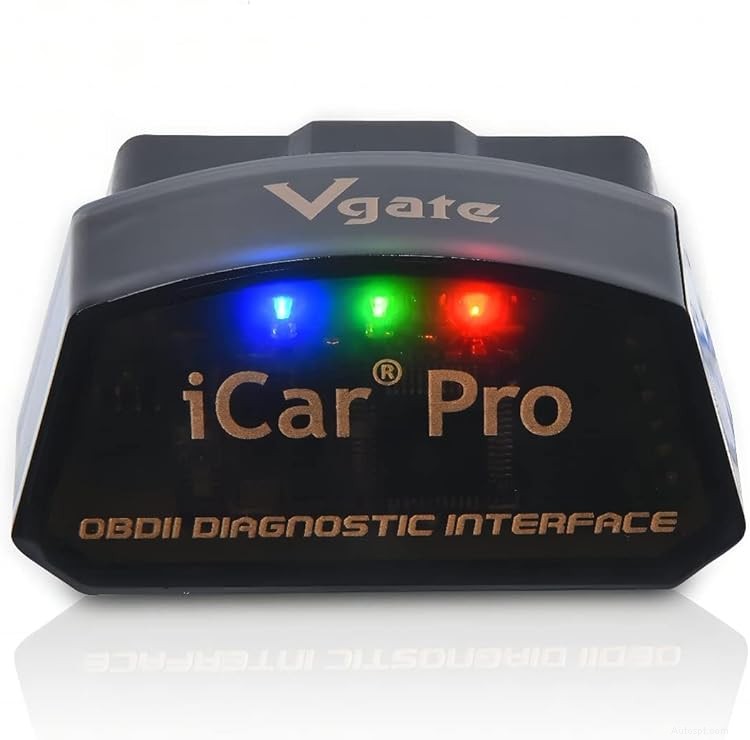
Vgate iCar Pro — Check Price →
OBDLink CX ($50): Premium option. BLE 5.1, very reliable connection. Originally designed for BimmerCode/BMW but works broadly. The most stable dongle but costs more.
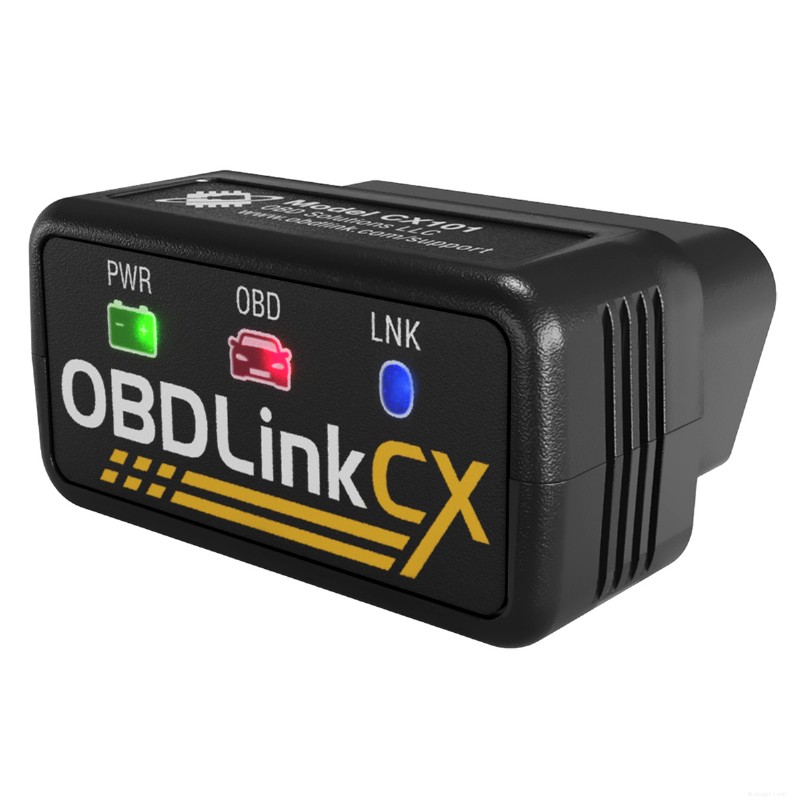
OBDLink CX — Check Price →
LELink BLE ($20–$30): Recommended by LeafSpy developer for Nissan Leaf owners. Configurable auto-off.
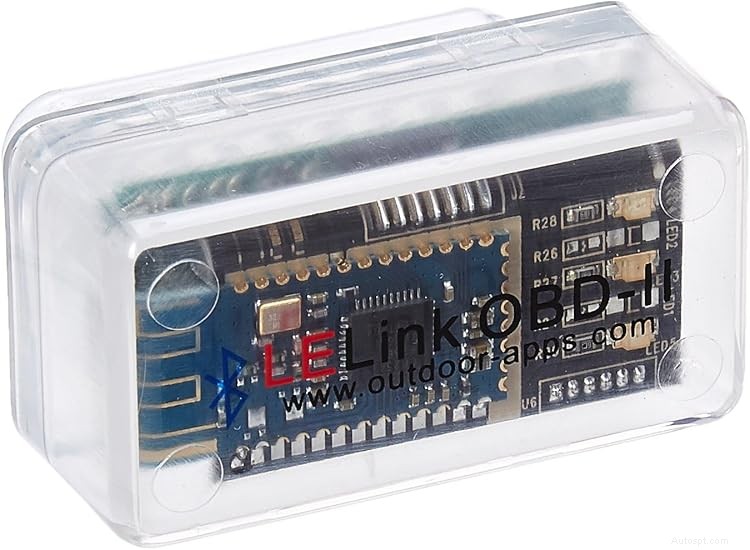
LELink BLE — Check Price →
⛔ Warning: Cheap ELM327 Clones
The $5–10 generic blue translucent ELM327 dongles from Amazon/eBay are almost universally unreliable with EVs. Many use fake ELM327 chips (cloned v2.1 firmware that advertises as v1.5), don’t support BLE properly, and stay powered on continuously — draining your EV’s 12V battery. Spend $20+ on a reputable brand. Your EV’s 12V battery will thank you.
Car Scanner ELM OBD2 (iOS + Android, free/Pro $5.99): The most versatile EV app. Has vehicle-specific profiles for Hyundai Kona EV, Kia Niro EV, Ioniq 5/6, VW ID.4, Nissan Leaf, and many more. Shows battery cell voltages, SOH, SOC, temperatures, and BMS data. Select your vehicle profile in settings — this is critical, as the app uses manufacturer-specific PIDs for each vehicle. The free version works; Pro unlocks advanced dashboards and data logging.
LeafSpy Pro (iOS + Android, ~$15–20): The gold standard for Nissan Leaf owners. Shows voltage of all 96 cell pairs, battery AHr rating, SOH percentage, Hx (internal resistance metric), charge cycle counts, and tire pressures. Designed exclusively for the Nissan Leaf/eNV200 and does not work with other EVs.
Scan My Tesla (Android, ~$6): Real-time diagnostics for Tesla Model S, 3, X, and Y. Shows battery power/voltage/current/temperature, drive unit torque/horsepower/RPM, battery lifetime stats and capacity estimates, and 12V system monitoring. Note: requires a special OBD2 adapter cable specific to Tesla’s diagnostic connector — Tesla does not use a standard OBD2 port location.
A Better Routeplanner / ABRP (iOS + Android, free/Premium): Not a diagnostic app per se, but connects to your OBD2 dongle to feed real-time SOC, battery temperature, and energy consumption data into its route planner. Eliminates range anxiety by calculating accurate charging stops based on your actual battery condition, not manufacturer estimates.
EVNotify (Android): Battery monitoring and remote notification for Hyundai/Kia EVs. Can alert you when charging reaches a target SOC.
🗨️ Expert Insight
“The dongle is dumb hardware — it’s just a bridge between the CAN bus and your phone. The app is where all the intelligence lives. That’s why the same $25 Veepeak dongle can show you nothing useful with a generic OBD2 app, but paired with Car Scanner using the correct vehicle profile, it suddenly reads every cell voltage in the battery pack. Always match the app to your specific EV make and model.”
— Richard McCuistian, ASE Master Technician
If you want a dedicated device (not phone-dependent) that can read and clear fault codes, access multiple vehicle systems, and handle both your EV and any ICE vehicles in the household, a prosumer handheld scanner is the sweet spot.
Autel Tesla 3/Y-Compatible Adapter: If you own a Tesla Model 3 or Y and want to use an Autel tablet scanner, you’ll need Autel’s dedicated diagnostic cable adapter. It connects directly to Tesla’s proprietary port and the Autel vehicle communication interface (VCI), enabling full fault code reading, live data, and diagnostics. Requires an active Autel subscription and internet/server access for Tesla diagnostics. Comes with a limited one-year warranty.
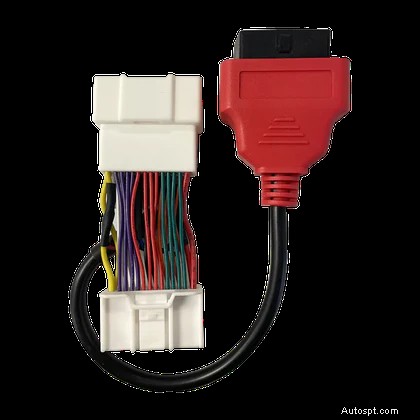
Autel Tesla Adapter — Check Price →
Foxwell NT809TS ($369): Full OBD2 scanner + TPMS tool. Covers all vehicle systems (ABS, SRS, transmission, etc.) on both ICE and many EVs. WiFi updates. The advantage here is versatility — one tool for your EV and your gas car. EV coverage is growing with firmware updates but is not as deep as professional-grade tools.
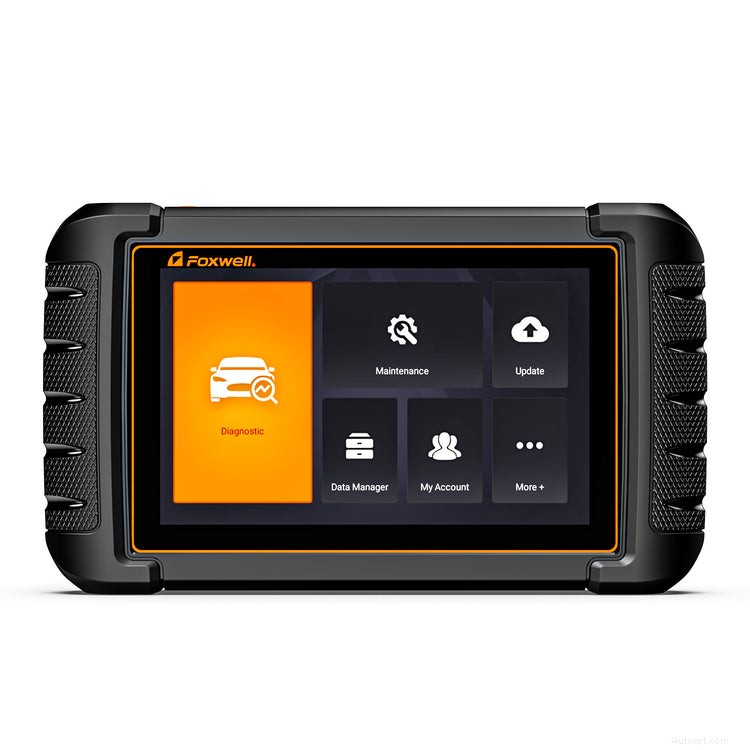
Foxwell NT809TS — Check Price →
Autel MaxiCOM MK808BT ($350–$450): Android-based tablet scanner with all-system diagnostics. Bluetooth connectivity for wireless operation. Strong EV module coverage for popular brands. Can read and clear EV-specific DTCs that basic dongles can’t. Bi-directional control on some systems.
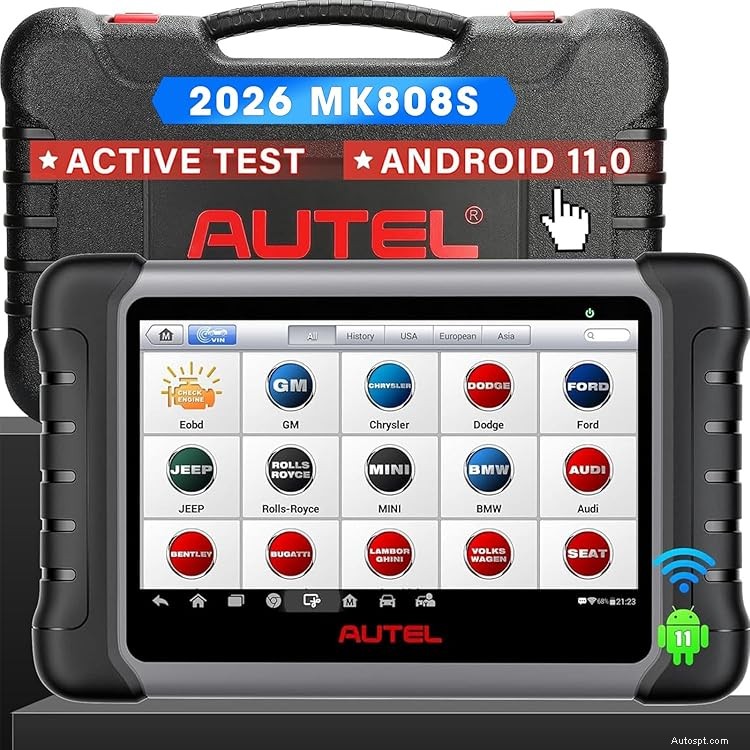
Autel MK808BT — Check Price →
LAUNCH CRP919X ($300–$400): Full system coverage with growing EV support. Built-in battery health test functions for supported EVs. CAN-FD and DoIP compatible (with optional cable). Good mid-range option for mixed ICE/EV households.
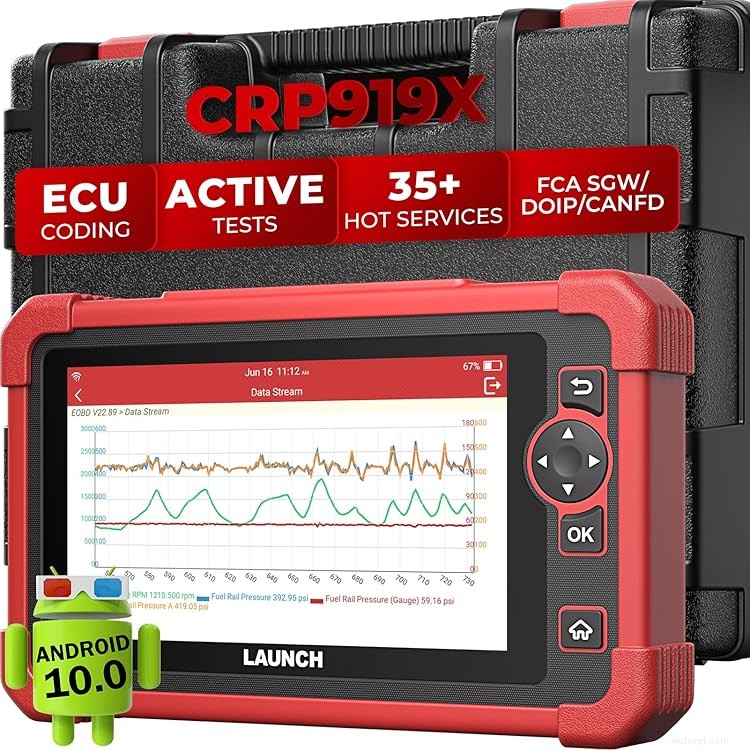
LAUNCH CRP919X — Check Price →
⚠️ Pro Tip: Check EV Coverage Before Buying
Not every “all-system” scanner supports EVs equally. Before purchasing, go to the manufacturer’s website and check their vehicle coverage list for YOUR specific EV make, model, and year. Look for explicit mention of “BMS,” “battery pack,” or “EV systems” — not just “engine” and “transmission.” If the coverage list only mentions ICE systems, the scanner likely won’t access the EV-specific data you need.
For shops that service EVs, independent repair technicians, or serious enthusiasts who need deep diagnostics — BMS active testing, isolation resistance measurement, high-voltage system diagnostics, and crash data reset — professional tools are necessary.
Autel MaxiSys Ultra EV ($3,500–$5,000): The current industry standard for EV diagnostics. Supports high-voltage battery analysis, BMS coding, isolation resistance testing, and active component testing across 74+ EV brands including Tesla (with adapter cables). Includes the MaxiFlash VCMI which doubles as an oscilloscope. This is what dealer-level shops use.
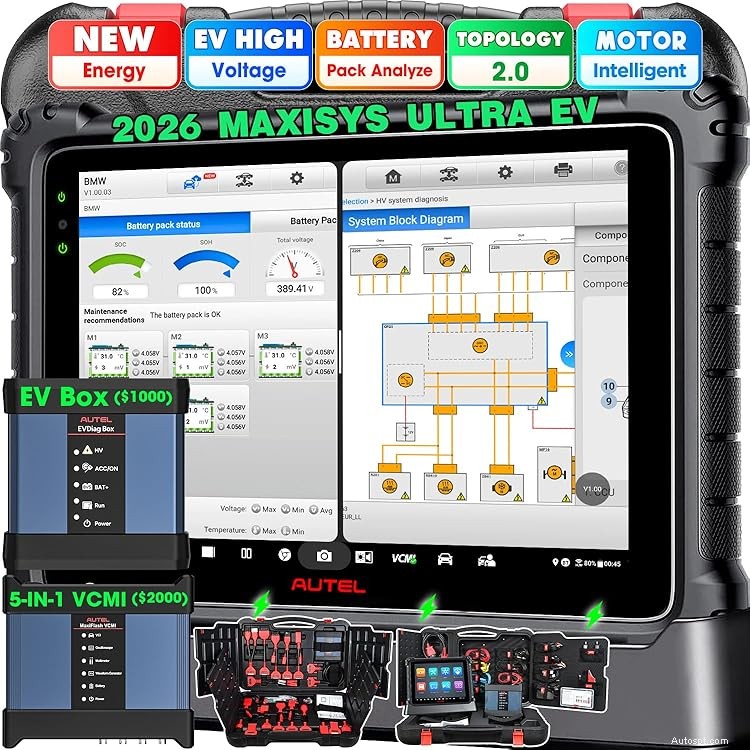
Autel also offers the MaxiSys MS909 with optional EV add-on capability for shops that want a slightly lower entry point. It includes guided repair assist, pre-scan/post-scan documentation, and bi-directional controls, with Tesla cable sets available separately.
Autel Ultra EV — Check Price at Amazon →
⛔ Critical Safety Warning: High-Voltage Systems
EV battery packs operate at 400–800 volts DC. This is lethal. Professional EV diagnostic tools can trigger active tests on high-voltage components. NEVER perform active testing on HV systems without proper training, insulated gloves rated for the voltage, and understanding of high-voltage disconnect procedures. Reading data passively through a scanner is safe. Activating components is not — unless you know exactly what you’re doing.
Tesla vehicles deserve their own section because they don’t use a standard OBD2 port. Tesla uses a proprietary diagnostic connector that requires a specific adapter harness to convert to a standard 16-pin OBD2 interface. The 2021+ Model 3/Y refresh also moved the CAN bus pin locations, so adapters are model-year specific.
For DIY Tesla owners: You need a Tesla-specific OBD2 adapter cable ($30–$80 from Amazon) plus a compatible Bluetooth dongle and the Scan My Tesla app (Android). This setup gives you battery cell voltages, temperatures, drive unit stats, lifetime capacity estimates, and 12V system monitoring.
For professional Tesla diagnostics: Autel’s MaxiSys Ultra EV with the Tesla Cable Set provides full system access including bi-directional controls. Tesla also offers its own diagnostic software through service.tesla.com for independent repair shops — but it requires Tesla-approved hardware and a subscription.
⚠️ Pro Tip: Tesla Adapter Cable Compatibility
The Tesla diagnostic connector changed pinouts between model years. Pre-2021 Model 3/Y uses CAN bus on pins 18/19. The 2021+ refresh moved them to pins 9/10. Make sure your adapter cable matches your model year — or buy one that supports both. The KTTOOL 6-piece set ($60–$80) covers all Tesla models (S, 3, X, Y) across years.
App compatibility and data availability change frequently with app and firmware updates. Always check the latest version of the app for your specific vehicle profile. Mobile users: swipe left for full table.
The battery pack is the most expensive component in an EV — replacement costs range from $5,000 to $20,000+. When buying a used EV, a quick OBD2 scan can save you thousands by revealing hidden battery degradation that isn’t visible on the dashboard.
This matters more in 2026 than ever before. With over 300,000 off-lease EVs flooding dealerships this year — many of them 2022–2024 models that were leased under aggressive IRA-era incentive programs — the used EV market is the most buyer-friendly it has ever been. Average used EV prices have dropped roughly 40% from 2022 peaks. Models like the Chevy Bolt, Hyundai Ioniq 5, and Tesla Model 3 are showing up under $25,000 with 25,000–35,000 miles. But low mileage doesn’t automatically mean good battery health — charging habits, climate exposure, and DCFC frequency all matter. A $25 dongle and five minutes with Car Scanner is the best insurance policy you’ll ever buy.
⏱️ Pre-Purchase Battery Scan Checklist
1. Plug in dongle, open Car Scanner (or vehicle-specific app), select correct vehicle profile
2. Check SOH percentage — anything above 85% is good for a 3–5 year old EV
3. Check cell voltage variance — all cells should be within 10–20 mV of each other at rest
4. Check battery temperature — all sensor readings should be within a few degrees
5. Check cumulative energy charged (CEC) if available — indicates total energy throughput
6. Note the number of DC fast charges vs. Level 2 charges (heavy DCFC use accelerates degradation)
7. Compare SOH reading to mileage — a 2020 EV with 50,000 miles should have 90%+ SOH
🗨️ Expert Insight
“Don’t trust the dashboard SOH number at face value. Some manufacturers — Hyundai/Kia are notable here — show 100% SOH far longer than the battery actually holds 100% capacity. The BMS algorithm is generous. What you want to look at is the maximum energy content reading from an OBD2 scan and compare it to the battery’s original capacity. A 77 kWh battery reading 71 kWh of maximum energy content has actually degraded about 8%, even if the dashboard still says 100% SOH.”
— Richard McCuistian, ASE Master Technician
💰 DIY vs. Shop Cost
DIY Battery Health Check: $20–$50 (dongle + free app)
Shop Battery Health Check: $100–$250 (many dealers charge this for a “battery health report”)
Professional EV Diagnostic Scan: $150–$300 at an independent shop
Dealer-Level EV Diagnostic: $200–$500+
You save: $80–$200 per scan by doing it yourself with a $25 dongle. The tool pays for itself on the first use.
Tools needed: BLE OBD2 dongle ($20–$50) + smartphone + EV-specific app (free–$20)
No. BlueDriver has officially confirmed that fully electric vehicles do not support the OBDII diagnostics system their tool requires. This applies to all pure EVs. BlueDriver works on hybrids and plug-in hybrids (which still have an ICE component) but not on fully electric vehicles.
It depends on the dongle. Cheap ELM327 clones that lack auto-sleep WILL drain your 12V battery over days or weeks. Quality dongles like the Vgate iCar Pro and Veepeak BLE+ have auto-sleep features that reduce power draw to under 1 mA. That said, it’s still best practice to unplug the dongle when you’re not actively using it.
Most do. The standard 16-pin OBD2 port is federally mandated on all road vehicles sold in the US. The exception is Tesla, which uses a proprietary diagnostic connector that requires an adapter cable to convert to standard OBD2. The port is physically present on all EVs; the difference is what data comes through it.
Car Scanner ELM OBD2. The free version supports dozens of EV vehicle profiles with basic battery data, cell voltages, and temperature readings. The Pro version ($5.99) adds advanced dashboards, data logging, and custom gauge layouts. It works on both iOS and Android.
Not directly. But by reading real-time SOC, energy consumption, and battery temperature data and feeding it to A Better Routeplanner (ABRP), you get much more accurate range estimates than the car’s built-in computer provides. ABRP factors in elevation, weather, speed, and your actual battery condition.
Sometimes. Generic OBD2 codes (P-codes in the P0xxx–P3xxx range) can sometimes be cleared with standard tools. But manufacturer-specific EV codes (related to BMS, HV systems, or motor controllers) usually require a scanner with EV-specific software — either a prosumer handheld like the Autel MK808BT or a professional tool.
For most people shopping for an OBD2 scanner for electric car use, a dongle + app is sufficient and costs 90% less. A $25 Veepeak + Car Scanner gives you battery health, cell voltages, and ABRP integration. You only need a dedicated scanner if you’re doing repairs, clearing manufacturer-specific codes, or running a shop that services EVs.
Every 3–6 months. For the most accurate SOH reading, do a deep cycle first (discharge below 10%, charge above 90%), let the BMS balance for an hour, then take your reading with the battery temperature around 70°F. Tracking SOH over time gives you a degradation curve that’s far more useful than any single reading.
Yes, for passive data reading. Reading battery data while charging is actually useful — you can monitor charging rate, voltage, current, and temperature in real time. Do NOT perform active tests or clear codes while the vehicle is charging.
$5,000–$20,000+ depending on the vehicle. This is exactly why monitoring battery health matters. Catching degradation early and adjusting charging habits (less DCFC, avoid storing at 100% or 0%) can extend battery life significantly.
CAN-FD (Controller Area Network – Flexible Data Rate) is a newer, faster communication protocol used in many 2023+ vehicles, especially EVs. It handles larger data payloads than traditional CAN. If you’re using a budget Bluetooth dongle with an EV-specific app (like Car Scanner), CAN-FD isn’t a concern at the dongle level — the app handles protocol translation. But if you’re buying a prosumer handheld or professional scanner, confirm it supports CAN-FD and DoIP (Diagnostics over Internet Protocol), or it may fail to communicate with some modules on newer vehicles.
More than ever. Over 300,000 EVs are coming off lease in 2026 — a record surge driven by aggressive 2022–2024 leasing. Average used EV prices have fallen roughly 40% from their peaks, with many models under $25,000. A $25 Veepeak dongle + Car Scanner app gives you battery health data the seller doesn’t have. One scan before you buy can reveal thousands of dollars in hidden degradation — or confirm you’re getting a great deal.
Best OBD2 Scanners 2026: Complete Buyer’s Guide
Best Bluetooth OBD2 Scanners
How to Choose an OBD2 Scanner
Best TOPDON Scan Tools (2026 Review)
Best Veepeak OBD2 Scanners
Best OBD2 Apps for Android & iPhone (2026)
🛠️ Before You Spend $25–$900 on a Scanner
No affiliate fluff. No "top 10" lists copied from Amazon. Just the honest breakdown of what to buy — and what to walk past.
28 pages · Technically reviewed by ASE-certified master technicians · Updated March 2026 · 30-day money back
