
You start your car, and your infotainment system is dead—no screen, sound, or navigation. It might be frozen, running slowly, or just displaying a black screen. This happens often, especially in tech-heavy newer vehicles.
Modern infotainment systems control much more than music—they run Bluetooth, backup camera, navigation, and even some vehicle settings. When they fail, it feels like half your car is unusable.
Most problems aren’t major. A weak battery, blown fuse, or software glitch can shut down your infotainment system—often with quick solutions if you know where to check.
I’ll explain why your infotainment system isn’t working, show step-by-step diagnostics, and reveal the smartest fixes before you pay dealership prices.
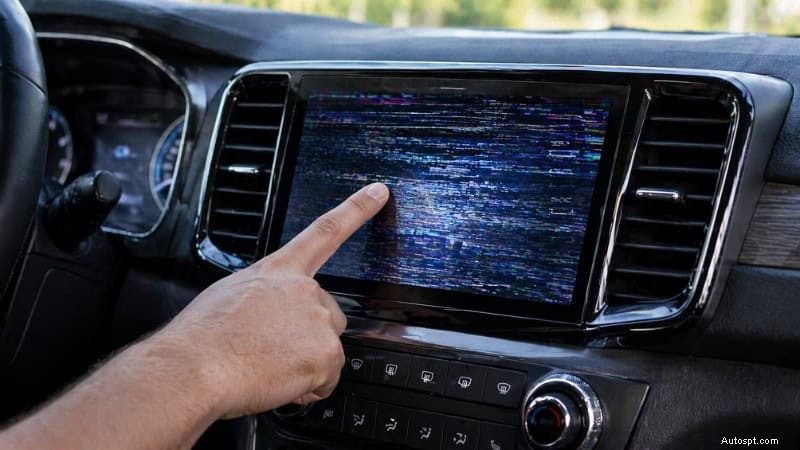
In modern vehicles, the infotainment system isn’t just a radio—it’s the central command center for your entire driving experience. From a mechanic’s perspective, it’s basically a computer tied into multiple modules across the car.
At its core, the infotainment system manages your audio and entertainment, including radio, music streaming, and speaker output. But it doesn’t stop there. It also handles navigation, providing real-time directions, traffic updates, and route planning.
Most vehicles today integrate Bluetooth, Apple CarPlay, and Android Auto, allowing you to connect your phone for calls, messages, and apps. On top of that, the system often controls or displays backup cameras, parking sensors, and even 360-degree camera views, which are critical for safety.
In many newer cars—especially SUVs, trucks, and EVs—the infotainment unit also lets you adjust vehicle settings, such as climate control, drive modes, lighting, and driver assistance features.
Here’s the key thing most drivers don’t realize: all these features run through one system. That means if the infotainment unit fails, you’re not just losing music—you could lose access to multiple essential functions at once.
That’s why diagnosing the problem correctly is so important.
Before you start tearing into fuses or pulling the dash apart, pay attention to the symptoms. In the shop, these signs help me narrow down the problem fast—whether it’s a simple glitch or something deeper.
The most obvious sign is a black or blank screen. Sometimes it stays completely off, other times it flickers or turns on and off randomly. You might also notice a frozen display where nothing responds, even though the system looks powered on.
If your screen turns on but doesn’t respond to touch, or responds with a delay, that usually points to a software glitch or a failing digitizer. In some cases, physical buttons or knobs may stop working as well.
No sound at all? Or maybe it’s distorted, cutting in and out, or stuck at one volume level. These issues can be linked to the infotainment system itself, the amplifier, or even a wiring problem.
Another common complaint is that Bluetooth won’t pair or keeps disconnecting. Apple CarPlay or Android Auto may fail to launch, freeze, or crash mid-use. That’s often tied to software or compatibility issues.
If your infotainment system is randomly rebooting, lagging, or crashing, that’s usually a sign of a software bug or internal failure. Some systems get stuck in a reboot loop, which can be frustrating and confusing.
The key takeaway: Different symptoms point to different problems. A completely dead screen often means a power issue, while lagging or freezing usually points to software problems. Knowing the difference saves you time—and money.
Now, let’s get into what actually causes these problems. In the shop, I always start with the basics—power, software, and connections—before assuming anything expensive is broken. Here are the most common reasons your infotainment system stops working:
This is one of the biggest culprits—especially in modern cars packed with electronics. Your infotainment system needs a stable voltage to boot up and run properly.
If your car cranks slowly or electronics act weird, check the battery first.
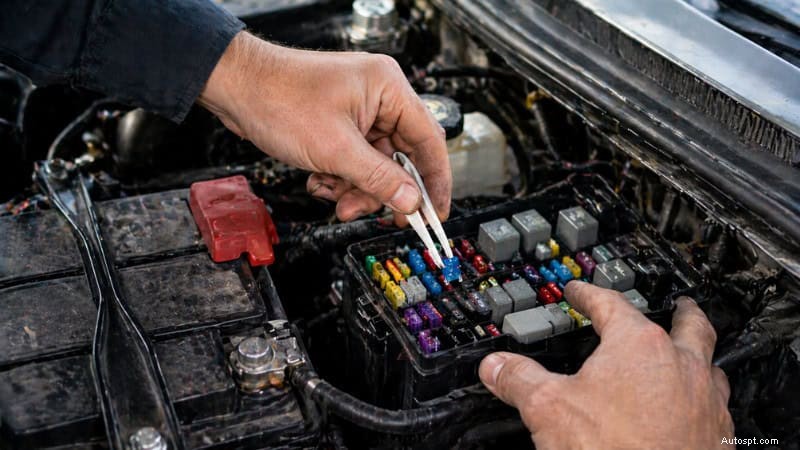
Every infotainment system runs on one or more dedicated fuses. If one blows, the system can go completely dead.
Always check the fuse before assuming the worst.
Modern infotainment systems are basically computers—and like any computer, they can glitch.
A simple reset or update can often fix this.
If your system cuts in and out or only works sometimes, wiring could be the issue.
This usually requires a physical inspection behind the unit.
Sometimes the problem is the hardware itself.
If everything else checks out, the unit may need repair or replacement.
Heat can shut your system down—especially in hot climates or direct sunlight.
Parking in the shade can actually prevent this issue.
Not all problems are hardware-related—some are just communication issues.
Resetting connections usually solves this.
Some systems lock up after a power loss (like a battery disconnect).
You may need a dealer code or a manual reset.
In newer vehicles, the infotainment system communicates with other modules via the CAN bus.
This is more advanced and may require a scan tool to diagnose.
Mechanic tip: The main takeaway is to start with easy fixes—check the battery, fuse, and reset first. About 70% of infotainment issues are resolved with these steps. Only investigate further if problems remain.
Before you consider replacing the entire unit, run through these steps. This is exactly how I diagnose infotainment problems in the shop—start simple, then move deeper only if needed.
Start with the easiest fix. Many glitches are temporary.
This allows the system to reboot and clear minor bugs.
Low voltage is a silent killer for electronics.
If the voltage is low, charge or replace the battery before doing anything else.
A blown fuse can shut the system down instantly.
Always use the same amp rating when replacing.
If the system turns on but acts weird, this step is powerful.
Warning: This will erase saved settings, paired phones, and preferences.
Outdated software causes many issues.
Updates fix bugs, improve performance, and restore functionality.
If problems persist, you may need to look behind the unit.
Look for:
Reconnect everything firmly and test again.
If the issue is connectivity-related:
This fixes most pairing and connection issues.
If your system shuts off randomly in heat:
Overheating can temporarily disable the screen.
If nothing else works, try a full reset.
This clears deeper system errors.
Mechanic Tip: If your infotainment system comes back after a reset but fails again later, you’re likely dealing with a hardware issue or deeper electrical problem—not just software.
Before you panic about replacing the whole unit, it’s important to understand the actual costs. In my experience, most infotainment issues don’t require a full replacement—and that can save you a lot of money.
Here’s a realistic breakdown of what you might pay in the US:
These are the most common fixes—and often solve the problem right away.
These require some labor but are still far cheaper than replacing the system.
If the display is damaged but the system still works, you can often just replace the screen.
Newer vehicles with integrated systems cost more due to the programming and compatibility required.
Mechanic Tip: Always diagnose the problem first. I’ve seen people replace a $1,000 head unit when the real issue was a $20 fuse or a weak battery.
Not every issue requires a new unit. Here’s how to decide:
These problems are usually inexpensive and worth fixing.
In these cases, replacement is often the better long-term solution.
Mechanic Insight: If repair costs approach the replacement price, go for a new unit—especially if your current system is outdated.
Some issues go beyond DIY fixes. If you notice any of these, it’s time to bring in a pro:
These can point to deeper electrical or module issues that require proper diagnostic tools.
Pro Tip: Modern infotainment systems are tied into the vehicle’s network (CAN bus). Diagnosing these problems often requires an advanced scan tool—not just guesswork.
Most infotainment failures don’t happen overnight—they build up over time. With a few smart habits, you can avoid a lot of headaches (and expensive repairs).
First, always keep your system software up to date. Manufacturers release updates to fix bugs, improve performance, and solve connectivity issues. Ignoring updates is one of the main reasons systems lag or freeze.
Next, be careful with aftermarket installations. Cheap head units, poorly installed backup cameras, or low-quality wiring can create electrical issues that affect your entire system. If you’re upgrading anything, make sure it’s installed properly.
Heat is another big enemy. Your dashboard can get extremely hot, especially in summer. Try to park in the shade or use a sunshade to protect the screen and internal components from overheating.
Also, avoid overloading your system. Plugging in too many devices or using low-quality chargers can cause voltage fluctuations. Stick to high-quality cables and accessories.
Finally, take care of your battery. A weak battery can trigger all kinds of electronic issues. Regular checks and timely replacement go a long way in keeping your infotainment system stable.
Mechanic Tip: Good maintenance habits can easily extend the life of your infotainment system by years.
A black screen is usually caused by a power issue, such as a blown fuse or a weak battery, but it can also result from a software crash. Start by restarting the car and checking the fuse box. If the screen stays black, the head unit or display may need repair.
Yes, absolutely. Infotainment systems rely on a stable voltage. A weak or dying battery can cause the system to shut down, freeze, or reboot randomly. If you’re seeing multiple electrical issues, the battery should be one of the first things you check.
Most systems can be reset through the settings menu using a factory reset option. You can also perform a hard reset by disconnecting the battery for about 10–15 minutes. This clears temporary glitches and restores system functionality.
It depends on the issue. Simple fixes, like replacing a fuse or resetting the system, are very inexpensive. However, replacing the entire head unit can cost $500 to $1,500 or more, especially in newer vehicles with advanced features.
Yes, the car will still drive, but it’s not ideal. Many infotainment systems control key features such as backup cameras and navigation. Driving without those can reduce safety and convenience, especially in modern vehicles.
When your infotainment system stops working, it can feel like a major problem—but in most cases, it’s something simple. Whether it’s a weak battery, a blown fuse, or a minor software glitch, starting with basic checks can save you time and money.
From a mechanic’s point of view, the key is to diagnose the issue step by step rather than jumping straight to replacement. Many drivers end up spending hundreds—or even thousands—of dollars when a quick reset or small fix could’ve solved the problem.
Take your time, follow the process, and don’t ignore early warning signs. And if the issue gets beyond basic fixes, don’t hesitate to bring in a professional.
Fix smart, not expensive—that’s how you keep your car (and wallet) in good shape.
