
🛠️ About to spend $25–$900 on a scanner? Our $7 Buyer's Shortcut breaks down 18 scanners across 3 budget tiers, names the ones to avoid (FIXD subscription trap, fake bidirectional claims, ELM327 clones), and settles 3 of the biggest head-to-heads. No affiliate fluff. Get the Shortcut ($7) →
Disclosure: Some links in this article are affiliate links. This does not affect our review process or product rankings.
Don't waste money on the wrong tool. See which scanner features you actually need for your specific car.
XTOOL now sells over a dozen different scan tools — from the $120 A30M to the $1,300 IP919 Pro — and the model names alone are enough to make your head spin. D7 vs. D7S vs. D7W. D8 vs. D8S vs. D8W. IP616 vs. IP819 vs. IP919 Pro. Pick the wrong one and you’re either overpaying for features you’ll never use, or stuck with a tool that can’t do the one thing you actually needed — like ECU programming on your BMW or CAN FD access for your 2022 Silverado.
After evaluating every current XTOOL model, the XTOOL D8S is the best overall XTOOL scan tool for 2026. It delivers topology mapping, 42+ service resets, bidirectional control, FCA AutoAuth, CAN FD, and DoIP support for around $529 — matching features found on tools costing twice as much. For professionals who need ECU programming, the XTOOL D9S Pro (~$1,099) is the better investment. Budget buyers should start with the XTOOL D7 (~$319).
We evaluated 12 current XTOOL models against manufacturer specifications, firmware documentation, protocol support (CAN FD, DoIP, FCA AutoAuth), verified Amazon owner reviews, and professional mechanic forum feedback. Our ASE-certified reviewer assessed each tool’s real-world diagnostic capabilities and compared them to competing brands at similar price points.
This article was technically reviewed by Robert Stage, an ASE Master Certified Technician with 32 years of hands-on diagnostic experience. Robert verified vehicle compatibility claims, evaluated the feature tiers across XTOOL’s lineup, and confirmed which models offer genuine shop-level value versus marketing upsells.
Reviewed byOBD Advisor TeamTechnical ReviewerRobert Stage, ASE Master Certified TechnicianLast ReviewedMarch 2026Products Evaluated12Products Recommended5Evaluation MethodManufacturer spec analysis, ASE reviewer expertise, verified owner feedback, and compatibility verificationVehicle Compatibility CheckedFord, GM, Toyota, Honda, BMW, Mercedes-Benz, VW/Audi, Chrysler/Dodge/Jeep, and Subaru (1996–2026)📌 Quick Verdict: Best XTOOL Scan Tools 2026
✅ Best Overall: XTOOL D8S — Topology mapping, 42+ resets, and full bidirectional control at half the price of the D9S Pro.
Price Range: ~$529
Check Price →
✅ Best for Professionals: XTOOL D9S Pro — ECU programming for BMW/Benz/VW, 9.7″ screen, and the deepest feature set in XTOOL’s lineup.
Price Range: ~$1,099
Check Price →
✅ Best Budget: XTOOL D7 — Full bidirectional control, 36+ resets, ECU coding, and key programming for under $320.
Price Range: ~$319
Check Price →
✅ Best for Shops / ECU Programming: XTOOL IP919 Pro — 10.1″ sunlight-readable display, 51+ resets, 8-core processor, and the fastest hardware in the lineup.
Price Range: ~$1,300
Check Price →
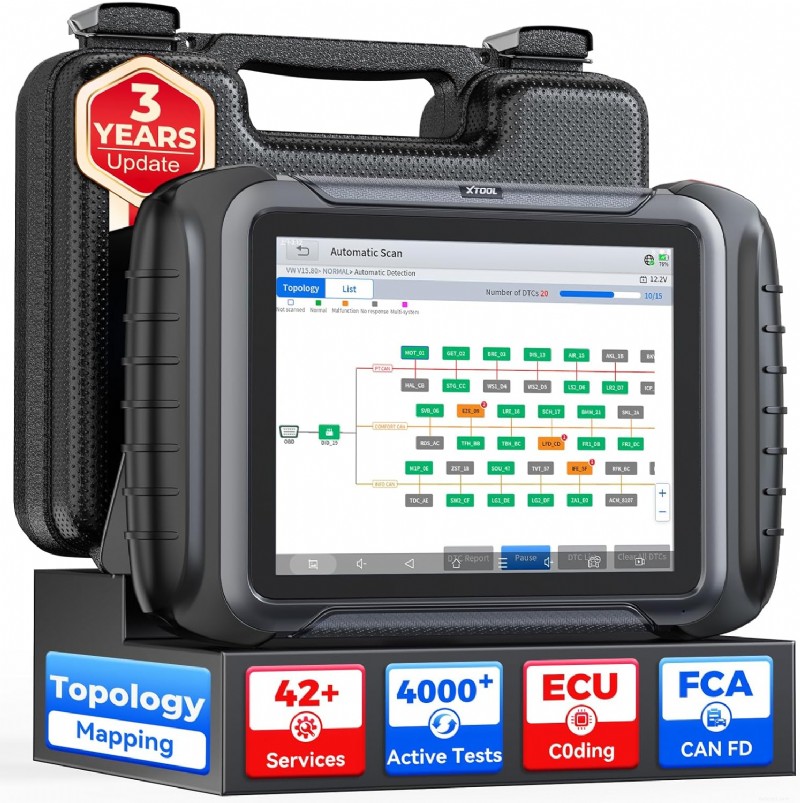 XTOOL D8SBest Overall~$529Check Price →
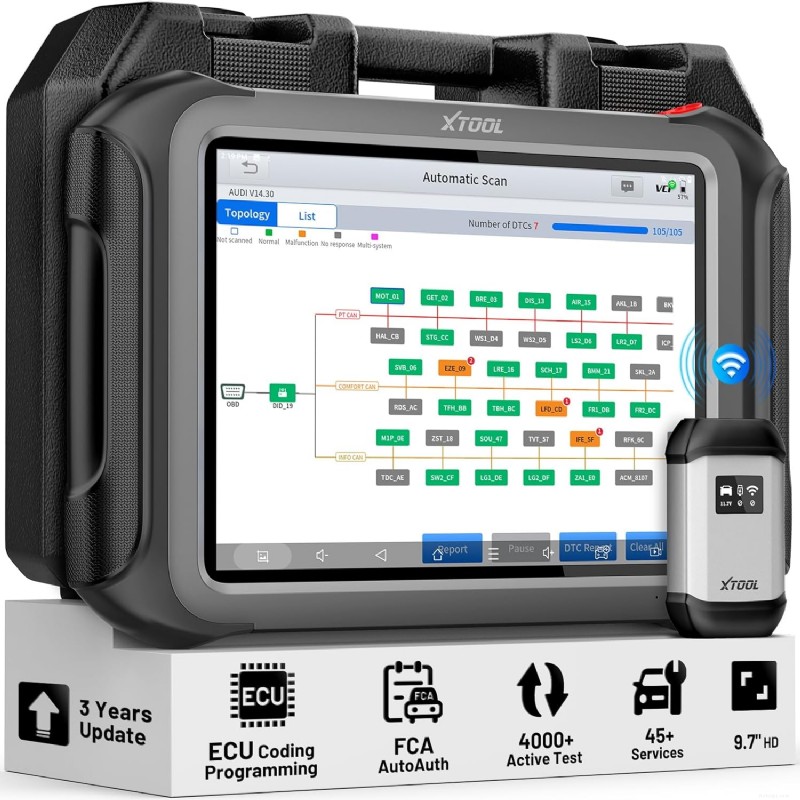 XTOOL D9S ProBest for Professionals~$1,099Check Price →
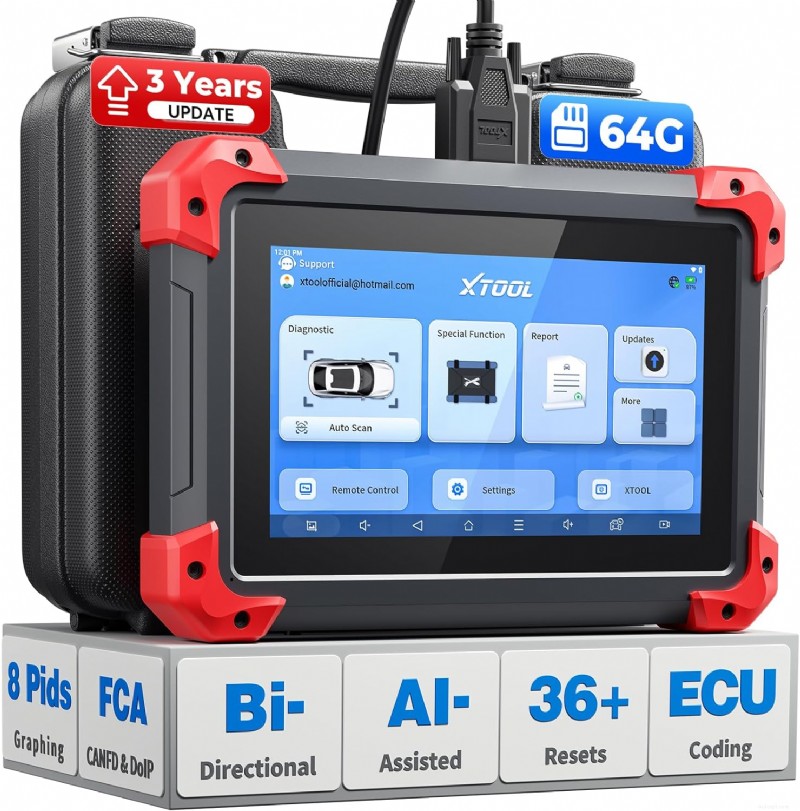 XTOOL D7Best Budget~$319Check Price →
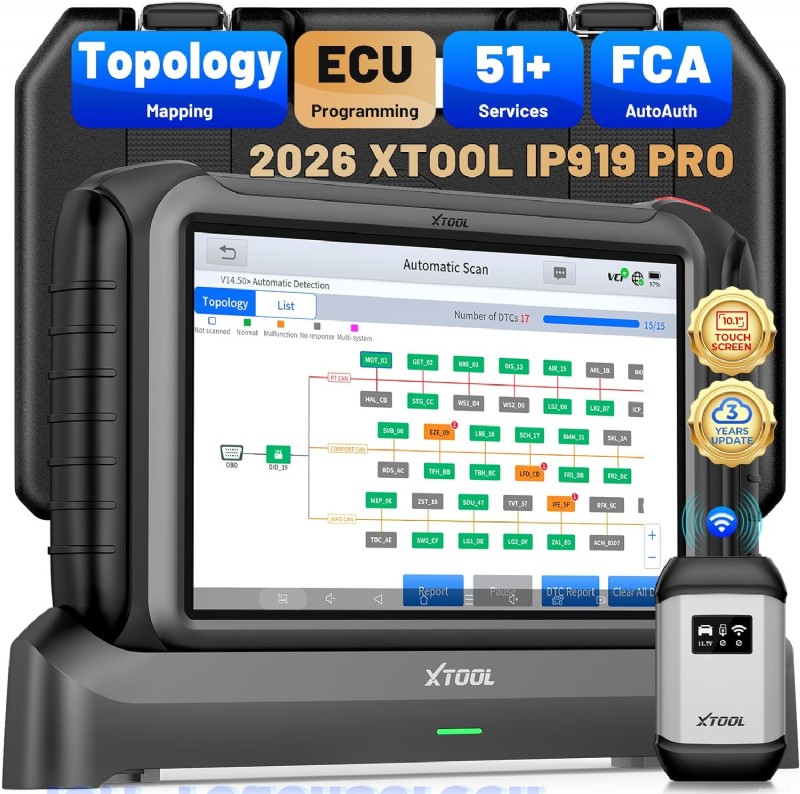 XTOOL IP919 ProBest for Shops~$1,300Check Price →
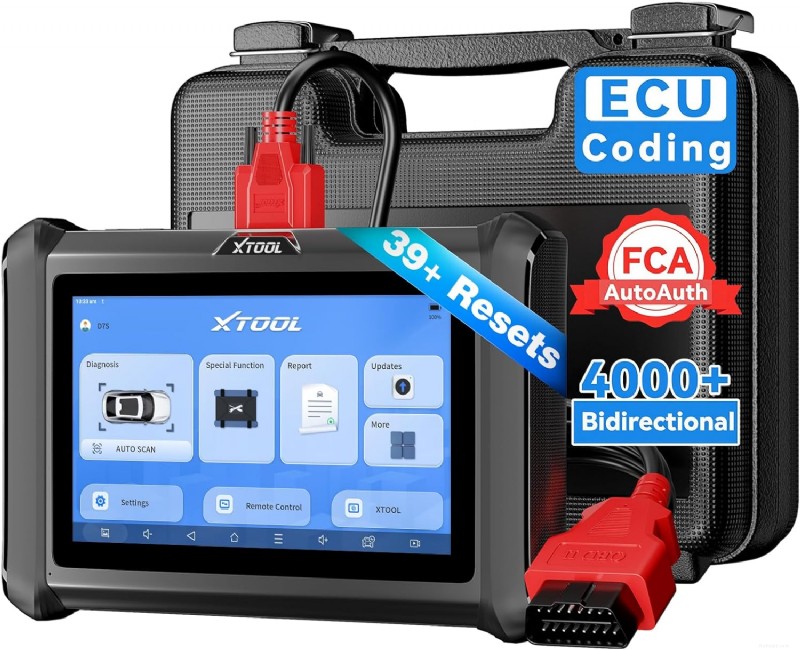 XTOOL D7SBest Value Upgrade~$349Check Price →
Key specs based on manufacturer documentation, verified March 2026. Mobile users: swipe left for full table.
XTOOL’s biggest strength — wide product selection — is also the biggest source of buyer confusion. The company sells three main product series, each aimed at a different user. Picking the wrong series means either leaving money on the table or paying for capabilities you’ll never touch.
The D series (D5S, D7, D7S, D7W, D8, D8S, D8W, D9S Pro) is XTOOL’s bread and butter. These are dedicated diagnostic tablets with built-in screens, and they range from entry-level (D5S at ~$150) to professional-grade (D9S Pro at ~$1,099). The key differences within this series are screen size, processor speed, number of service functions, and whether the tool supports ECU programming. The “S” suffix generally means upgraded hardware (faster processor, more storage), while “W” means wireless VCI (no cable between tablet and OBD port).
The IP series (IP616, IP819, IP919, IP919 Pro) is positioned above the D series for high-volume shops. The IP919 Pro, for example, uses an 8-core processor with 8GB RAM and 128GB storage — hardware that significantly outperforms every D-series model. These tools are designed for technicians who run diagnostics on 10+ vehicles per day and need the fastest possible scan times and the most complete feature set.
Every XTOOL diagnostic tool includes 3 years of free software updates. After that, the tool still works — you just won’t get new vehicle coverage or feature additions unless you purchase an annual renewal (typically $199–$399 depending on the model). This is standard across the industry (Autel, Launch, and TOPDON all do the same), but it’s worth factoring into the total cost of ownership. Per manufacturer documentation, previously downloaded software remains accessible after the update period expires.
⚠️ Warning: Don’t Confuse Model Numbers
The XTOOL D8 and D8S look almost identical in photos but differ significantly in hardware and features. The D8S adds topology mapping, an upgraded processor, dual-band Wi-Fi, and CAN FD/DoIP support that the original D8 lacks. Similarly, the D7 and D7S share a form factor but the D7S adds ECU coding for BMW and Mercedes-Benz — brands the standard D7 doesn’t cover for coding. Always verify the exact model suffix before purchasing.
Best For: DIY enthusiasts and independent mechanics who want professional features without a professional price tag
The XTOOL D8S is the 2026 upgrade of the original D8 — and the gap between them is significant. Per manufacturer specs, the D8S runs on Android 10 with a quad-core 1.8GHz processor, 4GB RAM, 64GB storage, and a 5000mAh fast-charging battery. It features an 8-inch touchscreen and supports both Wi-Fi and wired VCI connections. The headline addition is topology mapping — a visual module scan that color-codes every system in the vehicle to show faults at a glance.
What makes the D8S our top pick is the feature-to-price ratio. At ~$529, it includes topology mapping, 42+ service resets, 4,000+ bidirectional active tests, ECU coding (VW/Audi/Skoda/Mercedes-Benz/BMW), PMI for Ford/Lincoln/Mazda, FCA AutoAuth, CAN FD, and DoIP support. That’s a feature set that rivals tools costing $800–$1,000 from competing brands.
The main limitation is screen size. At 8 inches, the D8S is usable but not as comfortable for all-day shop work as the 9.7-inch D9S Pro or 10.1-inch IP919 Pro. If you’re servicing 15+ vehicles per day, the larger screens reduce eye strain noticeably.
Our reviewer Robert Stage evaluated the D8S’s feature set against its D-series siblings and competing brands. The topology mapping function is the standout — it performs a full module scan and displays results in a color-coded tree diagram, letting technicians identify which module has a fault without scrolling through individual systems. According to verified Amazon owner reviews, the topology scan completes in under 60 seconds on most vehicles and dramatically speeds up initial diagnostics compared to manual system-by-system scanning.
The D8S’s bidirectional control capability covers over 4,000 active tests per manufacturer specs, including fuel injector testing, ABS pump activation, cooling fan cycling, and window/door actuation. Verified owners consistently report that the bidirectional functions work reliably on 2010+ domestic and Asian vehicles. European vehicle support (particularly BMW and Mercedes-Benz) is more model-dependent — XTOOL recommends checking VIN compatibility before purchase.
The 42+ service functions include essentials like oil reset, EPB, SAS calibration, BMS reset, DPF regeneration, TPMS reset, injector coding, and ABS bleeding. The D8S also supports V2.0 diagnostic reports that can be customized with shop logos and customer details — a feature that helps independent shops present a more professional image. CAN FD support covers 2020+ GM vehicles, DoIP handles BMW E/F/G chassis, and FCA AutoAuth unlocks 2018+ Chrysler/Dodge/Jeep diagnostics.
Compared to the Autel MK808S (~$350) and Launch CRP919E (~$400), the D8S costs more upfront but includes topology mapping, ECU coding, and PMI that neither competitor offers at their price points. Against the XTOOL D9S Pro (~$1,099), the D8S sacrifices ECU programming, a larger screen, and 128GB storage — but saves $570 for a feature set that covers 90% of diagnostic needs.
Topology Mapping at $529 — Previously a feature reserved for $1,000+ tools. The color-coded module scan identifies faults across all vehicle systems in a single click, per manufacturer documentation.
Complete Protocol Support — CAN FD (2020+ GM), DoIP (BMW E/F/G), and FCA AutoAuth (2018+ Chrysler) built in. No adapters needed for standard diagnostics.
ECU Coding + PMI — Offline coding for VW/Audi/Skoda and online coding for BMW/Benz. PMI (Programmable Module Installation) for Ford, Lincoln, and Mazda handles blank ECU installation — a feature most sub-$600 tools lack.
3-Year Free Updates — Software updates via Wi-Fi at no cost for 3 years, ensuring new vehicle coverage. Previously downloaded software remains functional after the update period expires.
8-Inch Screen — Adequate for occasional use, but technicians servicing vehicles all day will notice the smaller display compared to the 9.7″ D9S Pro or 10.1″ IP919 Pro.
No ECU Programming — The D8S supports ECU coding (changing parameters) but not ECU programming (flashing firmware). For module reflashing on BMW, Mercedes-Benz, or Ford, you need the D9S Pro or IP919 Pro.
Older Vehicle Limitations — Per verified owner feedback, some functions are limited or unavailable on pre-2008 vehicles. XTOOL recommends VIN verification before purchase for older models.
The D8S is ideal for advanced DIY mechanics, mobile technicians, and small independent shops that need professional diagnostic capabilities without the $1,000+ price tag. It’s also the right choice for multi-vehicle households that want one tool covering domestic, Asian, and European brands. Skip this if you need ECU programming/flashing — get the D9S Pro instead. And if your budget is under $350, the D7 covers the basics at a lower price.
The XTOOL D8S delivers the strongest combination of features and value in the 2026 XTOOL lineup. Topology mapping, bidirectional control, ECU coding, and complete protocol support at $529 make it the tool to beat in its price class.
Check Price at Amazon →
🗨️ Reviewer’s Take
“The D8S is where XTOOL hits the sweet spot. You get topology mapping and ECU coding that used to require a $1,200 Autel or Launch tool, and the CAN FD and DoIP support means it won’t become obsolete when your customers start bringing in newer vehicles.”
— Robert Stage, ASE Master Certified Technician
Best For: Professional mechanics, busy workshops, and anyone who needs ECU programming capabilities
The XTOOL D9S Pro sits at the top of the D-series lineup and is the tool XTOOL positions against the Autel MaxiSys MS906 Pro and Launch X431 PAD V. It features a large 9.7-inch touchscreen, a quad-core 1.8GHz processor, 4GB RAM, 128GB storage, and a 6,400mAh battery (7.4V). The most important differentiator from the D8S: the D9S Pro supports ECU programming — not just coding — allowing technicians to reflash and reprogram modules like ECM, TCM, and BCM.
ECU programming support covers online programming for BMW (F/G chassis) and Mercedes-Benz, and offline programming for Ford, Mazda, and Lincoln per manufacturer documentation. This means you can install a blank or secondhand ECU and flash it with the correct firmware — a function that typically requires a dealer-level tool or a J2534 device. XTOOL also includes VAG Guided Functions for VW vehicles and PMI (Programmable Module Installation) for Ford/Lincoln/Mazda.
The D9S Pro’s value proposition is clear when you compare it to the competition. An Autel MaxiSys MS906 Pro with comparable ECU programming capability runs $1,500–$2,000. The Launch X431 PAD V starts at $1,800+. At ~$1,099, the D9S Pro undercuts both significantly while offering comparable functionality for the brands it supports.
The critical caveat: ECU programming on the D9S Pro is brand-specific. Per XTOOL’s documentation, online ECU programming works for BMW and Mercedes-Benz, while offline ECU programming covers Ford, Mazda, and Lincoln. It does not support ECU programming for GM vehicles. If GM module programming is a frequent need in your shop, this tool won’t replace a GM MDI or a J2534 passthrough device for that specific function.
Verified owner reviews on Amazon consistently praise the D9S Pro’s wireless diagnostic range (dual Wi-Fi modules provide stable connections per manufacturer specs), the 9.7-inch screen’s readability in shop environments, and the topology mapping speed. Multiple owner reviews note that the tool has become their daily driver, replacing more expensive Snap-on and Autel tools for routine diagnostics. The most common complaint is the learning curve — the menu system has many layers, and new users report needing a week or two to become fully efficient.
The D9S Pro also includes 42+ service functions, 4,000+ bidirectional active tests, FCA AutoAuth, CAN FD, DoIP, topology mapping, and pre-scan/post-scan reporting — the same core feature set as the D8S, plus the ECU programming capability and larger screen that justify the price premium.
ECU Programming — Reflash and reprogram modules for BMW, Mercedes-Benz, Ford, Mazda, and Lincoln. This is the feature that separates the D9S Pro from everything below it in XTOOL’s lineup.
9.7-Inch Display — Noticeably more comfortable for extended diagnostic sessions than the D8S’s 8-inch screen. Per manufacturer specs, the display supports clear viewing in outdoor and well-lit shop environments.
128GB Storage — Double the D8S’s 64GB, important for shops that store diagnostic reports and work with multiple vehicle software packages.
Dual Wi-Fi VCI — Wireless connection between tablet and VCI module. Per XTOOL, the range extends beyond 280 feet, allowing movement around the shop during diagnostics.
No GM ECU Programming — The D9S Pro cannot program GM vehicle modules. Shops with heavy GM volume will still need a separate J2534 device or GM MDI for that function.
Steep Learning Curve — Verified owners report the menu system has many nested layers. Expect 1–2 weeks to become proficient with all features.
Annual Update Cost After 3 Years — Per XTOOL’s documentation, the annual software renewal is ~$399 after the initial 3-year free period. Factor this into total cost of ownership.
The D9S Pro is the right choice for professional technicians who need ECU programming for European (BMW, Mercedes-Benz) or domestic (Ford, Lincoln, Mazda) vehicles and want a single tool that also handles full diagnostics. If you don’t need ECU programming, the D8S at $529 covers everything else. And if you need even more horsepower and a sunlight-readable screen, consider the IP919 Pro.
The D9S Pro is XTOOL’s most capable D-series tool, combining ECU programming with a comprehensive diagnostic feature set at roughly half the price of comparable Autel and Launch alternatives.
Check Price at Amazon →
Pro Tip: D8S vs. D9S Pro — The $570 Question
If you’re debating between these two, the decision comes down to one question: Do you need to flash/program ECU modules? If yes, the D9S Pro is worth the premium. If you only need ECU coding (changing parameters, unlocking features), the D8S handles that at $529. Coding and programming are different functions — coding adjusts settings within existing firmware, while programming installs entirely new firmware.
Best For: Budget-conscious DIYers and home mechanics who want bidirectional control without spending $500+
The XTOOL D7 is the entry point into XTOOL’s bidirectional scan tool lineup, and it’s been one of the best-selling diagnostic tools on Amazon for good reason. The 2026 V2.0 update added CAN FD support (for 2020+ GM vehicles), FCA AutoAuth (for 2018+ Chrysler/Dodge/Jeep), online ECU coding, and expanded language support from 15 to 24 languages. Per manufacturer specs, the D7 runs on Android 10 with a quad-core 1.5GHz processor, 2GB RAM, 64GB ROM, and a 7-inch touchscreen.
At ~$319, the D7 offers full bidirectional control, 36+ service resets, ECU coding for VW/Audi/Skoda/Mercedes-Benz, key programming, all-system diagnostics, and 8-in-1 live data graphing. The V2.0 update also added AI-assisted diagnostics that analyze fault codes and suggest likely root causes — a feature designed to help less experienced users.
The D7’s greatest strength is making professional-level bidirectional control accessible at a budget price point. Verified Amazon owners report successfully performing fuel injector testing, ABS pump activation, cooling fan cycling, EVAP tests, and HVAC recalibration on a wide range of domestic and Asian vehicles. Key programming — a function that typically costs $300+ at a dealership for a single key — is available for supported models, making the D7 potentially pay for itself on the first use.
Where the D7 shows its budget roots is in what it lacks versus the D8S. There’s no topology mapping, no PMI function, and only 36 service resets compared to the D8S’s 42+. The wired connection (no wireless VCI option) means you’re tethered to the OBD port by a cable. The 2GB RAM is half of the D8S’s 4GB, which can cause noticeable lag when running live data on multiple systems simultaneously, per verified owner reports.
The D7’s battery life is another documented weakness. Multiple verified owners report the 2,500mAh battery (7.3V) drains quickly under heavy use, and the tool sometimes needs to be plugged in during extended diagnostic sessions. For a home mechanic working on one or two cars, this is manageable. For a mobile technician, it’s a genuine inconvenience.
Full Bidirectional Control Under $320 — Active tests on fuel injectors, ABS pumps, cooling fans, and more. This feature alone separates the D7 from code readers and basic scanners.
Key Programming — Program spare keys and fobs for supported vehicles. Multiple verified owners report programming Dodge key fobs in under 10 minutes — a service that would cost $300+ at a dealer.
2026 V2.0 Updates — Added CAN FD, FCA AutoAuth, AI diagnostics, and online ECU coding. These updates keep the D7 relevant for newer vehicles without requiring a hardware upgrade.
Weak Battery — The 2,500mAh battery drains quickly per verified owner reports. Plan to keep it plugged in during extended sessions.
No Topology Mapping — You’ll need to scan systems individually instead of getting the one-click color-coded overview available on the D8S and above.
Wired Connection Only — No wireless VCI option. The cable tethers you to the vehicle’s OBD port during diagnostics.
The D7 is the right tool for home mechanics, enthusiast DIYers, and anyone who works on their own vehicles (or a few friends’ cars) and wants bidirectional capability without crossing the $500 threshold. Skip it if you need topology mapping or wireless diagnostics — the D8S at $529 is worth the upgrade for those features.
The XTOOL D7 remains the most affordable way to get genuine bidirectional control in XTOOL’s lineup. The 2026 V2.0 update added critical protocol support that keeps it relevant for newer vehicles.
Check Price at Amazon →
Best For: Professional repair shops and dealership-level technicians who need the fastest hardware and deepest feature set
The IP919 Pro is XTOOL’s flagship — their direct answer to the Autel MaxiSys Ultra and Launch X431 PAD VII. Per manufacturer specs, it runs on Android 10 with an 8-core (Qualcomm octa-core) processor, 8GB RAM, 128GB storage, a 10.1-inch 1920×1200 sunlight-readable display, and a 6,400mAh (7.2V) battery. XTOOL claims the hardware delivers 10x faster performance compared to the D-series tools, and the sunlight-readable screen is specifically designed for outdoor and bright-shop environments.
Feature-wise, the IP919 Pro includes everything the D9S Pro offers — ECU programming, ECU coding, topology mapping, 4,000+ bidirectional tests, FCA AutoAuth, CAN FD, DoIP — plus 51+ service functions (compared to 42+ on the D9S Pro) and the best pre-scan/post-scan reporting in the lineup. The additional 9 service functions cover niche but valuable capabilities for shops working on a diverse vehicle mix.
The IP919 Pro’s hardware advantage is immediately apparent in spec comparisons. The 8-core processor with 8GB RAM processes diagnostic data significantly faster than the D9S Pro’s quad-core with 4GB RAM. For shops running 10–20+ diagnostics per day, this speed difference adds up — faster scan times, smoother live data graphing, and quicker report generation. The 10.1-inch sunlight-readable screen eliminates the squinting and screen-shading that technicians deal with on smaller, dimmer displays.
The pre-scan/post-scan reporting feature is particularly valuable for collision shops and shops that want to document vehicle condition before and after service. Per verified owner reviews, the professionally formatted reports can include shop branding, customer details, and photo attachments — creating documentation that justifies diagnostic charges and protects against liability disputes.
The IP919 Pro’s ECU programming and coding capabilities mirror the D9S Pro: online programming for BMW and Mercedes-Benz, offline programming for Ford/Mazda/Lincoln, and coding for VW/Audi/Skoda/Mitsubishi. The additional $200 premium over the D9S Pro buys you the superior hardware, larger screen, sunlight readability, and 51+ service functions. For a busy shop, those upgrades pay for themselves in efficiency gains within weeks.
Best-in-Class Hardware — 8-core processor, 8GB RAM, 128GB storage. Per manufacturer specs, this is 10x faster than the D-series, and verified owners confirm noticeably snappier performance.
10.1″ Sunlight-Readable Screen — 1920×1200 resolution designed for outdoor and bright environments. Reduces eye strain during all-day diagnostic work.
51+ Service Functions — Nine additional service functions beyond the D9S Pro’s 42+, covering more niche reset and calibration procedures.
Professional Pre-Scan/Post-Scan Reports — Branded diagnostic reports that document vehicle condition before and after service, valuable for customer communication and liability protection.
Price Premium — At ~$1,300, the IP919 Pro costs $200 more than the D9S Pro for hardware improvements that individual users and small shops may not fully utilize. The feature set is largely identical.
Same ECU Programming Limitations as D9S Pro — No GM module programming. The brand-specific ECU programming restrictions apply equally to the IP919 Pro.
The IP919 Pro makes sense for established repair shops processing high vehicle volumes, collision repair facilities that need pre-scan/post-scan documentation, and technicians who spend 8+ hours per day on a diagnostic tablet. If you’re a solo mobile tech or advanced DIYer, the D9S Pro gives you the same core features at $200 less — the IP919 Pro’s hardware upgrades primarily benefit high-throughput environments.
XTOOL’s flagship delivers the fastest hardware, largest screen, and most complete feature set in the lineup. It’s designed for shops where diagnostic speed and professional reporting directly impact revenue.
Check Price at Amazon →
Best For: DIYers and small-shop techs who want broader ECU coding and PMI functionality without jumping to the D8S price tier
The XTOOL D7S is the “S” (upgraded hardware) version of the D7, adding improved internal specs and expanded ECU coding support. Per manufacturer documentation, the D7S features a 7-inch touchscreen, 64GB storage (with upgraded internal components), a 5,000mAh battery, and a built-in camera. It supports 39+ service functions (three more than the D7’s 36+), bidirectional control, CAN FD, DoIP, and FCA AutoAuth.
The key upgrade over the standard D7: expanded ECU coding. While the D7 codes VW/Audi/Skoda/Mercedes-Benz, the D7S adds offline coding for BMW and Mitsubishi. The D7S also gained the PMI function for Ford, Lincoln, and Mazda in its V2.0 update — a feature previously exclusive to the D8S and above. For $30 more than the D7, these additions represent strong value for anyone working on German or domestic vehicles.
The D7S occupies an interesting position in the lineup: it’s only $30 more than the D7 but includes meaningfully upgraded capabilities. The BMW ECU coding support alone is a significant addition — BMW owners frequently want to enable comfort coding features (auto-fold mirrors, digital speedometer, ambient lighting customization) that require ECU coding. With the standard D7, you’d be telling those customers you can’t help. With the D7S, you can handle it.
The improved 5,000mAh battery directly addresses one of the D7’s biggest weaknesses. Verified owners report the D7S lasts significantly longer during extended diagnostic sessions compared to the D7’s 2,500mAh unit. The built-in camera is another practical addition — it lets technicians photograph problem areas and attach images directly to diagnostic reports without switching to a separate device.
The D7S still lacks topology mapping — the biggest feature gap between it and the D8S. If visual module mapping is important to your workflow, the jump to the D8S at $529 is worth considering. But for users who are comfortable scanning systems individually and primarily need broader ECU coding and better battery life, the D7S at ~$349 hits a value sweet spot.
Expanded ECU Coding — Adds BMW and Mitsubishi coding support beyond the D7’s VW/Audi/Skoda/Mercedes-Benz coverage. Per XTOOL documentation, supports offline coding, component matching, and adaptive data resets.
PMI for Ford/Lincoln/Mazda — Programmable Module Installation handles blank ECU setup on Ford platforms — a feature previously exclusive to the D8S and above.
Better Battery — 5,000mAh (vs. D7’s 2,500mAh) addresses the most common D7 complaint. Verified owners report full-day use without needing a charge.
No Topology Mapping — Like the D7, the D7S scans systems individually. The color-coded visual module overview starts at the D8S tier.
Wired Connection Only — Same cable-tethered VCI as the D7. No wireless diagnostic option.
If you’re choosing between the D7 and D7S, get the D7S — the $30 premium buys meaningful upgrades (BMW coding, better battery, PMI) that are worth more than the price difference. The D7S is ideal for DIYers and mobile techs who work on a mixed European/domestic vehicle base and want coding capability without paying D8S prices. Skip it if you need topology mapping — the D8S is the entry point for that feature.
The D7S adds BMW coding, better battery life, and PMI over the standard D7 for just $30 more — making it the better buy in this price tier for anyone working on European or Ford vehicles.
Check Price at Amazon →
Feature data sourced from manufacturer documentation, verified March 2026.
Home mechanics working on 1–3 personal vehicles need different capabilities than a shop technician servicing 15 vehicles per day. If you’re primarily reading and clearing codes, running basic resets (oil, EPB, SAS), and occasionally doing bidirectional tests, the D7 at $319 covers those needs. If you’re a professional running advanced diagnostics daily, the D8S or D9S Pro are more appropriate starting points.
ECU coding changes parameters within existing firmware — enabling hidden features, adjusting comfort settings, matching new components. All five recommended tools support ECU coding for at least VW/Audi/Skoda. ECU programming installs entirely new firmware onto a module — essential when replacing a blank or used ECU. Only the D9S Pro and IP919 Pro support ECU programming, and it’s limited to BMW, Mercedes-Benz, Ford, Mazda, and Lincoln. If you need to flash GM modules, no XTOOL tool currently supports that.
XTOOL claims 100,000+ vehicle coverage, but function availability varies significantly by make, model, and year. XTOOL recommends contacting their support team with your VIN before purchasing to confirm specific function compatibility. This is not unique to XTOOL — Autel, Launch, and TOPDON all have similar model-specific function variations.
The D7 and D7S use wired VCI connections only — the diagnostic cable physically connects the tablet to the vehicle’s OBD port. The D8S, D9S Pro, and IP919 Pro offer wireless VCI via Wi-Fi, allowing the technician to move around the vehicle (and the shop) during diagnostics. If you frequently need to check under-hood components while reading live data, wireless VCI is a worthwhile upgrade.
The 7-inch screens on the D7 and D7S are fine for occasional home use. For daily professional use, the jump to the D8S’s 8-inch screen or the D9S Pro’s 9.7-inch screen significantly reduces eye strain. The IP919 Pro’s 10.1-inch sunlight-readable display is the best option for technicians who work outdoors or in brightly lit shops.
Every XTOOL tool includes 3 years of free software updates. After that, annual renewals range from $199 to $399 depending on the model. The tool continues to function without renewal — you just won’t receive new vehicle support or feature additions. Factor in at least 2–3 years of updates beyond the free period when calculating total cost. A D8S at $529 + two years of renewals (~$398 each) = roughly $1,325 over 5 years.
XTOOL’s diagnostic tools can be expanded with optional accessories. The KC501 adapter adds advanced key programming for Mercedes-Benz, BMW, and VW. The KC100 handles general key programming for Toyota and Lexus. The 12+8 cable provides an alternative to FCA AutoAuth for Chrysler/Dodge/Jeep diagnostics. The XV200 endoscope integrates with D8S-level tools and above for visual inspections. These are sold separately and add to total investment.
The XTOOL D7 at ~$319 is the best choice for home mechanics. It offers full bidirectional control, 36+ service resets, ECU coding, and key programming at the lowest price point in the lineup. If you work on BMW or Ford vehicles specifically, the D7S at ~$349 adds coding support for those brands and doubles the battery life.
Yes, if you value topology mapping, wireless diagnostics, and faster performance. The D8S adds one-click visual module scanning, a wireless VCI connection, 42+ service functions (vs. 36+), a faster processor with 4GB RAM (vs. 2GB), and an 8-inch screen. The $210 premium is justified for anyone who works on vehicles regularly or professionally.
Yes. All five recommended models support key programming for supported vehicle makes and models. Key programming coverage varies by vehicle — XTOOL recommends verifying VIN compatibility before relying on this function. For advanced key programming (EEPROM-level work on Mercedes-Benz, BMW, or VW), you’ll need the optional KC501 adapter.
Yes. All five recommended XTOOL models support CAN FD protocol, which is required for diagnostics on 2020+ GM vehicles (Chevrolet, GMC, Buick, Cadillac). This support is built into the tool — no additional adapters are needed. However, XTOOL does not currently support ECU programming for GM vehicles on any model.
Your XTOOL tool continues to function normally with all previously downloaded software. You can still scan vehicles, run resets, and use all features. However, you won’t receive new vehicle coverage or feature updates unless you purchase an annual software renewal (typically $199–$399 depending on the model).
For high-volume shops, yes. The IP919 Pro’s 8-core processor, 8GB RAM, 10.1-inch sunlight-readable screen, and 51+ service functions provide measurably faster performance and a better daily experience than the D9S Pro. For individual technicians or smaller operations, the D9S Pro offers the same core diagnostic and programming capabilities at $200 less.
Yes, but only the D9S Pro and IP919 Pro support ECU programming (firmware flashing). Both support online ECU programming for BMW F/G chassis and Mercedes-Benz. The D8S and below support ECU coding (parameter changes) but not full programming. Always verify specific module compatibility with XTOOL’s support team and your vehicle’s VIN before attempting ECU programming.
XTOOL generally offers comparable features at lower price points than Autel and Launch. The D8S at $529 competes with the Autel MK906 Pro (~$700–$800) and Launch CRP919E BT (~$500–$600) in feature set. The D9S Pro at $1,099 undercuts the Autel MaxiSys MS906 Pro ($1,500+) and Launch X431 PAD V ($1,800+). XTOOL’s customer support is consistently praised by verified owners. The tradeoff is that Autel and Launch have longer track records in the North American professional market and may have deeper vehicle-specific coverage for certain makes.
The “W” suffix means wireless. The D7W (~$500–$600) adds wireless VCI connectivity and an 8-inch screen, making it functionally closer to the D8S than the D7. For most buyers, the D8S at $529 is a better value than the D7W because it adds topology mapping on top of the wireless capability. The D7W is best for users who specifically want the D7’s feature set with wireless connectivity and a slightly larger screen.
No. XTOOL offers 3 years of free software updates on all diagnostic tablet tools. After the free period, annual renewal subscriptions are available. Some lower-tier XTOOL products (like the A30M and AD20 Pro Bluetooth adapters) do offer lifetime free updates, but none of the recommended diagnostic tablets in this roundup include lifetime updates.
XTOOL’s 2026 lineup covers every diagnostic need from basic DIY to professional shop-level ECU programming. The right tool depends entirely on what you need it to do and how often you’ll use it. Here are our specific recommendations:
For most buyers — the XTOOL D8S delivers the strongest overall value. Topology mapping, 42+ resets, wireless VCI, ECU coding, and CAN FD/DoIP/FCA support at $529 makes it the tool to beat in 2026. It handles 90% of diagnostic needs at roughly half the price of comparable competitors.
XTOOL D8S — Check Price →
For professional technicians who need ECU programming — the XTOOL D9S Pro adds module reflashing for BMW, Mercedes-Benz, Ford, Mazda, and Lincoln, a larger 9.7-inch screen, and 128GB storage. At $1,099, it significantly undercuts Autel and Launch alternatives with comparable capabilities.
XTOOL D9S Pro — Check Price →
For budget-conscious DIYers — the XTOOL D7 puts full bidirectional control, key programming, and 36+ service resets in your hands for ~$319. It’s the most affordable way to get professional-level diagnostic capability from XTOOL.
XTOOL D7 — Check Price →
For high-volume shops — the XTOOL IP919 Pro provides the fastest hardware (8-core, 8GB RAM), largest screen (10.1″ sunlight-readable), and most complete feature set (51+ resets) in the lineup. The $1,300 investment pays for itself through faster diagnostic throughput and professional pre-scan/post-scan reporting.
XTOOL IP919 Pro — Check Price →
For the best value upgrade from the D7 — the XTOOL D7S adds BMW ECU coding, PMI for Ford, and double the battery life for just $30 more than the standard D7. If you work on European or domestic vehicles, the D7S is the smarter buy at $349.
XTOOL D7S — Check Price →
XTOOL D8 Review: Affordable Bi-directional Scanner
XTOOL D7 Review: Real-World Experience Guide
XTOOL D8 vs. D9 vs. D9 Pro: Which Is Best for Professionals?
XTOOL D7 vs. D8: Which Should You Buy?
All OBD2 Scanner Reviews & Buying Guides
🛠️ Before You Spend $25–$900 on a Scanner
No affiliate fluff. No "top 10" lists copied from Amazon. Just the honest breakdown of what to buy — and what to walk past.
28 pages · Technically reviewed by ASE-certified master technicians · Updated March 2026 · 30-day money back
