
All 2012 Honda Civic car models have a tire pressure monitoring system or TPMS. If you have been driving for a while, you will have likely become acquainted with the tire pressure light on your car dashboard. The TPMS light switches on when the system sensors have found the pressure in one or more of the tires below.
The quickest way to solve this issue is to fill your tires up with air until they reach the correct pressure. However, it is not always that straightforward. We’ve all been there, we’ve filled up the tires but the tire pressure light still torments us from the dashboard.
In these circumstances, you will need to reset the TPMS. In this article, we share an easy-to-follow guide on how to reset the TPMS in a Honda Civic 2012.
TPMS stands for Tire Pressure Monitoring System. Since 2008, all Honda Civic models have been equipped with a TPMS. The tire pressure monitoring system works by using pressure sensors to assess the pressure of the car tires.
The pressure sensors are attached to each wheel and they send pressure readings to the car’s computer – the central electronic unit – and if a reading is 25% below the recommended pressure level, the TPMS system will illuminate a warning light on the car’s instrument panel.
Depending on the car model a message on the maintenance information display may also appear.
The TPMS is a smart addition to your Honda Civic, it prevents you from driving on tires that are the incorrect pressure and potentially dangerous. However, the TPMS needs to be reset at certain times in order to continue to accurately measure the pressure of the car tires.
Not sure when to reset the TPMS in your Honda Civic 2012? Here is your answer:
If any of the above work has been done to your car tires, you will need to reset the TPMS. The sensors will not accurately read the tire pressure if the system is not reset when it is needed.
If the TPMS is not reset, it will continue to think you are driving on tires with low air pressure and that pesky warning light won’t be turning off any time soon.
Don’t know how to check or reset the TPMS in your Honda? Don’t worry. We have a simple step-by-step guide coming up in this article.
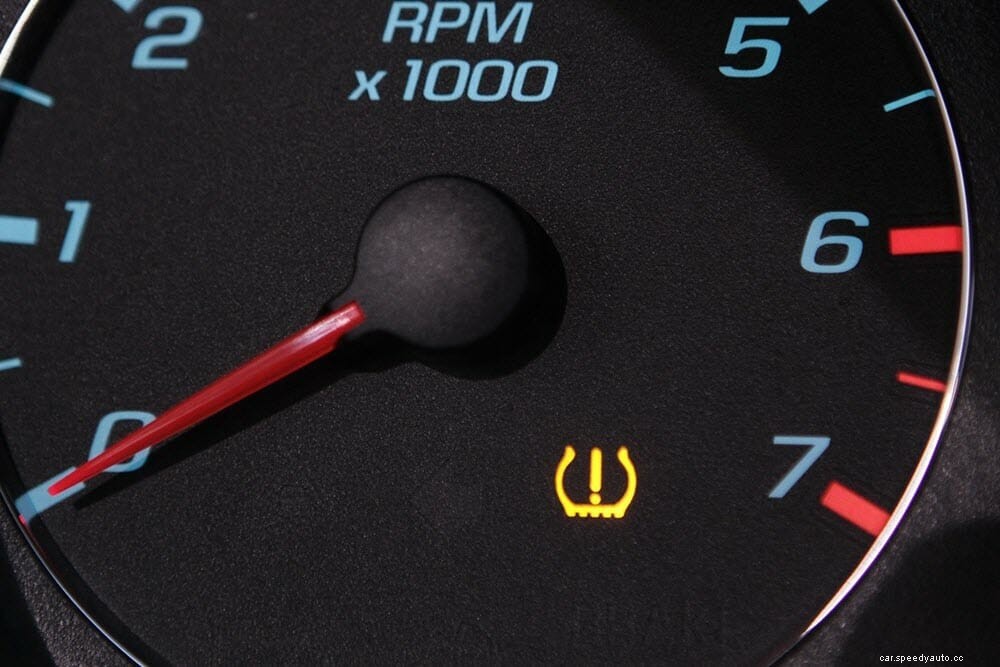
Once your tires are successfully inflated to the correct pressure, it will then be time to reset the monitoring system. Some car models will have a TPMS reset button, this is not the case with a 2012 Honda Civic though.
You can reset the TPMS in a Honda Civic 2012 by driving the car above 25mph for a short period of time. After you have traveled at speeds above 25mph you should notice the TPMS warning light turn off.
However, it is important to reset the TPMS after you have added air to your tires and the above method does not always work. If you want to reset the TPMS light in your Honda Civic, just follow our step-by-step guide below.
Step 1 – Fill tires to the correct air pressure. For a 2012 Honda Civic, the correct air pressure is 32 psi.
Step 2 – Switch the car on and locate the menu button and joypad on the steering wheel.
Step 3 – Press MENU on the steering wheel.
Step 4 – Using the down arrow on the joypad, scroll down to CUSTOMIZE SETTINGS.
Step 5 – Press SOURCE to select customize settings menu.
Step 6 – Scroll to the DEFLATION WARNING SYSTEM.
Step 7 – Press SOURCE to select the deflation warning system.
Step 8 – Scroll down to INITIALIZE and press SOURCE.
Step 9 – A message will appear asking if you want to proceed, press the down arrow for ‘yes’.
Step 10 – The TPMS should now be reset and the warning light will turn off. Press MENU to close the menu down and return to the clock display on the dashboard.
The 2012 Honda Civic may not have a TPMS reset button, but other models do. Often, the TPMS reset button makes the process much quicker than following the steps above. Unfortunately, a 2012 Honda Civic does not have a reset button, but if your Honda does have one installed, here is a quick step-by-step guide:

Step 1 – Fill tires with air until they reach the correct pressure for your vehicle.
Step 2 – Locate the TPMS button. This reset button is often found to the left of the steering wheel in Honda cars.
Step 3 – Press and hold down the TPMS button until it blinks twice.
Step 4 – The system will now re-calibrate.
Step 5 – Switch the car off and re-start the engine. The TPMS will now be reset.
Yes, the Honda Civic 2012 has a TPMS (tire pressure monitoring system). Since the year 2008, all Honda Civic cars have had a TPMS system fitted as standard. Before 2008, the tire pressure monitoring system was only available on certain models.
If you are looking for the TPMS reset button, it can be located to the left of the steering wheel in your Honda Civic.
The tire pressure monitoring light is there to alert drivers when the pressure in one or more of the car tires is not correct. However, occasionally the TPMS light may illuminate even when all of the tires are at the correct pressure.
This can happen for several reasons, you may need to reset the TPMS or there could be a faulty sensor or a digital issue that needs fixing.
To make sure you are driving safely and protecting your car tires, you will need to ensure all front and rear tires have the correct tire pressure. The recommended tire pressure for a Honda Civic 2012 is 32psi.
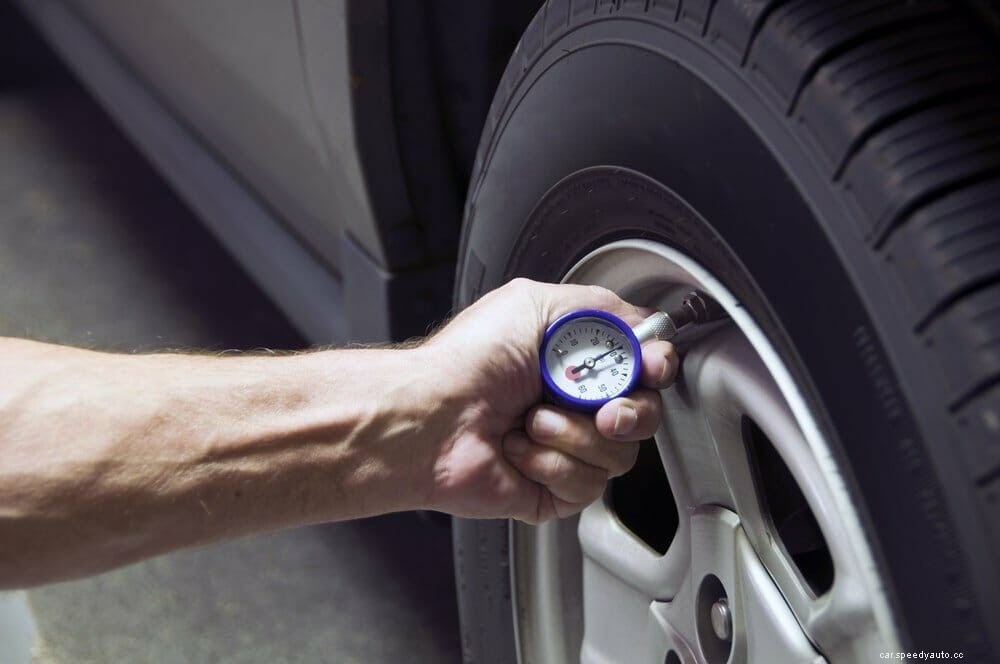
You should not drive with the TPMS light on as you may be driving on tires that are unsafe. If you ignore the tire pressure light, you may cause damage to your tires over time as they need to be the correct pressure to perform efficiently and safely.
Also, the TPMS may need to be reset so the system can correctly monitor the pressure in all of the car tires.
The process of resetting the TPMS can vary between different car models. To reset the TPMS in a Honda Civic you need to find the reset button (next to the lower-left knee bolster) and press and hold it until the light blinks twice.
Next, simply turn the engine off and when you restart the car the system will have reset.
The TPMS in your Honda Civic 2012 is there to monitor the pressure of your tires so you don’t have to. When the sensors detect deflation in one or more of the tires, a warning light will appear on your dashboard. Following a tire change or inflation, you will need to reset the TPMS.
We have shared exactly how to reset the TPMS in your Honda Civic 2012, and we hope you have found our step-by-step guide useful – that pesky warning light can be gone from your dashboard in just a matter of a minute or two!
